



SALON SCRIPT
 ESX
ESX  QBCore
  QBox
QBox- 3 Salon MLOs Hawick, beach, and clifftop salons included
- Manicure Eight hands-on steps, from prep to file
- Hair Colour & Cuts Wash, dye, and cut by hand
- Nail Art Studio 12 designs printed on any player
- Real Players Book services or apply for jobs
- Inventory & Resupply Stock delivered by the salon truck


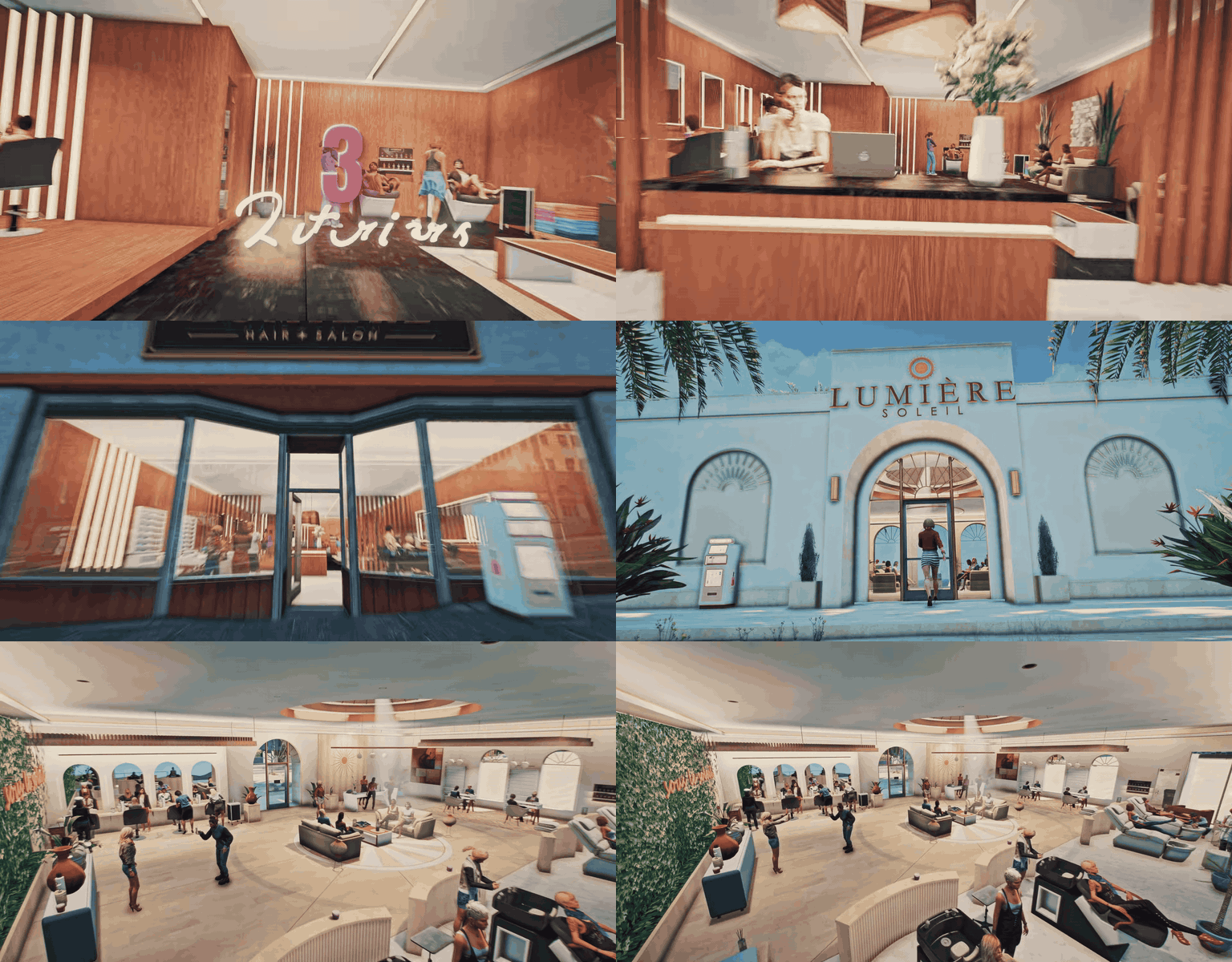
3 Salon MLOs
Three fully furnished salon interiors come with the script — the Lumière flagship in Hawick, a beach salon on Del Perro Beach, and a glass-walled salon on the Chumash clifftop.
- Lumière, Hawick — The flagship: 9 styling chairs, wash basins, nail stations with polish walls, a waiting lounge, and a reception desk.
- Lumière Soleil — White arches, a living green wall, and sea views on Del Perro Beach.
- Lumière Noir — A dark, glass-walled salon above the ocean on the Great Ocean Highway.
- Ready to Work — Every salon has styling chairs, wash basins, nail stations, a colour shelf, a polish wall, a stock room, and a waiting area.
- Its Own Business Day — Each salon has its own map blip, its own OPEN / CLOSED sign, and its own shift.
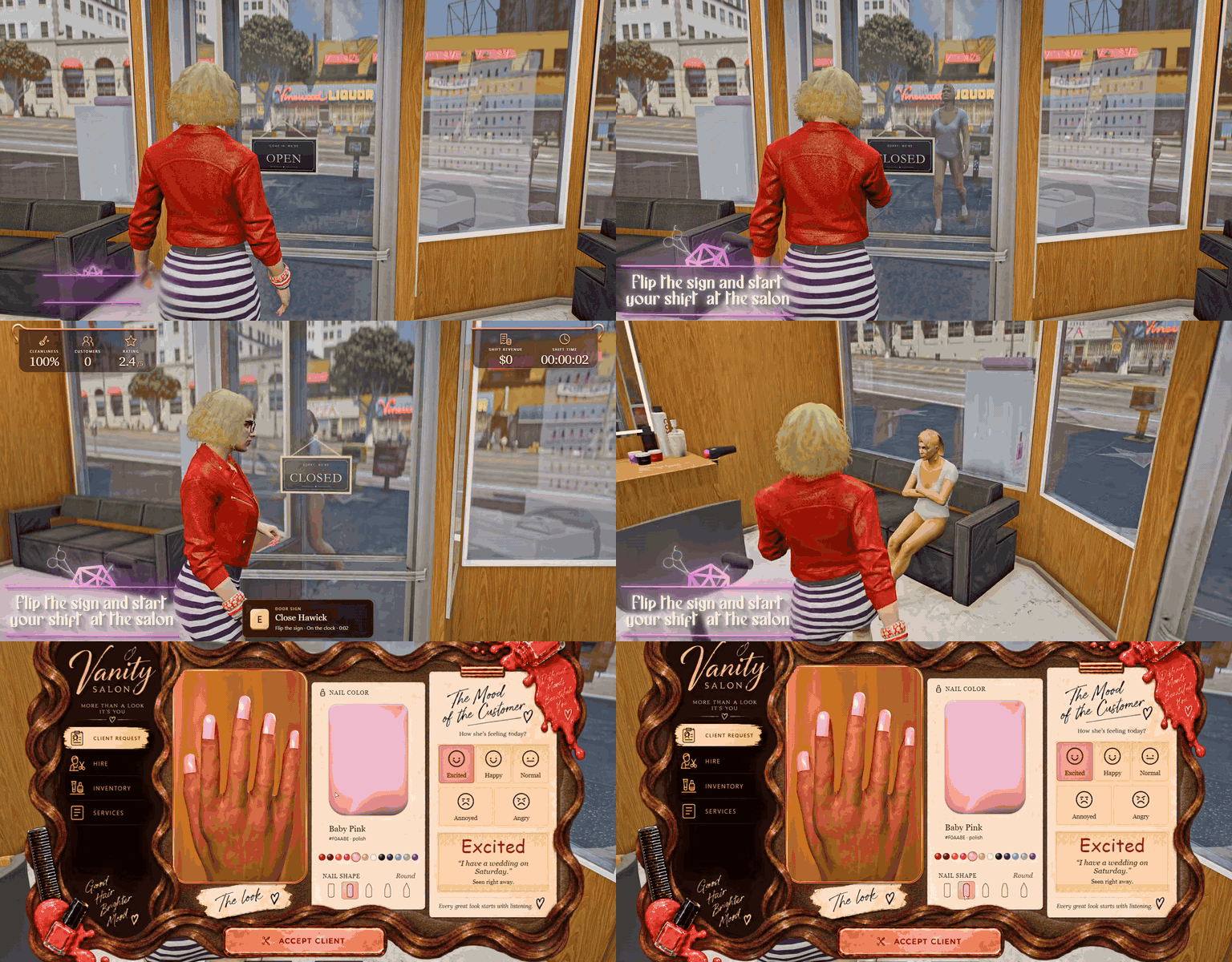
Flip the Sign And Start Your Shift
Turn the sign on the door to OPEN and the shift begins — clients start walking in, and the salon HUD tracks your day.
- Flip It by Hand — Press E at the door and your character turns the OPEN / CLOSED sign.
- Shift HUD — Cleanliness, customers served, the salon’s star rating, shift revenue, and shift time.
- Walk-In Clients — Clients walk in off the street, take a seat, and wait their turn.
- The Consultation — Talk to a waiting client to see the look she wants, her colour, her nail shape, and her mood.
- Mood of the Customer — Excited, Happy, Normal, Annoyed, or Angry, depending on how long she has waited.
- Accept the Client — Accept and she walks to the chair; leave her waiting too long and she walks out.
- Close Up — Flip the sign back to CLOSED to end the shift and send the waiting clients home.
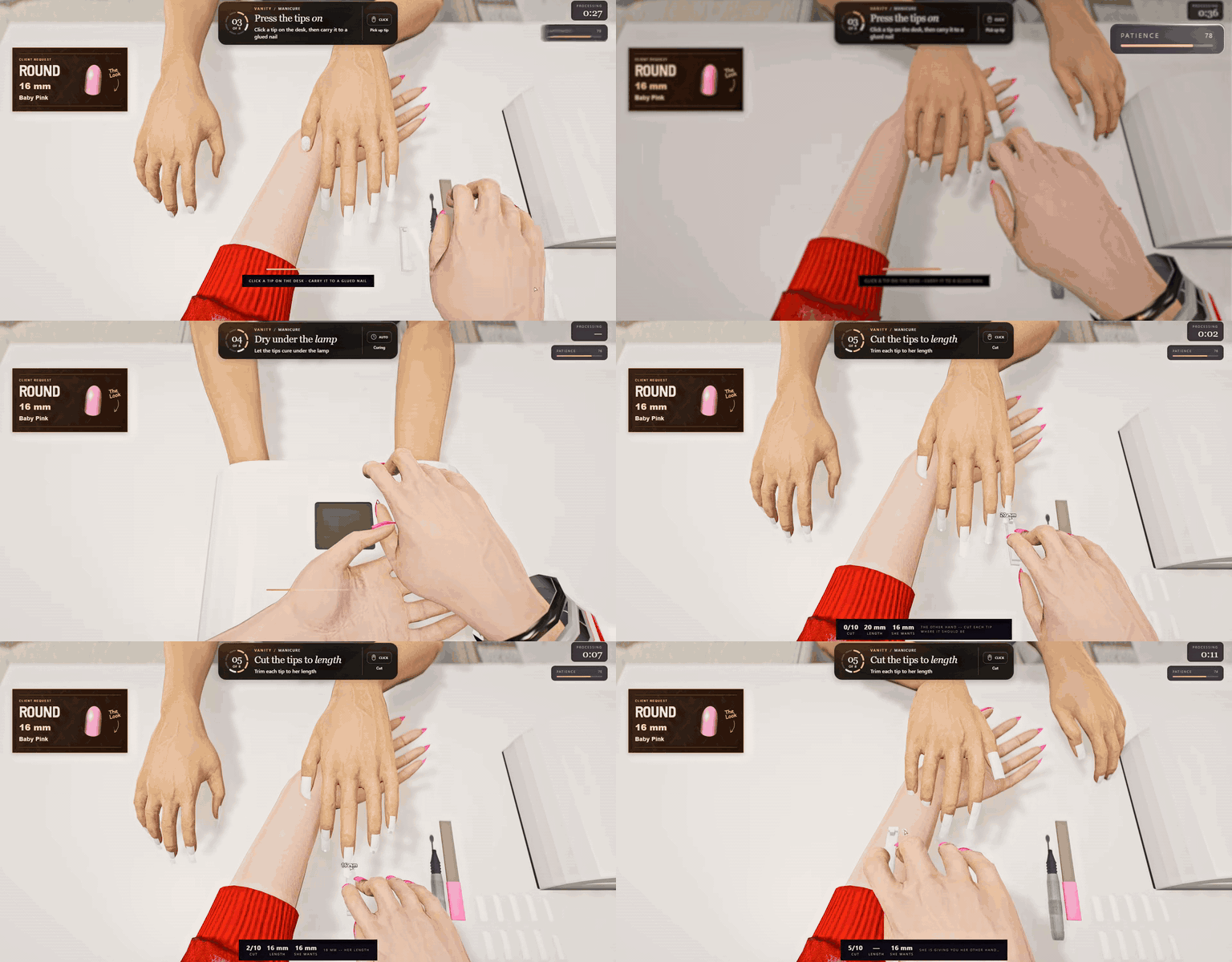
Manicure
A full eight-step nail service, worked in first person through the technician’s own eyes — the client card always shows the shape, length, and polish she asked for.
- Prep the Nails — Run the e-file over every nail.
- Glue And Tips — Coat every nail with glue, then press the tips on one by one from the desk.
- UV Lamp — Pull the lamp over and dry the tips under it.
- Cut to Length — Cut each tip where you click, to the length on her card.
- Pick the Polish — Get up, walk to the polish wall, and take her shade off the shelf.
- Paint Them On — Glide the brush over every nail.
- File to Shape — Square, Round, Almond, Coffin, or Stiletto: change the file angle for each shape.
- No Countdown — Each step ends when all ten nails are done; only her patience keeps you moving.
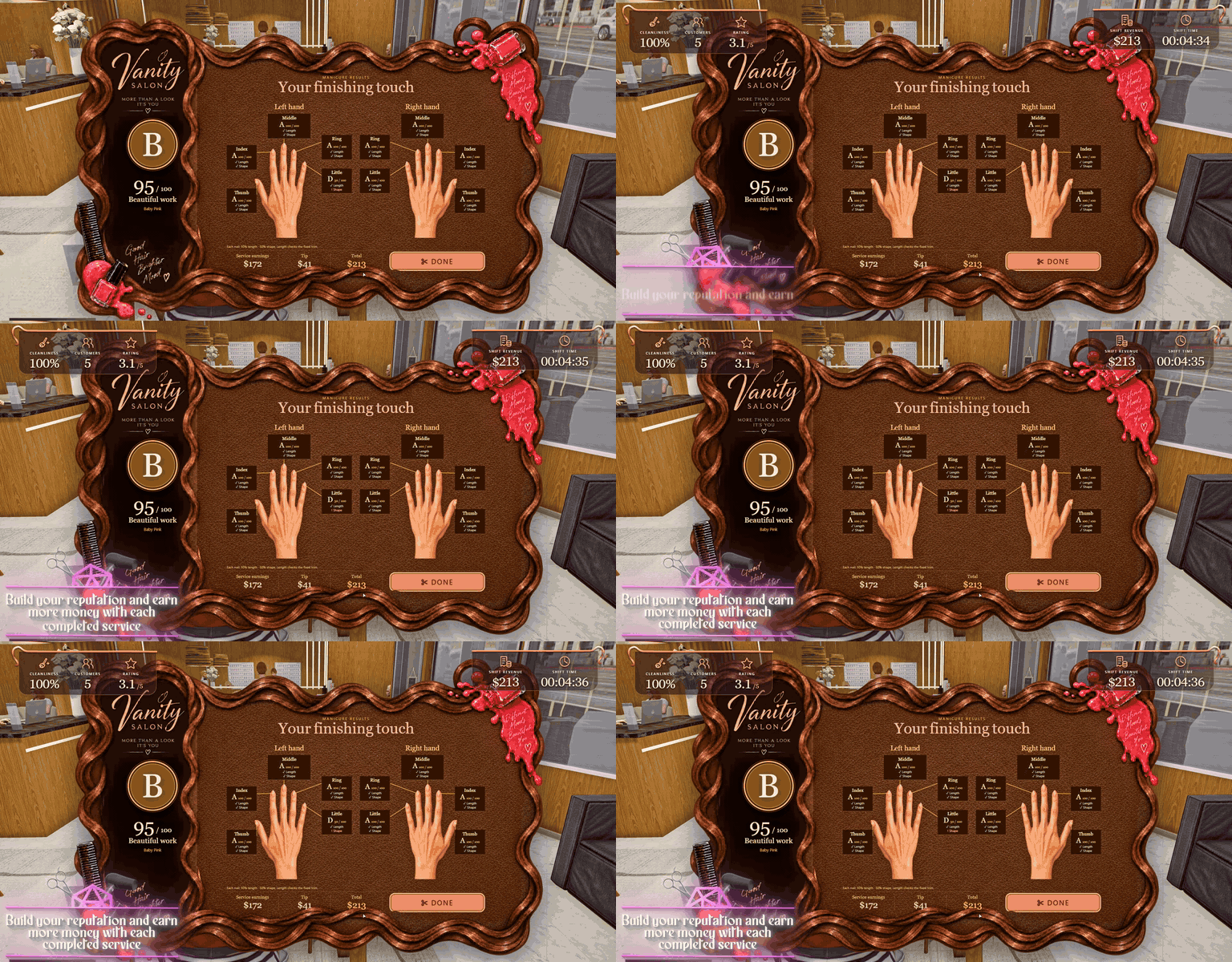
Build Your Reputation
Every finished service is graded — build your reputation and earn more money with each completed service.
- Graded A to F — Every service ends with a score out of 100 and a letter grade.
- Nail by Nail — The manicure result marks each of the ten nails on both hands.
- Section by Section — Haircuts are graded on the left, middle, and right sections.
- Colour Match — The dye result puts the colour she asked for next to the mix you made.
- Better Work, Better Pay — Pay runs from 60% to 100% of the price, and great work earns a tip on top.
- Star Rating — Every result counts toward the salon’s star rating on the HUD.
- Paid by the Server — Scores and payouts are worked out server-side and paid straight to the bank.
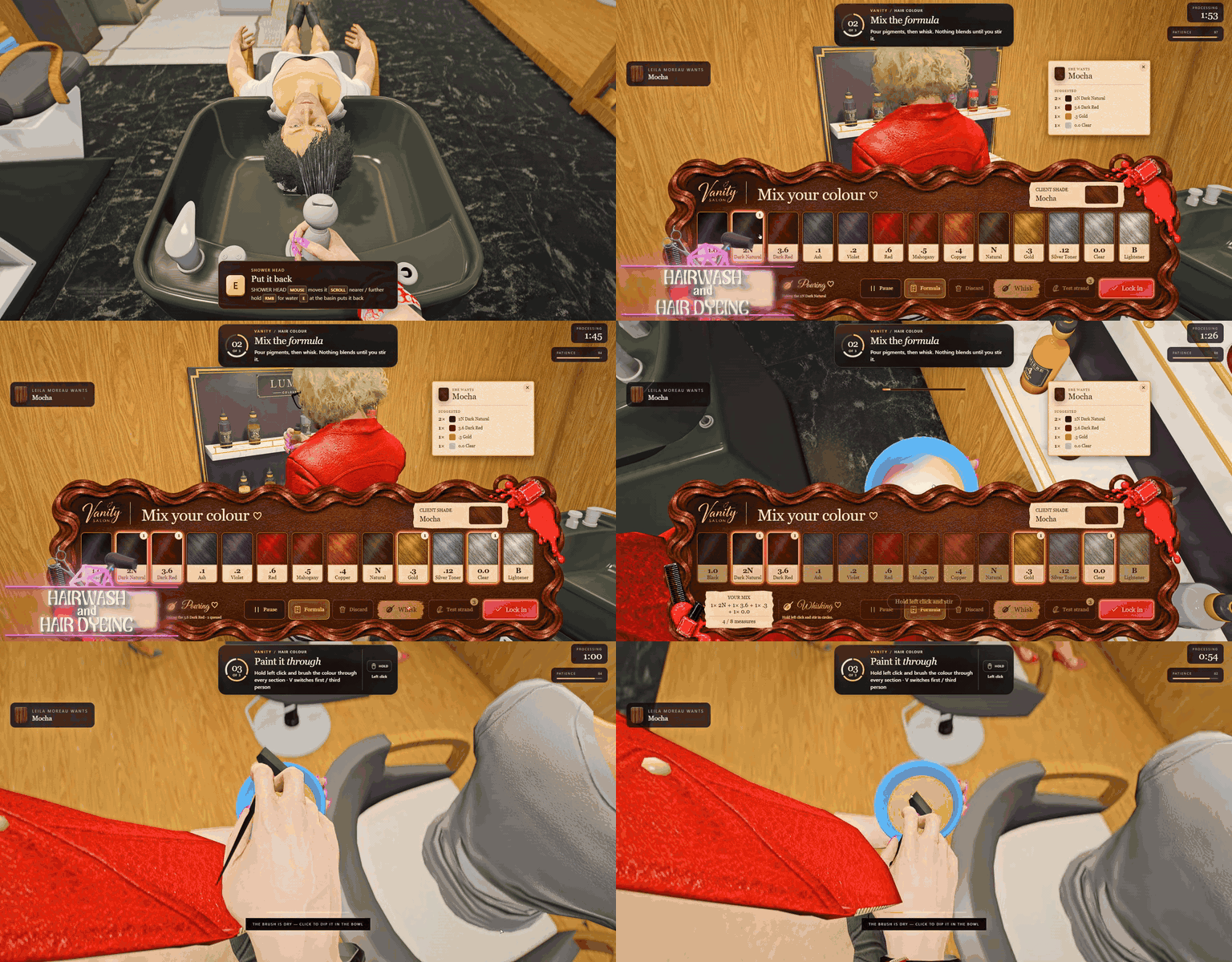
Hairwash And Hair Dyeing
A full colour appointment: wash her hair at the basin, mix the formula at the pigment shelf, then paint it through.
- Basin Wash — Take the shower head, steer the spray with the mouse, and rinse her hair at the wash basin.
- Mix Your Colour — 13 pigments, from Black and Ash to Copper, Gold, and Lightener, each poured from a real bottle on the shelf.
- Whisk It — Nothing blends until you whisk the bowl.
- Strand Tests — Check how close your mix is before you lock it in.
- Paint It Through — Bowl in one hand, brush in the other: dip and paint until her whole head is covered.
- The Reveal — Her new colour shows on her hair, then the results screen compares it with what she asked for.
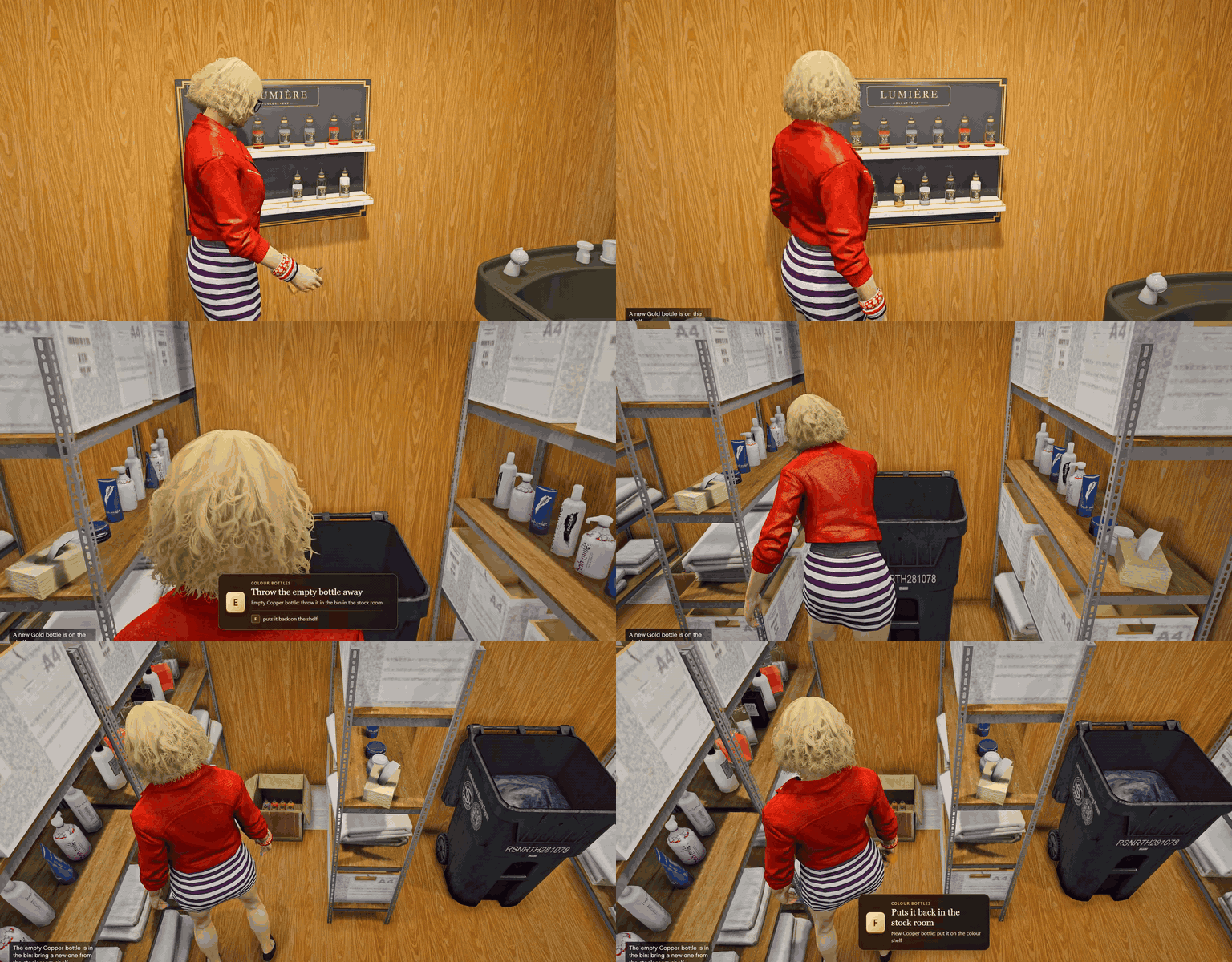
Swap the Empty Bottle
Every pour uses real dye. When a bottle on the colour shelf runs dry, swap it for a new one from the stock room.
- Bottles That Run Dry — Each dye bottle is good for five pours, and its level drops as you use it.
- Out of Stock — An empty colour is greyed out in the mix until you replace it.
- Take the Empty Bottle — Lift it off the colour shelf.
- Into the Bin — Throw it in the bin in the stock room.
- Fetch a New One — Take a fresh bottle of that colour from the stock room rack.
- Back on the Shelf — Put it in its place on the shelf and carry on mixing.
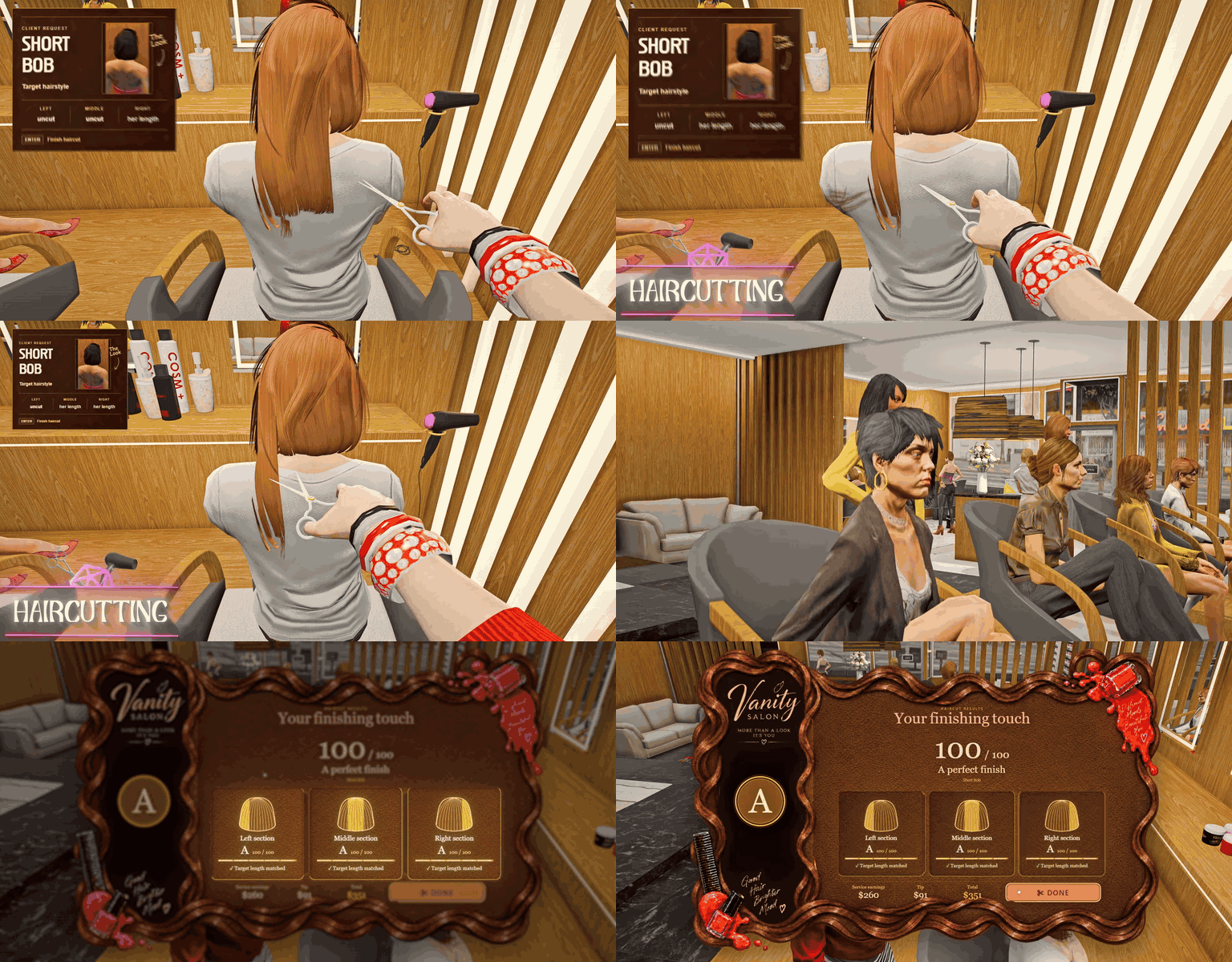
Haircutting
Freehand haircuts with real scissors — snip where you aim, and the hair she leaves with is the hair you cut.
- Seven Styles — Short Bob, Daphne, Medium Length, Alana, Metsi, Short Fluffy Ponytail, and Sienna.
- Target Card — Shows the style she wants and how much each section still has to lose.
- Three Sections — Left, middle, and right are cut separately.
- Snip Where You Aim — The height of the blades on her hair sets the new length, and every snip is final.
- Falling Hair — Cut hair drops to the floor and onto the chair.
- Graded per Section — Hit every length for a perfect 100; cut too short and it is an F.
Clean Up the Hair
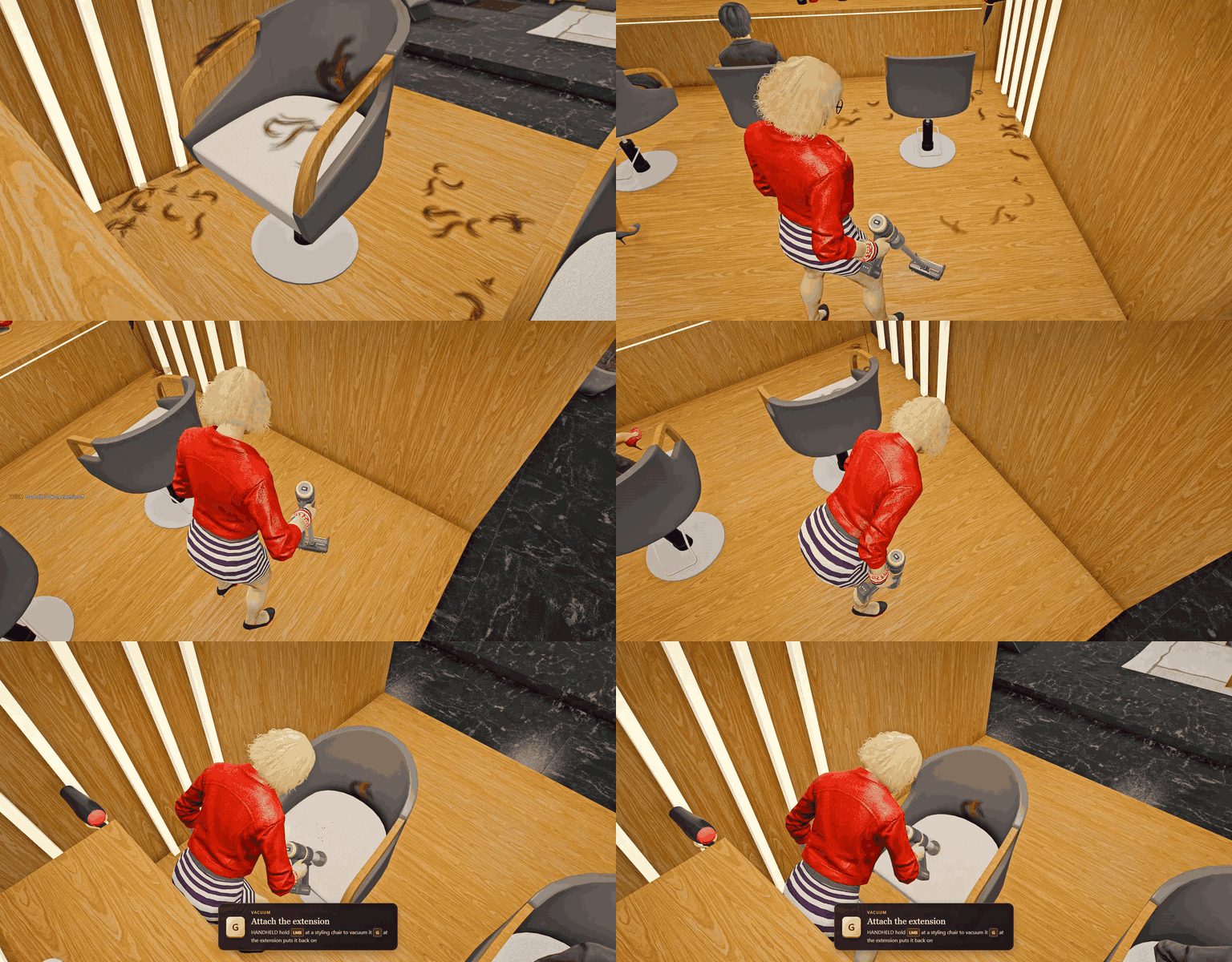
Cut hair piles up around the chair — grab the cordless vacuum and clean up before the next client.
- Hair Where It Fell — Locks in her own hair colour land on the floor and on the seat.
- Cordless Vacuum — Take it off its charging dock and hold the mouse to vacuum.
- Handheld Mode — Press G to stand the extension on the floor and clean the chair with the handheld.
- Cleanliness on the HUD — The cleanliness meter drops as hair piles up.
- Shared With Everyone — Falling hair and the clean-up are synced to nearby players.
Real Players Can Book Services
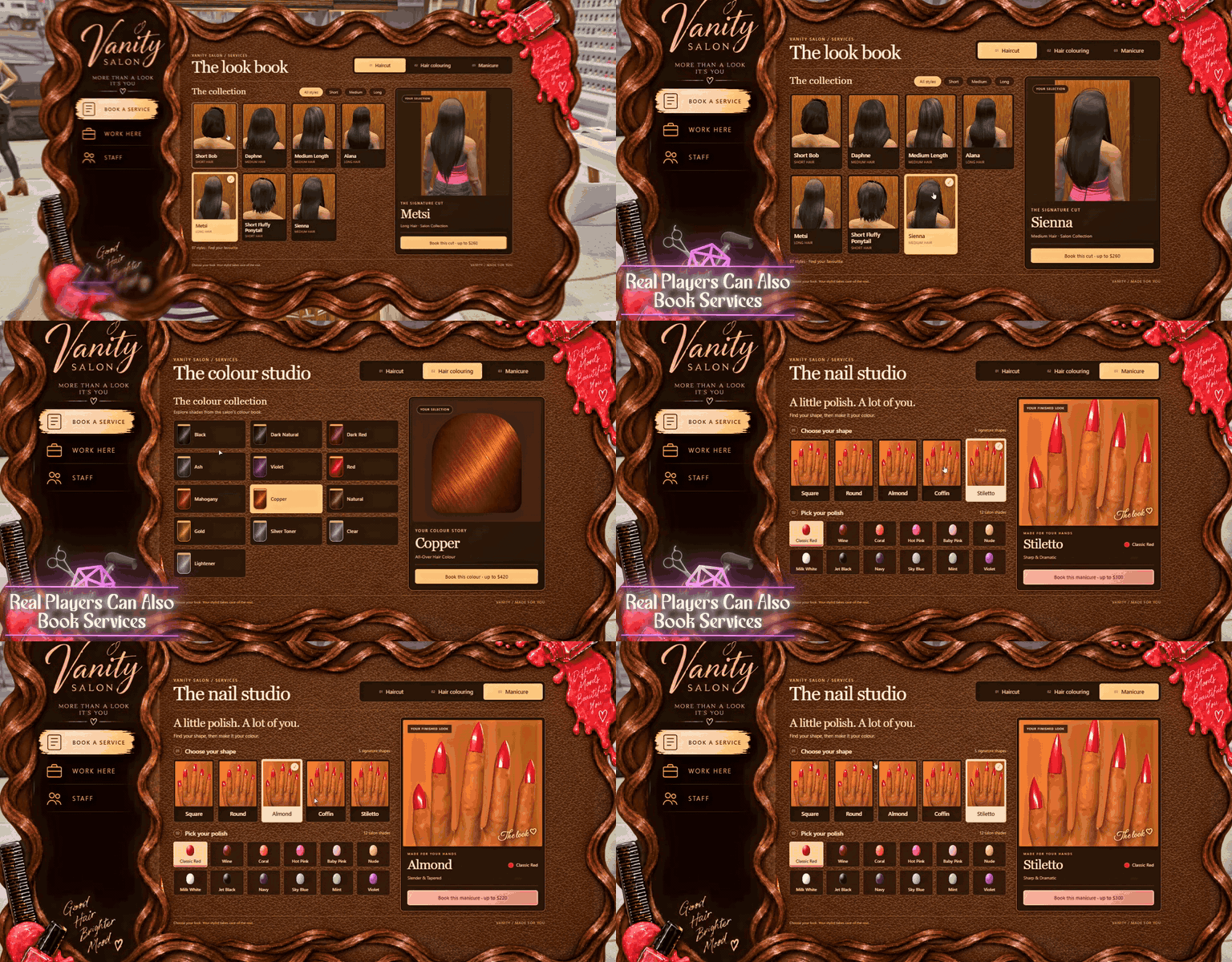
Players can walk up to the reception desk, browse the look book, and book a real appointment with a stylist.
- The Look Book — 7 haircuts with photos, filtered by short, medium, and long.
- The Colour Studio — 13 colours, each with a preview.
- The Nail Studio — 5 nail shapes and 12 polishes.
- Booked at the Desk — Staff in the salon are told a booking is waiting and take it at the desk.
- In the Chair — The customer sits down and watches their own service.
- Pay for the Result — Customers pay 60–100% of the price, depending on how the service went.
- Keep the Look — The finished cut and colour are saved to the character.
Apply for Jobs at the Salon
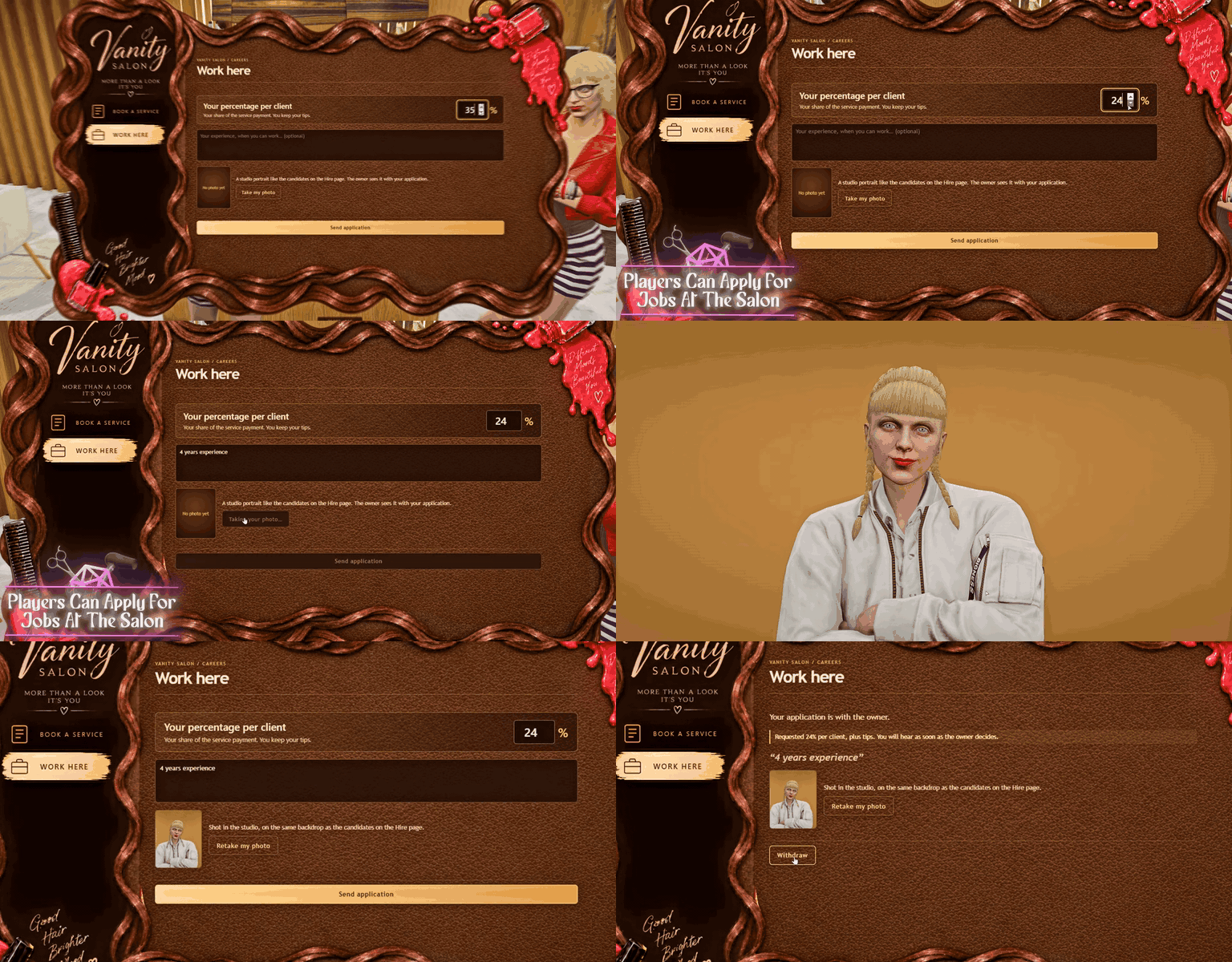
Players can apply to work at the salon, and the owner decides who gets hired.
- Work Here — Apply at the reception desk from the Work Here tab.
- Name Your Percentage — Choose the share of each service’s pay you keep; tips are always yours.
- Write a Note — Tell the owner about your experience.
- Studio Portrait — Your application comes with a studio portrait of your character.
- Hire or Decline — The owner sees every applicant on the Hire page with their photo and note.
- Clock In And Out — Hired staff clock in at the desk; only staff on shift can take clients.
- Skill Points — Staff level up in colouring, cutting, styling, and manicure as they work.
- The Owner’s Cut — The owner earns the rest of every service, even while offline.

Manage Your Inventory And Resupply
Dyes and polishes run out. Order more and the Vanity Salon Supply truck brings it to the door.
- 25 Products — 13 hair dyes and 12 nail polishes, each bottle good for five uses.
- The Supply Cabinet — Check every product’s stock and order more on the Inventory page.
- Delivery Truck — A courier drives the Vanity Salon Supply truck to the kerb and leaves your order on the doorstep.
- Carry It In — Pick up the order box and carry it into the salon stock room.
- Restock the Shelves — Take the stock room box to the colour shelf and the polish walls to refill them.
- Shelves That Show It — Bottles drain as they are used, and a polish that runs out leaves the wall.
- Emergency Restock — Buy a bottle on the spot in the middle of a service.
Nail Art Studio
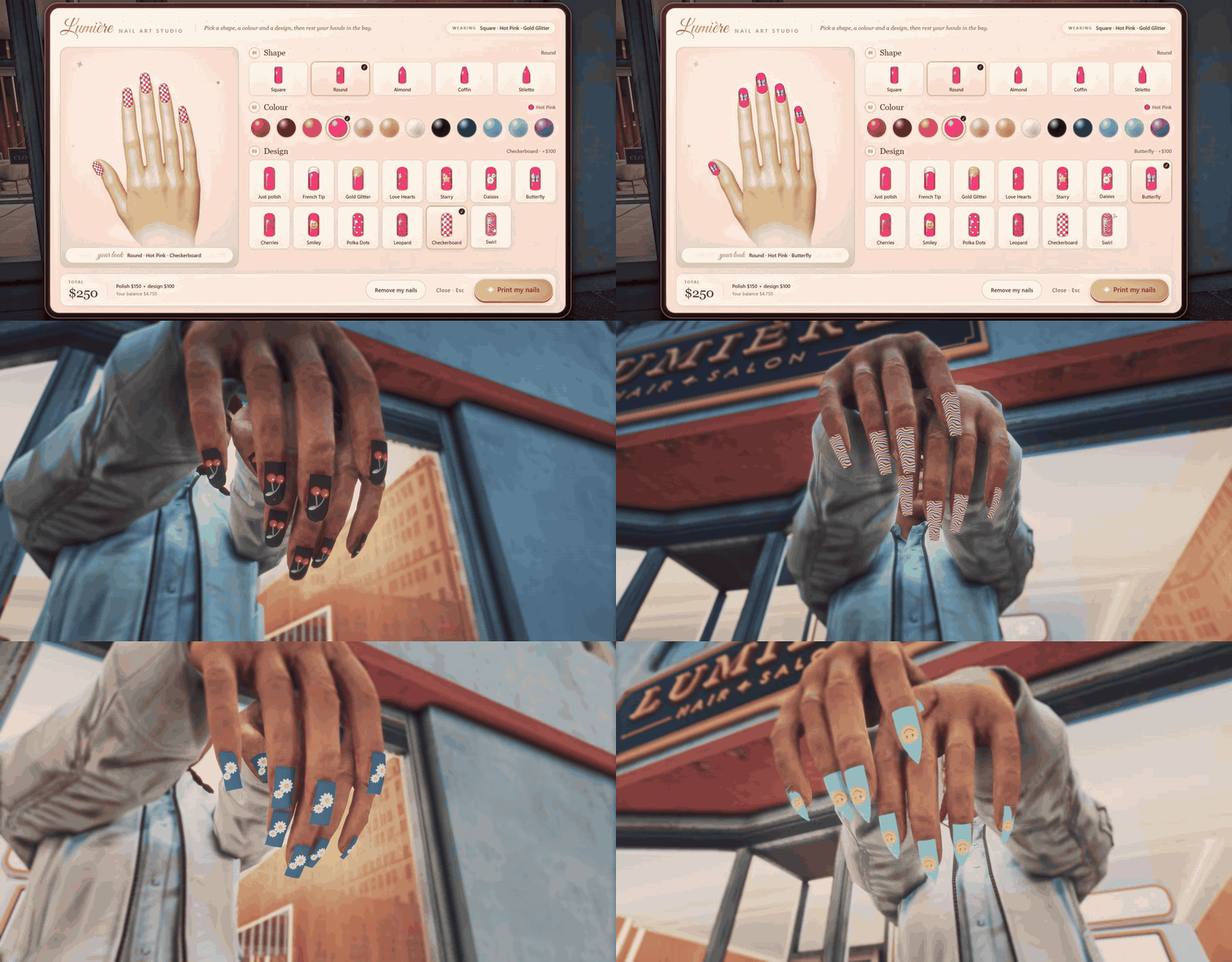
A nail art machine at every salon, for any player — pick a look on the touchscreen and print it straight onto your nails.
- 5 Shapes — Square, Round, Almond, Coffin, and Stiletto.
- 12 Colours — The full polish range, from Classic Red to Mint.
- 12 Designs — French Tip, Gold Glitter, Love Hearts, Starry, Daisies, Butterfly, Cherries, Smiley, Polka Dots, Leopard, Checkerboard, and Swirl.
- Live Preview — See the look on the display hand before you print.
- Printed On — Hands go into the machine and the nails print finger by finger.
- Yours to Keep — Printed nails are saved to your character and seen by everyone nearby.
- /checknails — Hold your hands up and show them off.
- Salon Takings — $150, or $250 with a design; half of every sale goes to the salon owner.