



BUSINESS CREATOR
 ESX
ESX  QBCore
  QBox
QBox- Circuit Creator Visual workflow for any business
- Preset Circuits Mining, farming & more included
- Company System Balance, employees, vehicle limits
- Visual Placer Drop circuit points & stashes anywhere
- Decoration Place props paid from company balance
- Legal or Illegal Mining, farming or contraband
- Multi-Stage Yields Props, timers & minigames per step
- ESX + QBCore Single bridge for both frameworks


1. Circuit Creator — Workflow & Perks
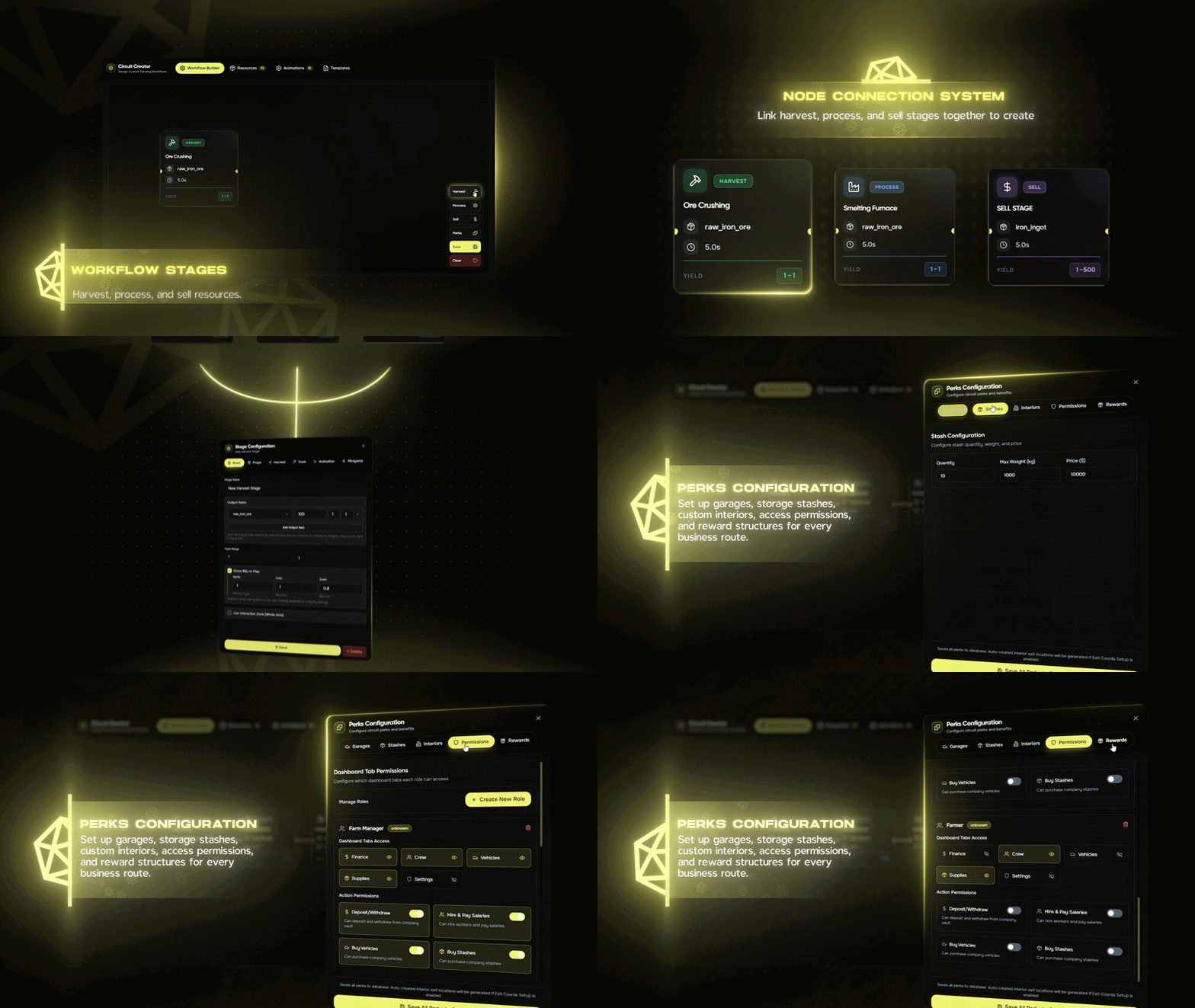
Build full farming and processing circuits with a visual workflow editor. No code required—define stages, connect nodes, and configure perks from one place.
- Node-based workflow: connect harvest and process stages on a canvas.
- Create legal or illegal businesses—mining, farming, processing, or custom workflows.
- Set props, timers, yields, minigames, and multiple outputs per stage.
- Configure perks per circuit: vehicles, stashes, interiors.
- Export or save to config; paste back manually when needed.
2. Preset Circuits Included
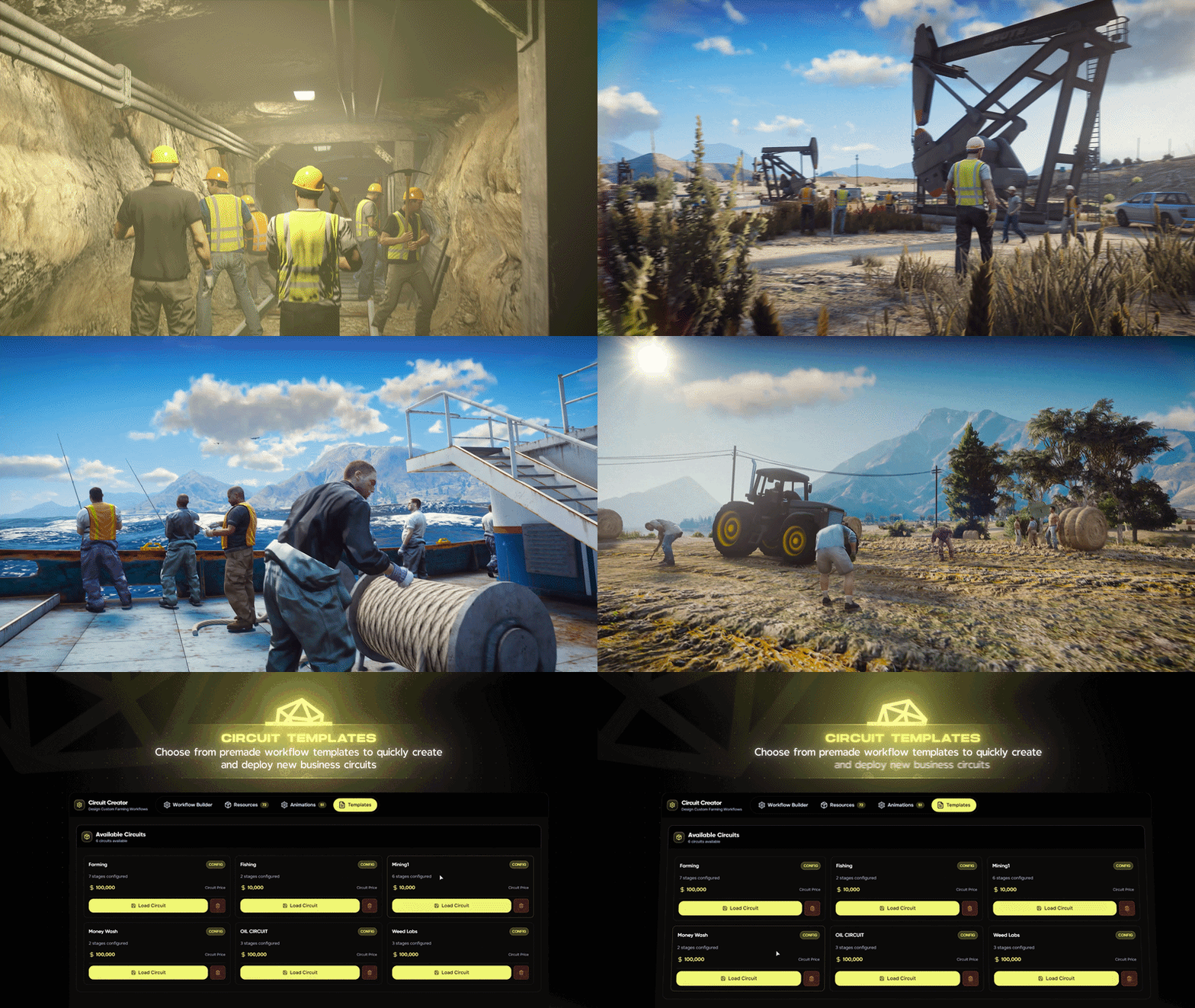
Ready-to-use preset circuits are available out of the box. Pick a circuit when creating a company and start running jobs right away—or edit and duplicate presets in the Circuit Creator.
- Preset circuits (e.g. mining, farming) included in config.
- Use as-is or customize stages, perks, and rewards.
- Add your own circuits via the UI or by pasting Lua into config.
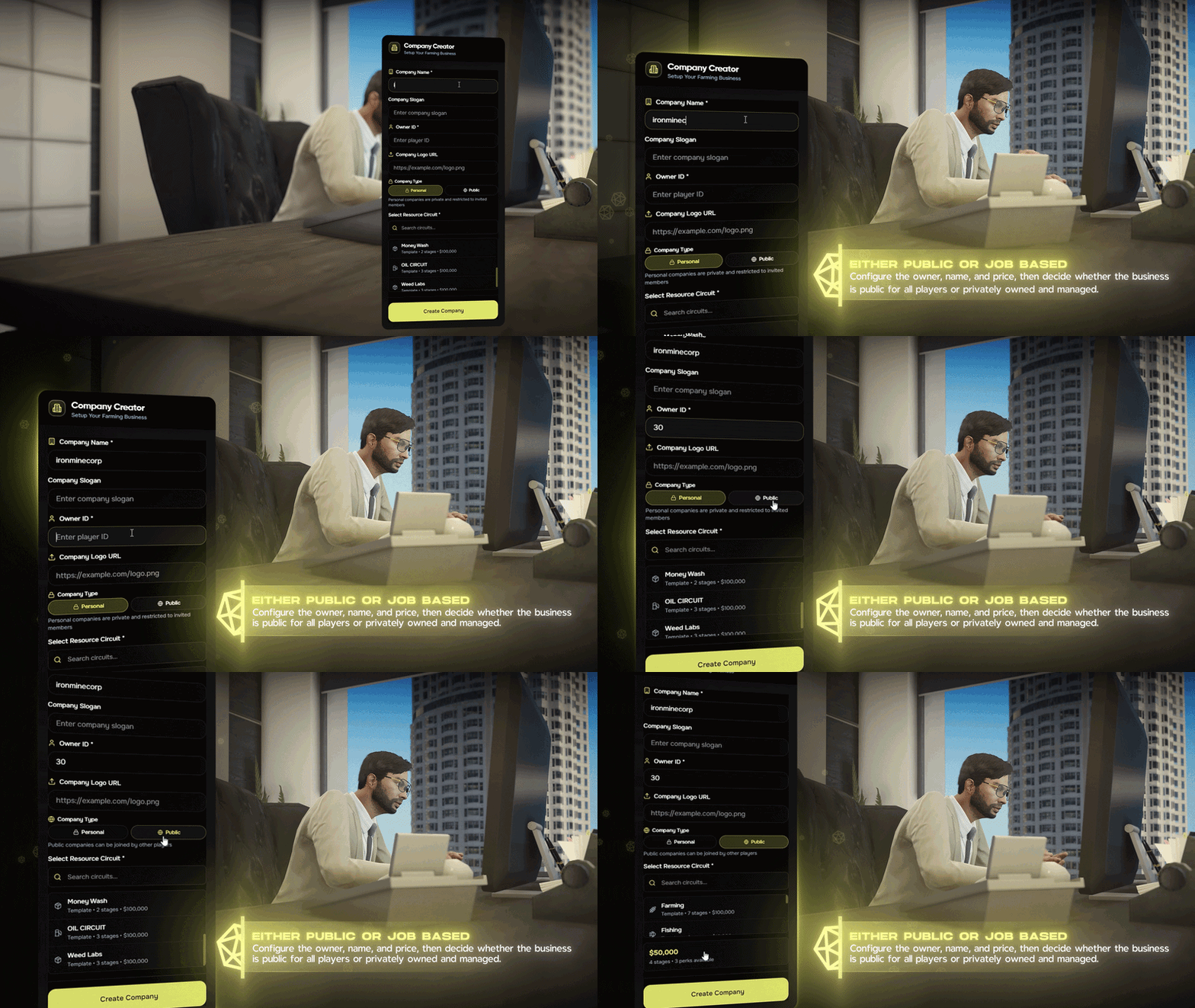
3. Company Creator
Create and manage companies in-game. Pick a circuit, set balance and limits, and you're ready to run a business.
- Create companies and assign a circuit (mining, farming, etc.).
- Set initial balance, employee limit, and vehicle limit per company.
- Role-based access for owners and employees.
- Works with ESX and QBCore via a single bridge.
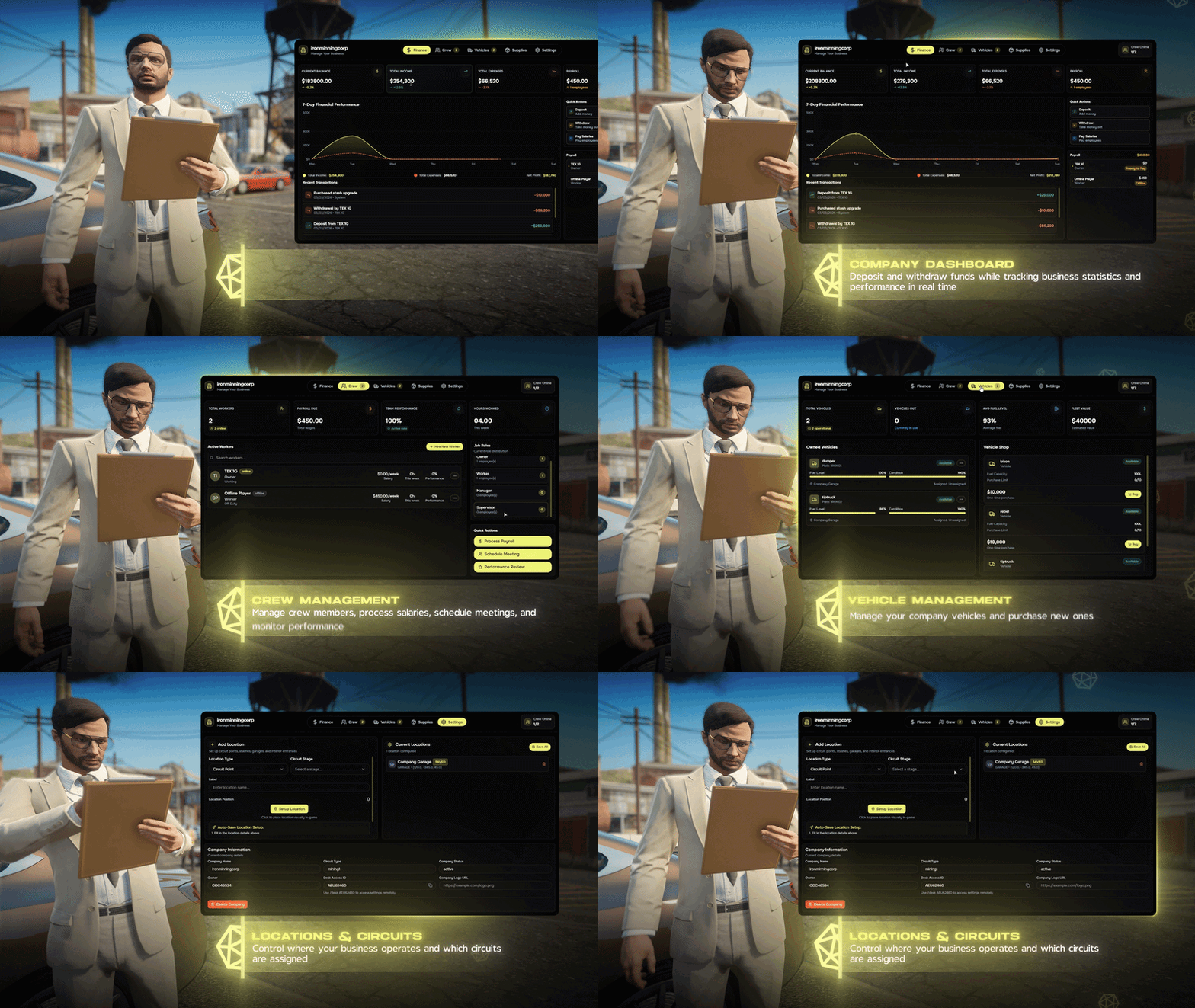
4. Dashboard — Circuit Adjust & Prop Placing
One dashboard to manage your company: finances, locations, and circuit settings. Place and adjust circuit points, stashes, and garages in the world with a visual placer.
- Financial dashboard: balance, transactions, fleet and stash overview.
- Circuit adjust: edit stages and perks from the dashboard.
- Prop placing: place circuit points, stashes, garages, interior entrances with a gizmo (WASD/arrows, scroll to rotate).
- Delete any point and see props and interactions removed immediately—no restart.

5. Decoration
Place decoration props in company spaces. Pay from company balance; get a partial refund when you remove a decoration.
- Open decoration UI with a command; enter Desk Access ID to select company.
- Visual placer: WASD/arrows to move, scroll to rotate; max distance and refund % in config.
- Balance updates immediately after place or delete.