Limited Time
10% OFF — NANO10
Limited Time
10% OFF — NANO10
Limited Time
10% OFF — NANO10
Limited Time
10% OFF — NANO10
Limited Time
10% OFF — NANO10
Limited Time
10% OFF — NANO10
Limited Time
10% OFF — NANO10
Limited Time
10% OFF — NANO10
Limited Time
10% OFF — NANO10
Limited Time
10% OFF — NANO10

One look. Every screen.

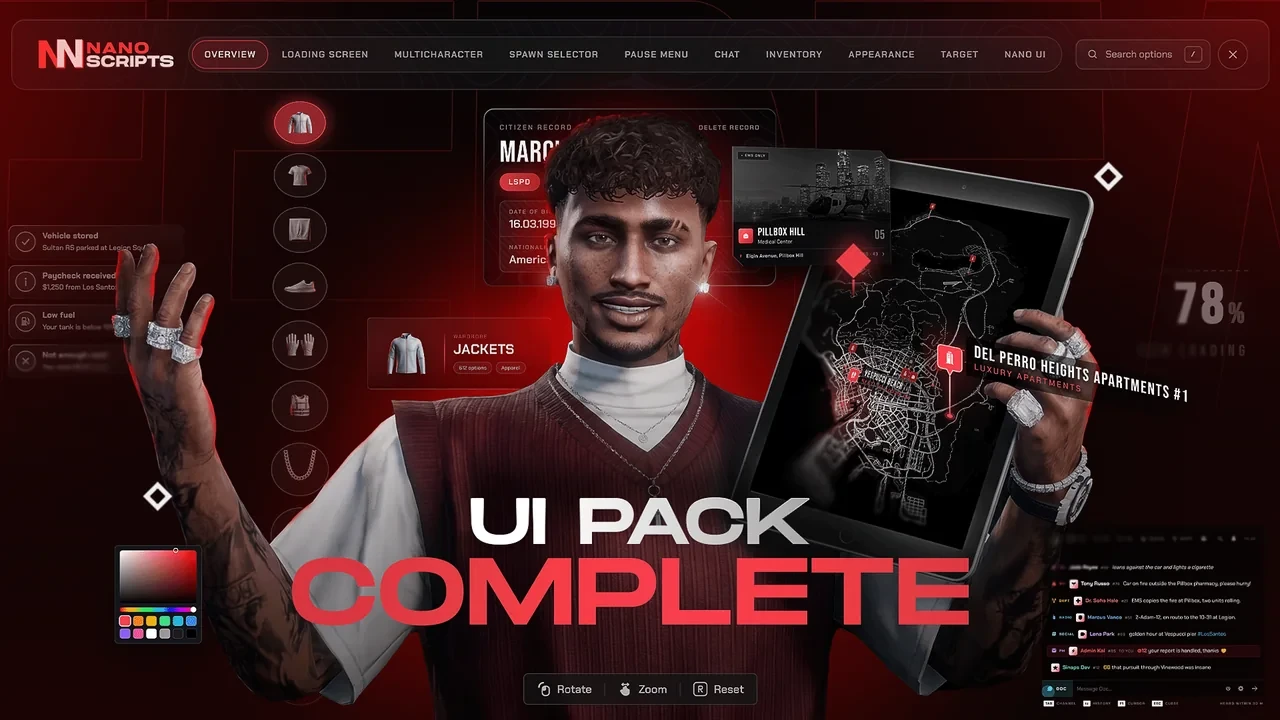
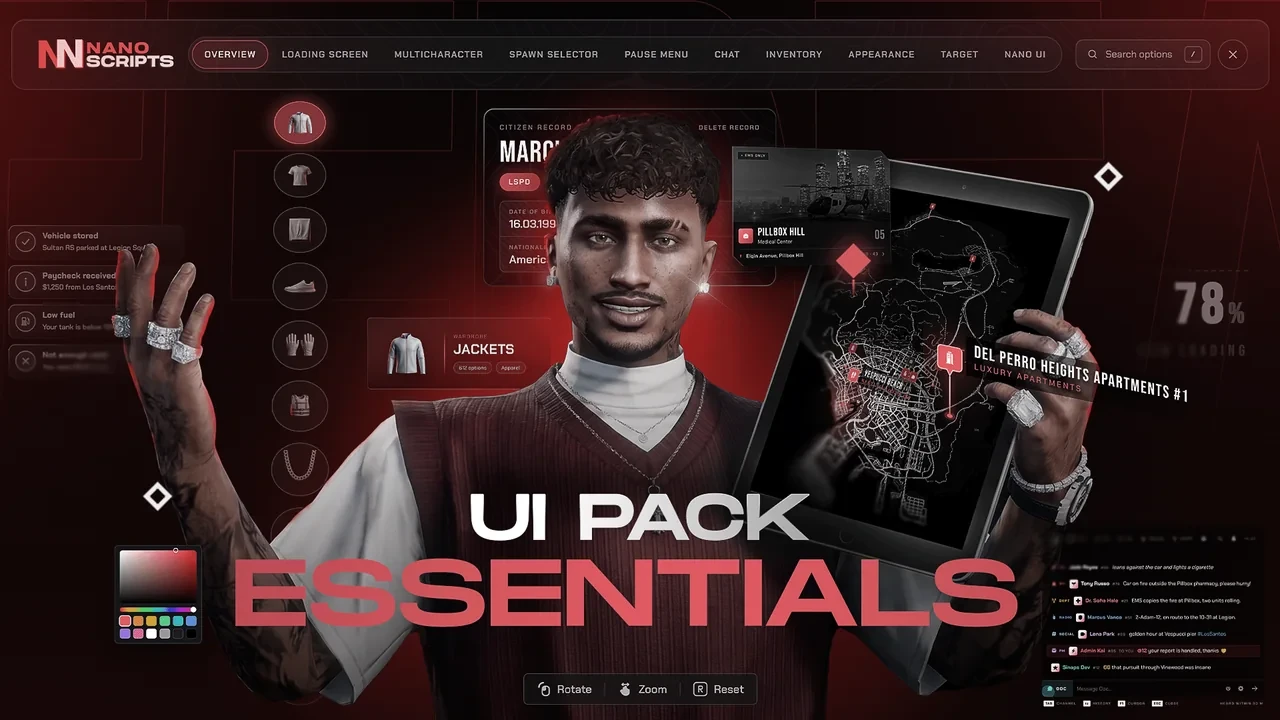
NANO UI Pack: 10 interfaces, from the loading screen to the HUD and the pause menu, all in one design.

  • Instant delivery
  • Lifetime updates
  • ESX, QBCore & QBox
  • 4.97 / 5 from buyers

The first minute · 4 scripts

UI Pack Essentials

Worth 62.46€ 12.40€ per script Worth 154.71€ 24.80€ per script 49.59€ You save 12.87€ You save 55.52€

Add Essentials to basket

For servers that want a new front door and keep their in-game UI.

  • Loading Screen included
  • Multicharacter included
  • Appearance included
  • Spawn Selector included
  • HUD Ultimate not included
  • Target not included
  • ox_lib Redesign not included
  • Inventory not included
  • Chat not included
  • Pause Menu not included
  • Control Panel
See everything inside

Every menu · 8 scripts

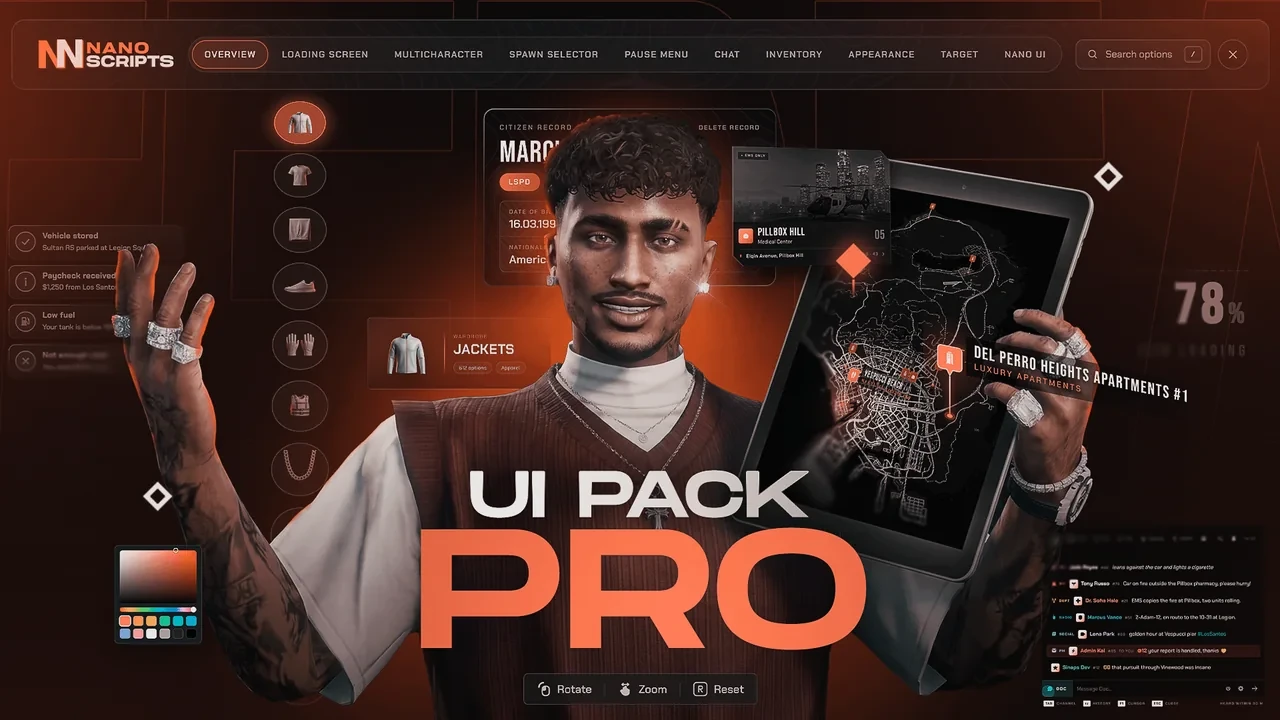
UI Pack Pro

Worth 124.91€ 12.40€ per script Worth 309.42€ 24.80€ per script 99.19€ You save 25.72€ You save 111.03€

Add Pro to basket

For servers that keep their own HUD and inventory.

  • Loading Screen included
  • Multicharacter included
  • Appearance included
  • Spawn Selector included
  • HUD Ultimate not included
  • Target included
  • ox_lib Redesign included
  • Inventory not included
  • Chat included
  • Pause Menu included
  • Control Panel
See everything inside
20%off

Launch week 20% off every tier and every UI script, Escrow and Open Source.

Need only a few? Pick your own scripts

Inside the pack

Every screen. In game.

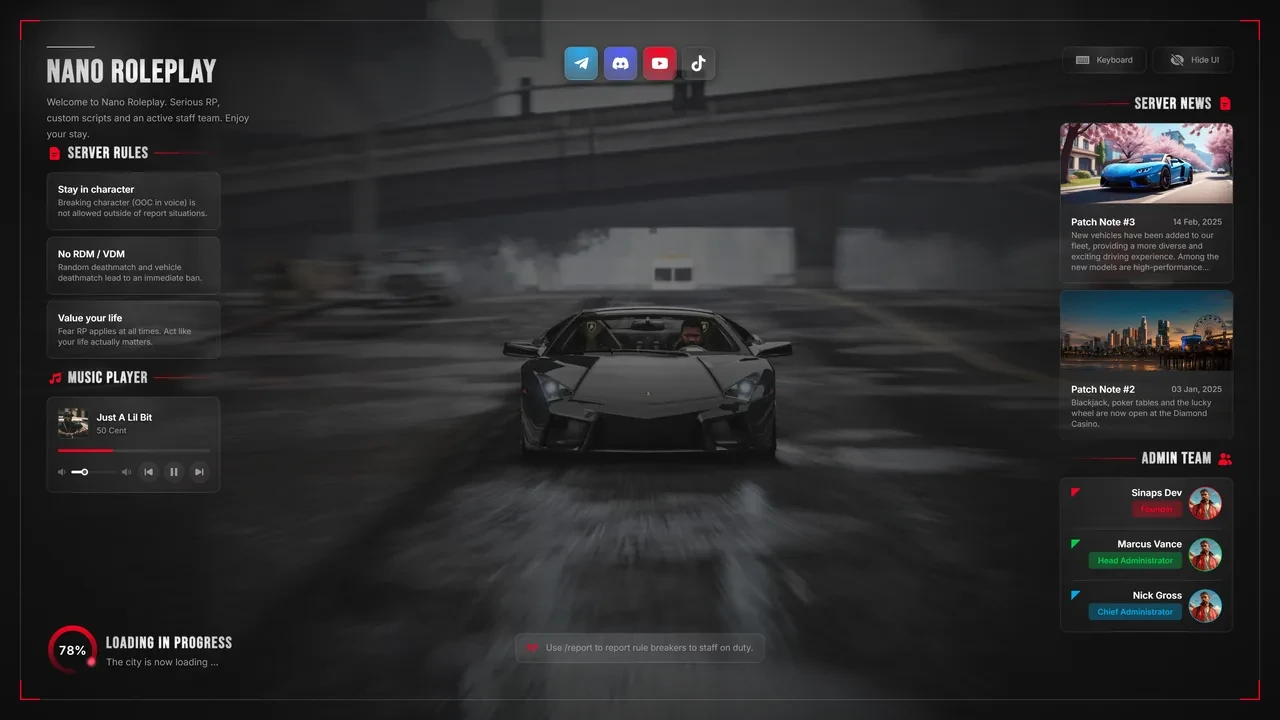
  1. Loading Screen for FiveM, in game 01

    Joining

    Loading Screen

    Three layouts with news, rules, staff, keybinds, patch notes, a gallery and a music player over a picture or video. Edit it live in game.

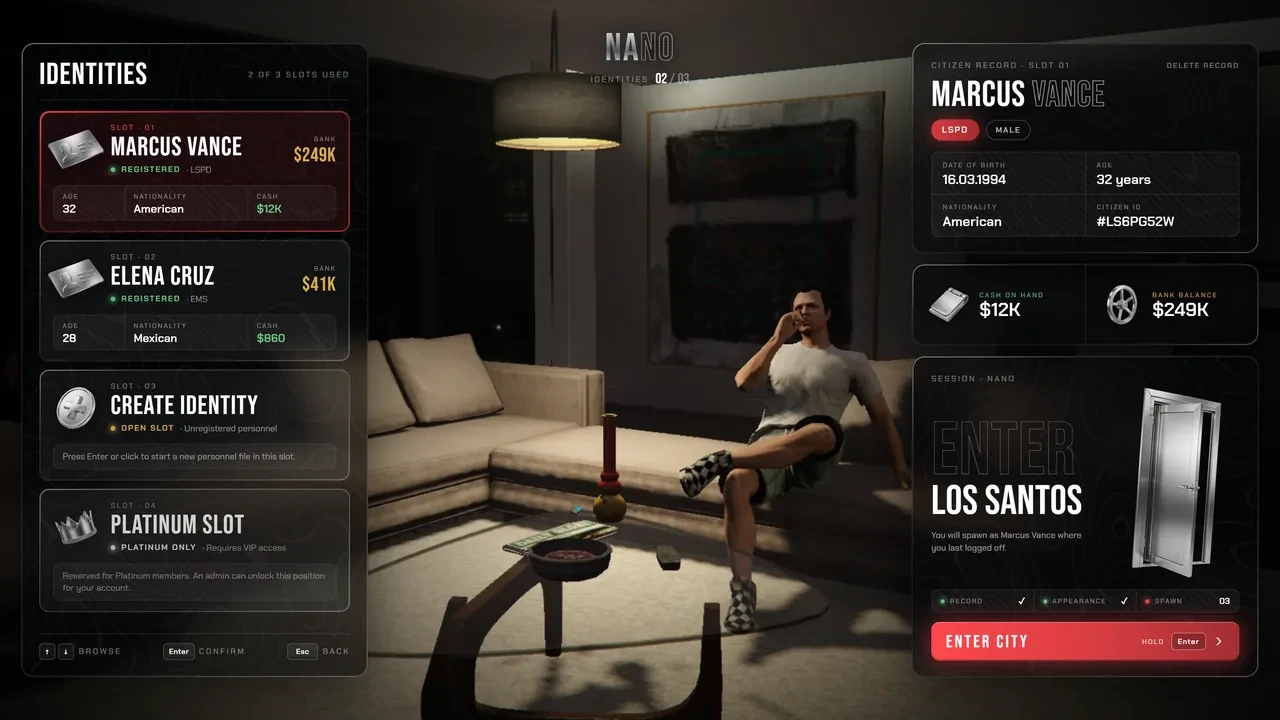
  2. Multicharacter for FiveM, in game 02

    Choosing a character

    Multicharacter

    Every character posed in one room while the camera flies between them. Build the scene in game, and sell extra slots with Platinum and VIP.

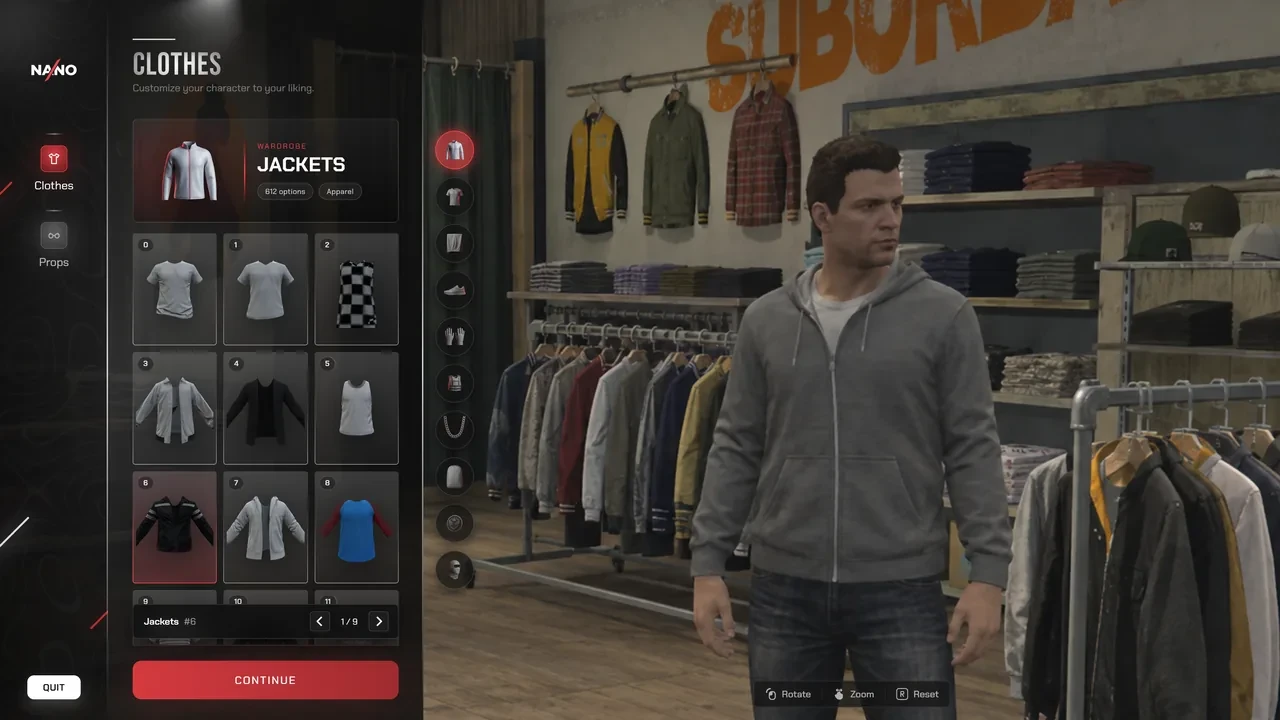
  3. Appearance for FiveM, in game 03

    Creating a look

    Appearance

    The character creator, clothing, barber, tattoo and surgeon shops in one menu, with 7,676 pre-rendered clothing thumbnails.

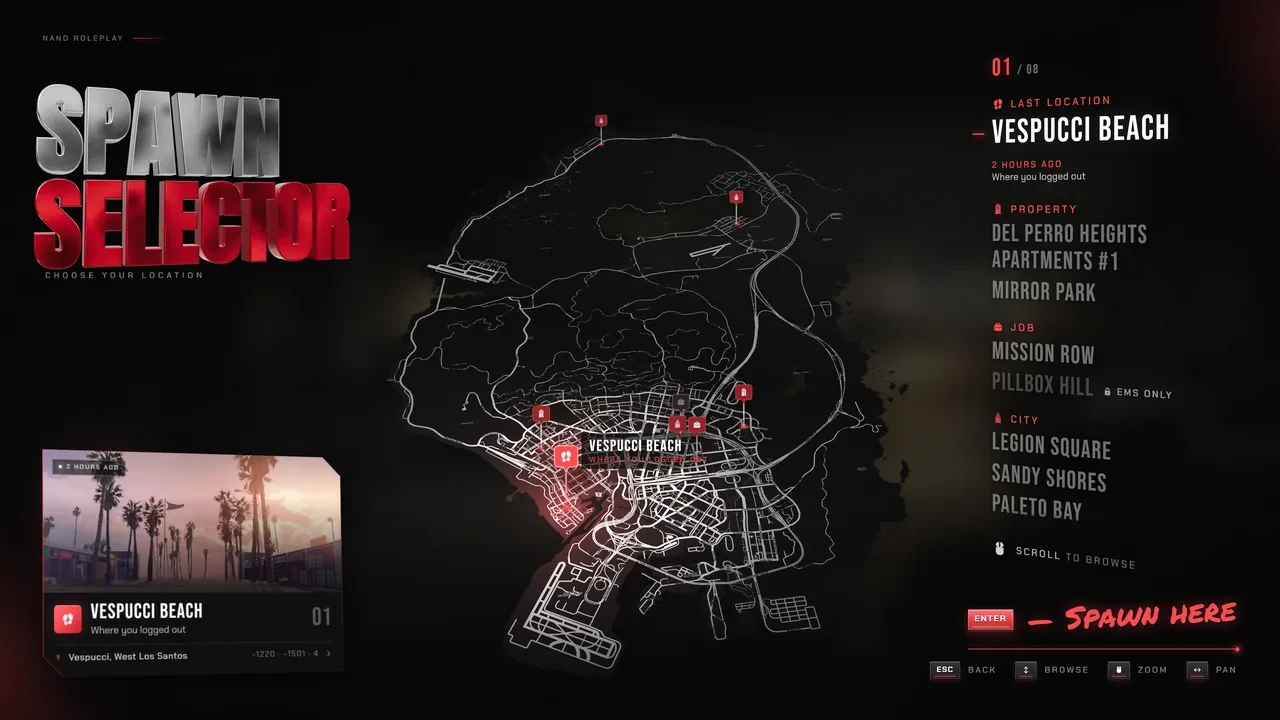
  4. Spawn Selector for FiveM, in game 04

    Spawning in

    Spawn Selector

    Last location, homes, job stations (locked without the job) and city spots on a tactical map, with a cinematic camera flight in.

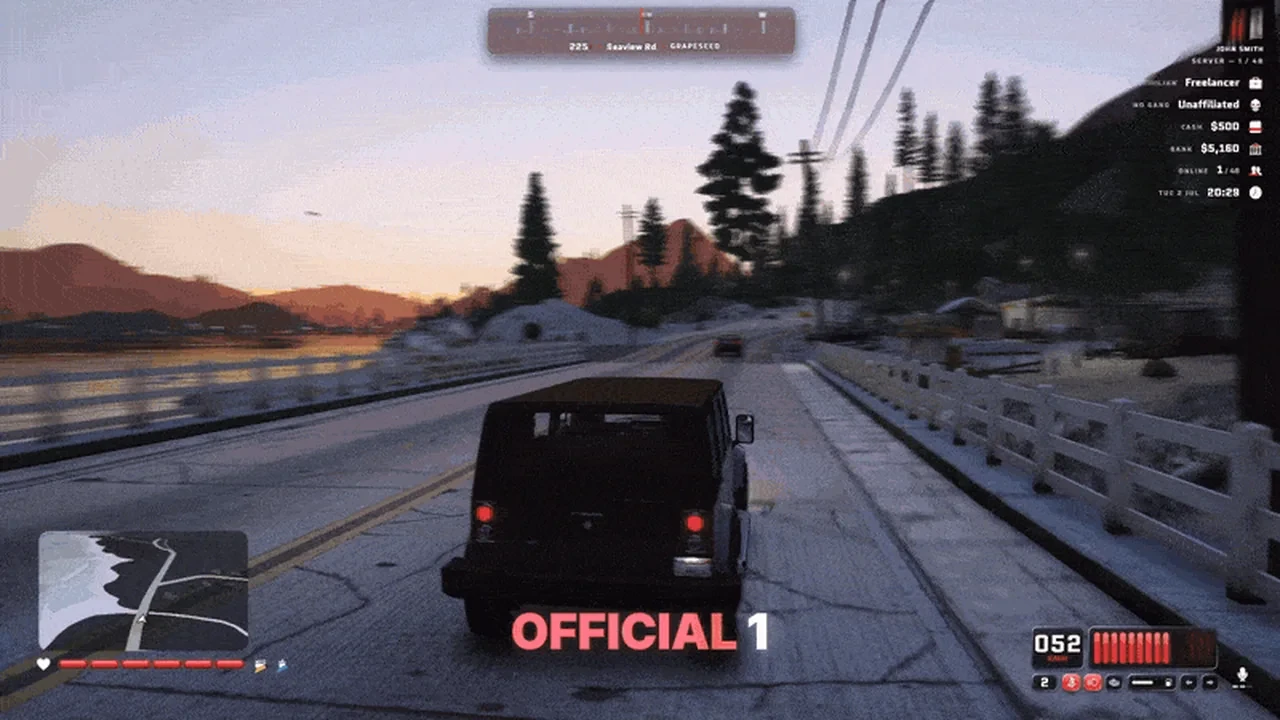
  5. HUD Ultimate for FiveM, in game 05

    Always on screen

    HUD Ultimate

    100+ widget styles: 21 speedometers, 17 status bars, 12 radar shapes and 8 official looks. Players restyle and place every widget live in the HUD Studio.

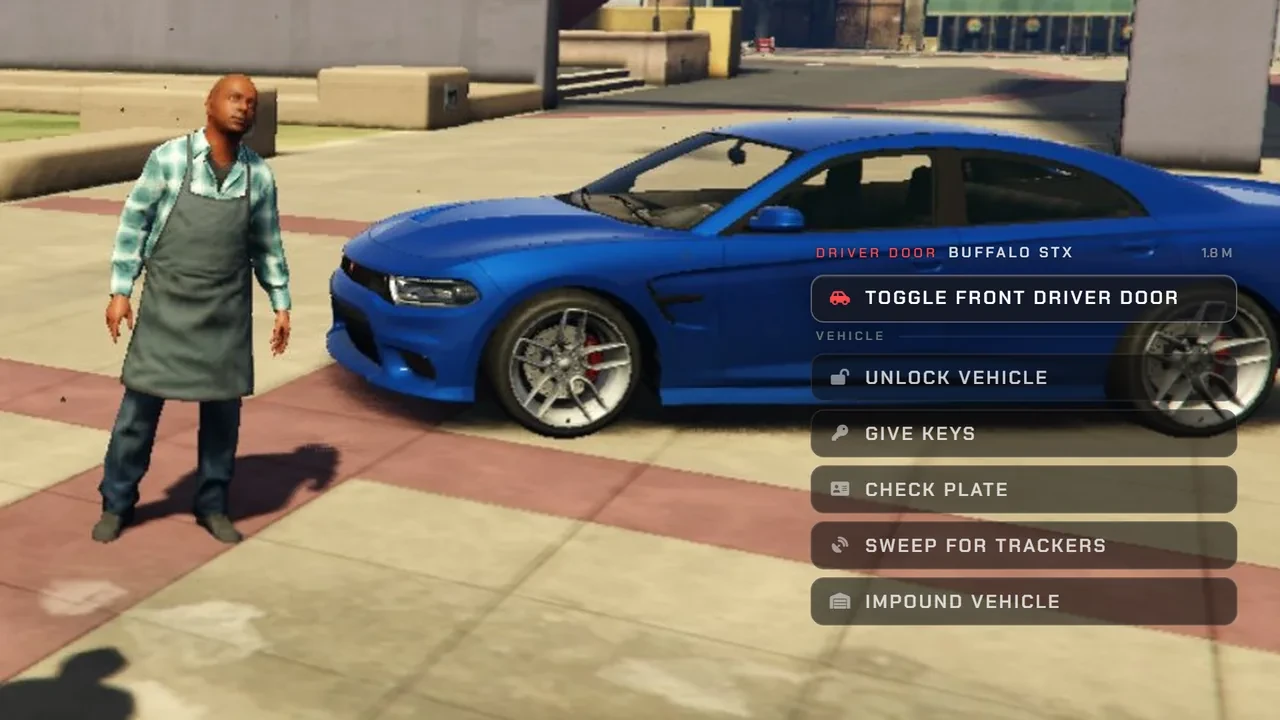
  6. Target for FiveM, in game 06

    Looking at things

    Target

    Three ways to interact: prompts in the world, aim, or a right-click cursor that knows a car door from the bonnet. Players pick their own.

  7. ox_lib Redesign for FiveM, in game 07

    Every menu and alert

    ox_lib Redesign

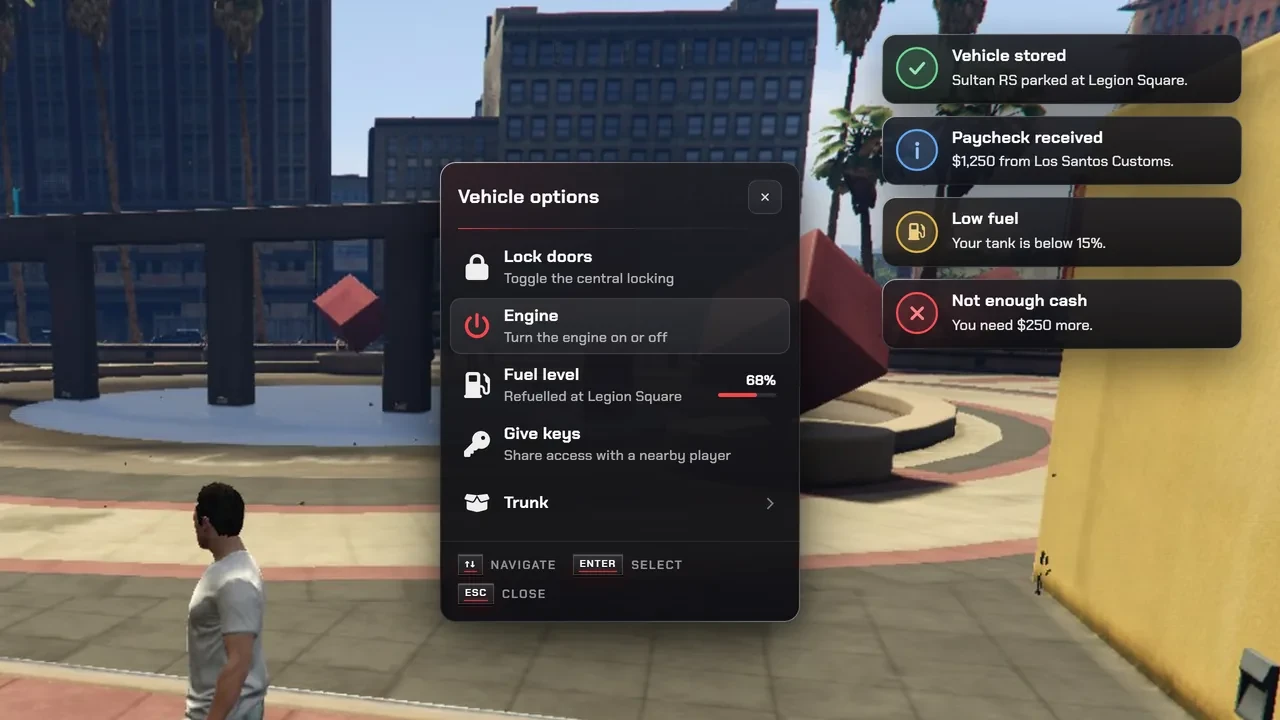
    Restyles every notification, menu, progress bar and dialog, plus the skill check and radial menu, from every script that uses ox_lib.

  8. Inventory for FiveM, in game 08

    Opening the bag

    Inventory

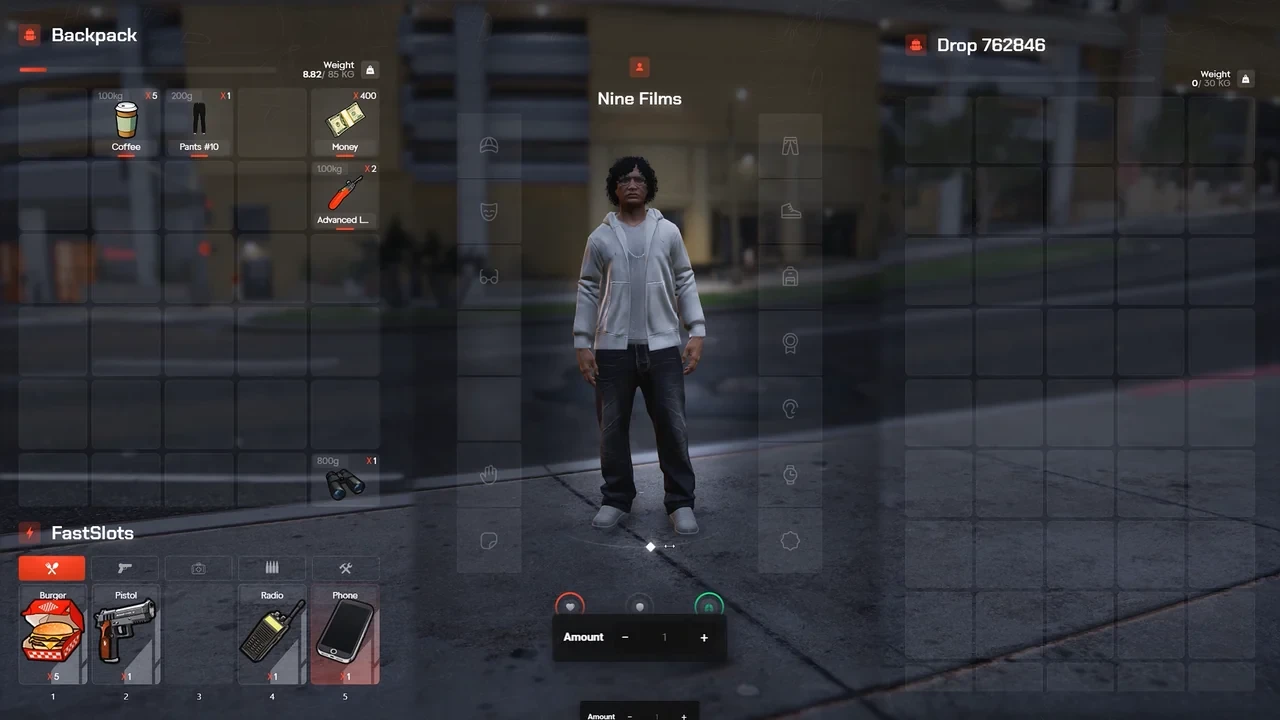
    Three themes players switch between, clothing as items in 14 equipment slots, 25 fast slots and a live 3D preview of your character.

  9. Chat for FiveM, in game 09

    Talking

    Chat

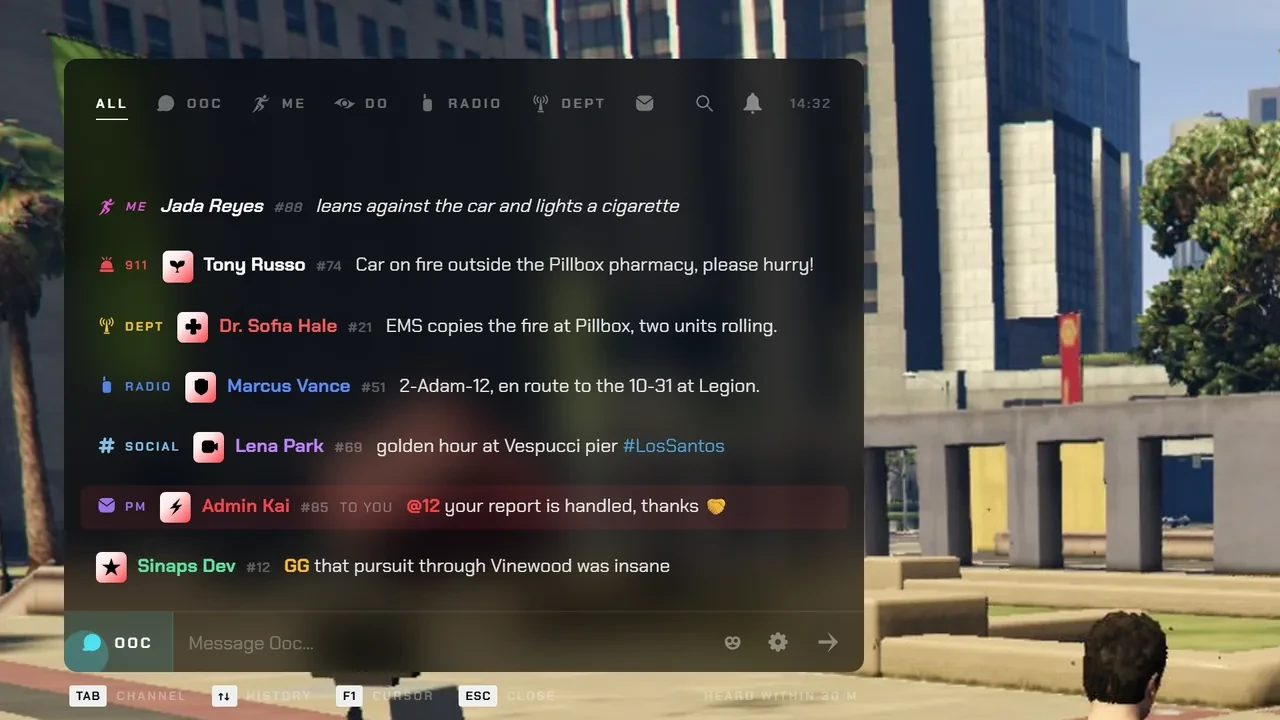
    /me, /do and DMs right from the input, 9 gated channels, typing dots, 3D /me text above players and staff announcements.

  10. Pause Menu for FiveM, in game 10

    Pressing Esc

    Pause Menu

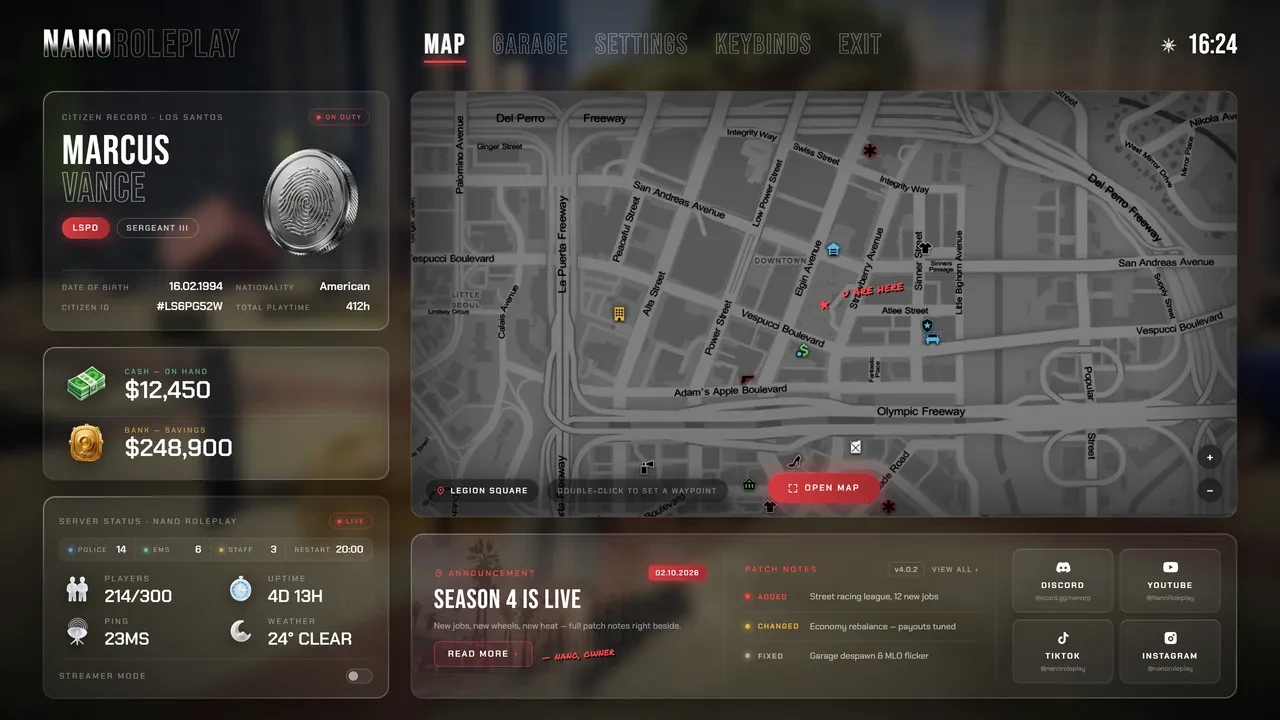
    Esc opens your server: live map, garage, citizen card, on-duty roster, news and patch notes. Even the GTA settings screens are re-skinned.

Pick your own

Need only a few? Pick them.

Every script is sold on its own too. Tick the ones you want and add them in one go. If a tier covers your picks for less, we will tell you.

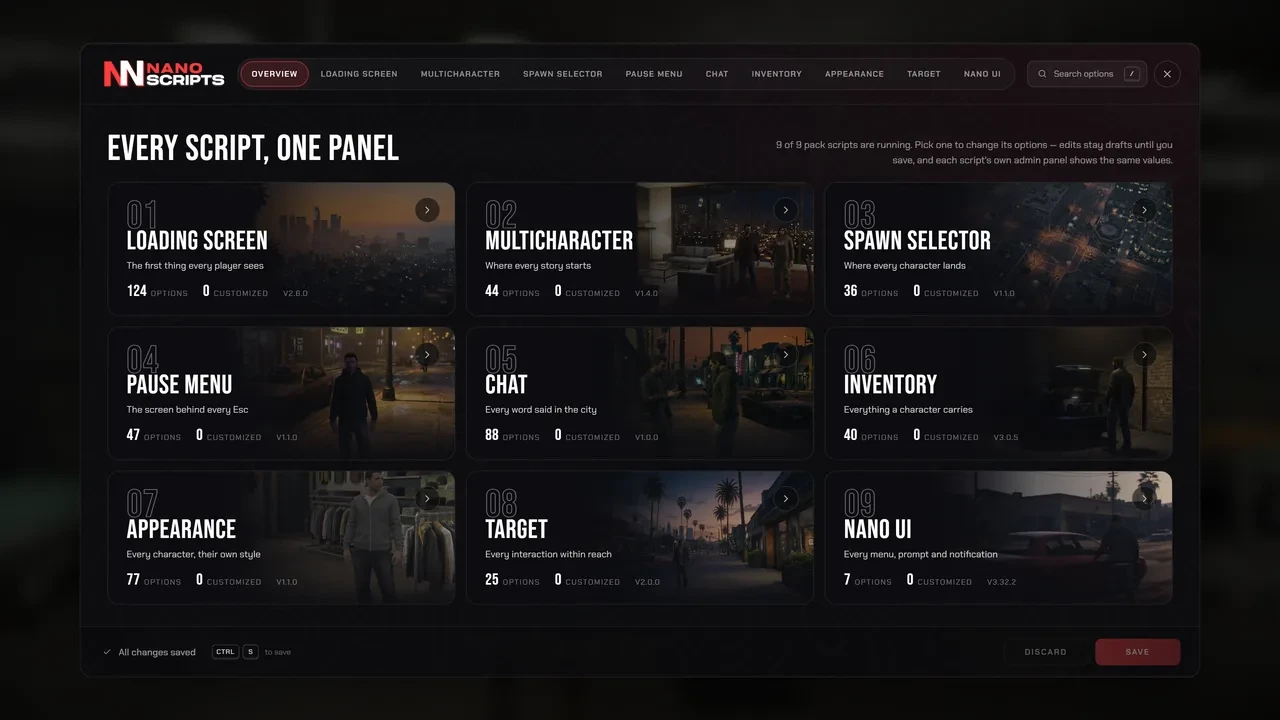
The NANO UI Pack control panel: one page per script

Included with every tier

Every script. One panel.

Type one command in game and set up the pack's UI scripts: branding, colours, text and every option, with search across all of them. HUD Ultimate keeps its own HUD Studio.

  • Finds what you run. It lists every pack script on the server and edits the ones you have installed.
  • Safe edits. Changes stay drafts until you save, bad values are refused with a reason, and options that need a restart get a one-click restart.
  • Survives updates. Your settings are stored outside the script files, so updating a script never wipes them.
  • Preview before players do. See the loading screen at 720p, 1080p, 1440p and ultrawide.

Reviews

Server owners say it best.

4.97/ 5 from verified customers

Even while busy they still got what I needed done without any hassle or fighting. Top tier as always Nano.
King KyBought Business Creator, Appearance Menu
Mega fast and super support, thank you very much.
Tim Torsten C.Bought Restaurant System, HUD System
Helped, added a custom thing to the script. Best.
KozlovoidBought Appearance Menu, Pet Shop

Before you buy

Questions, answered.

Escrow Protected by FiveM asset escrow. A clean drop-in install with zero setup overhead, at the lower price.
Open Source The full source code to read, study and customise for your server. Some scripts still ship with a small escrowed library.
Do I need all of them?

No. Every script works on its own, so start with a tier or pick single scripts. The Control Panel opens once two or more of the pack's UI scripts are installed (HUD Ultimate has its own HUD Studio).

Will it break my other scripts?

No. Each script answers to the name your other scripts already call: Inventory is ox_inventory, the ox_lib Redesign is ox_lib, Target answers ox_target and qb-target, Appearance answers illenium-appearance, Chat answers chat and Spawn Selector answers qbx_spawn.

Do I keep my items and outfits?

Inventory is built on ox_inventory and Appearance on illenium-appearance, so a server already running those keeps its items and saved outfits.

Which frameworks are supported?

ESX, QBCore and QBox. Loading Screen, Target and the ox_lib Redesign also run without a framework.

Escrow or Open Source: which one do I need?

Both give you identical features and updates. Escrow is protected by FiveM asset escrow: a clean drop-in install at the lower price. Open Source gives you the full source code to restyle and customise every screen.

Something else? Ask us on Discord

Not sure which pack?

Tell us about your server. We will help you pick.

Ask on Discord