




ELECTRICIAN JOB + MLO
 ESX
ESX  QBCore
  QBox
QBox- Voltmeter Calibration Dial I & R knobs to match the target voltage
- Switch Panel Puzzle Flip toggles until each row indicator lights up
- Breaker Sequence Game Watch the light pattern and repeat it back


Bundle & save
Get Electrician Job in a pack.
Pack it with more scripts and pay up to 46% less than buying them one by one.

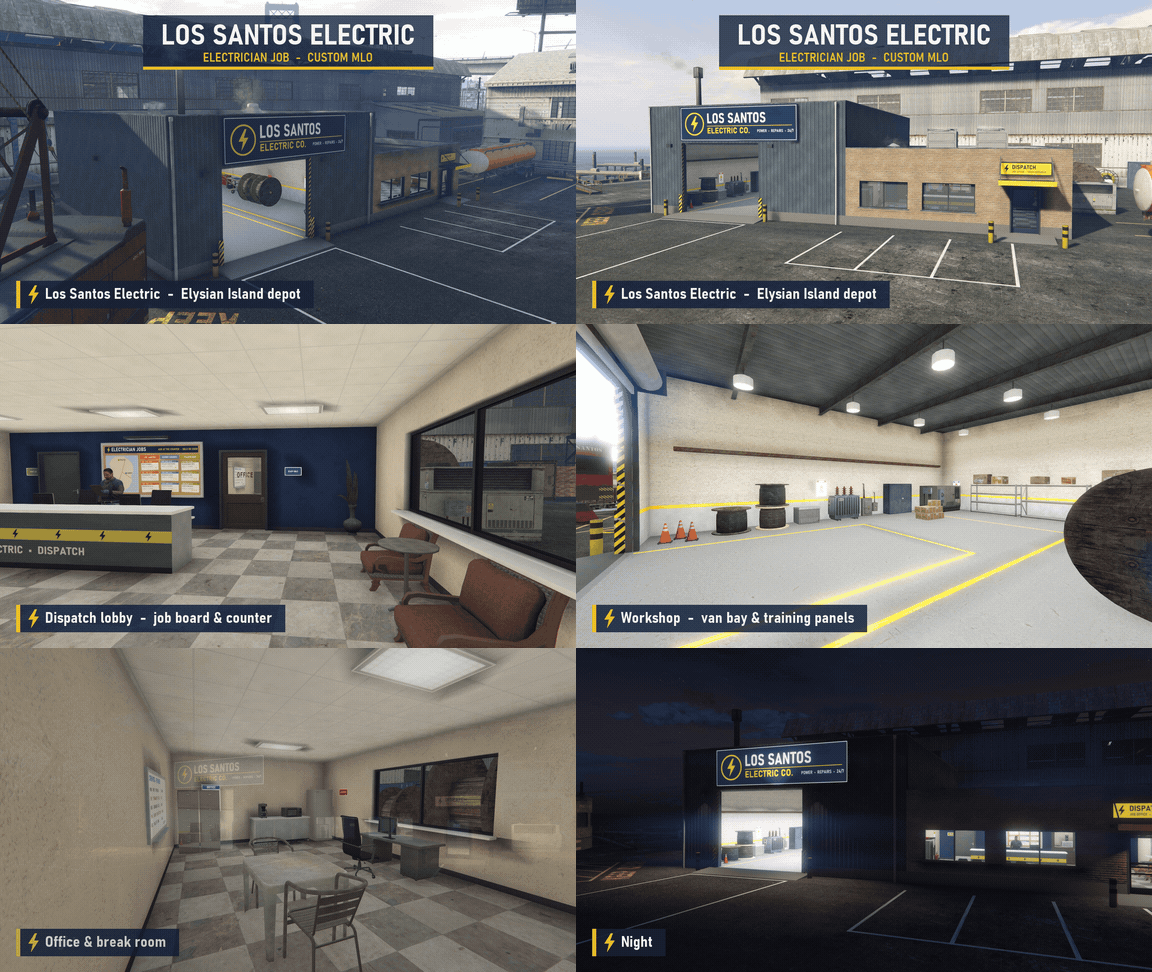
Custom Los Santos Electric MLO
Custom Los Santos Electric depot MLO on Elysian Island, included with the resource — a full contractor base with a dispatch lobby, workshop, locker room, and break room.
- Branded Exterior — Los Santos Electric Co. signage over the roller door and a marked parking lot outside.
- Dispatch Entrance — A yellow-awning dispatch door leads straight into the front office.
- Dispatch Lobby — Job board and service counter at the front of the building.
- Workshop — Van bay and training panels for the service crew.
- Locker Room — Rows of lockers and benches for crews to suit up.
- Office & Break Room — A back office and break room for downtime between contracts.
- Elysian Island Location — The depot sits in the port district on Elysian Island.
- Night Lighting — Exterior lights and lit signage keep the depot looking sharp after dark.
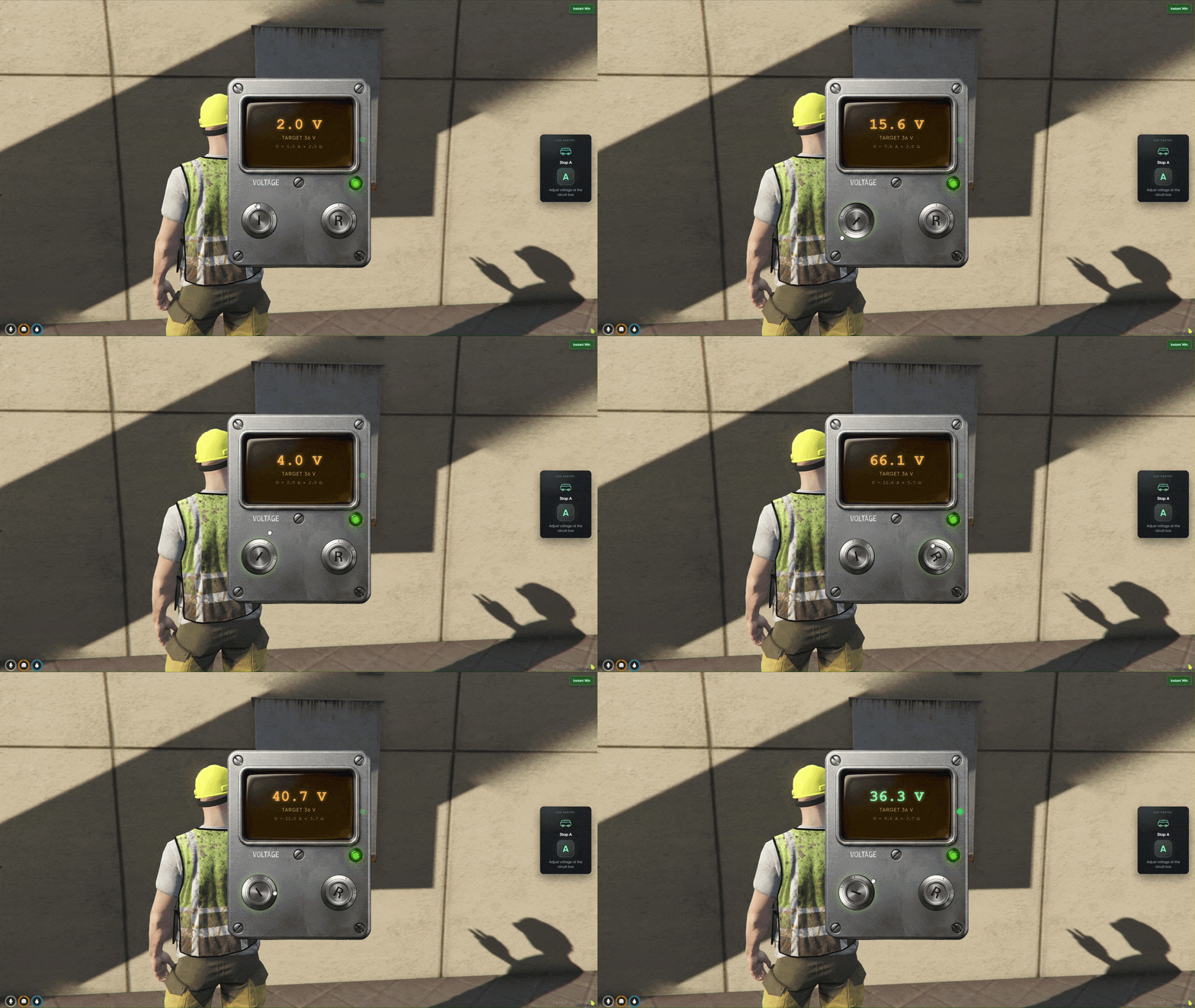
Voltmeter Calibration
Voltmeter minigame at wall-mounted circuit boxes — rotate the current (I) and resistance (R) knobs until the reading matches the target voltage before time runs out.
- Target Voltage Displayed — Each stop shows a target reading you must hit on the voltmeter UI.
- Two Knob Controls — Drag the I and R knobs to raise or lower current and resistance.
- Live Reading — The display updates in real time as you adjust both dials.
- Hold the Match — Keep the reading on target for a moment to lock in a successful calibration.
- Beat the Clock — Complete the calibration before the timer runs out.
- Camera Zoom — The view smoothly frames the panel before the minigame opens.
- Intro Animation — Your character pulls out the voltmeter prop before testing begins.
- Dial Both Knobs — Current and resistance must both be tuned — one dial alone will not hit the target.
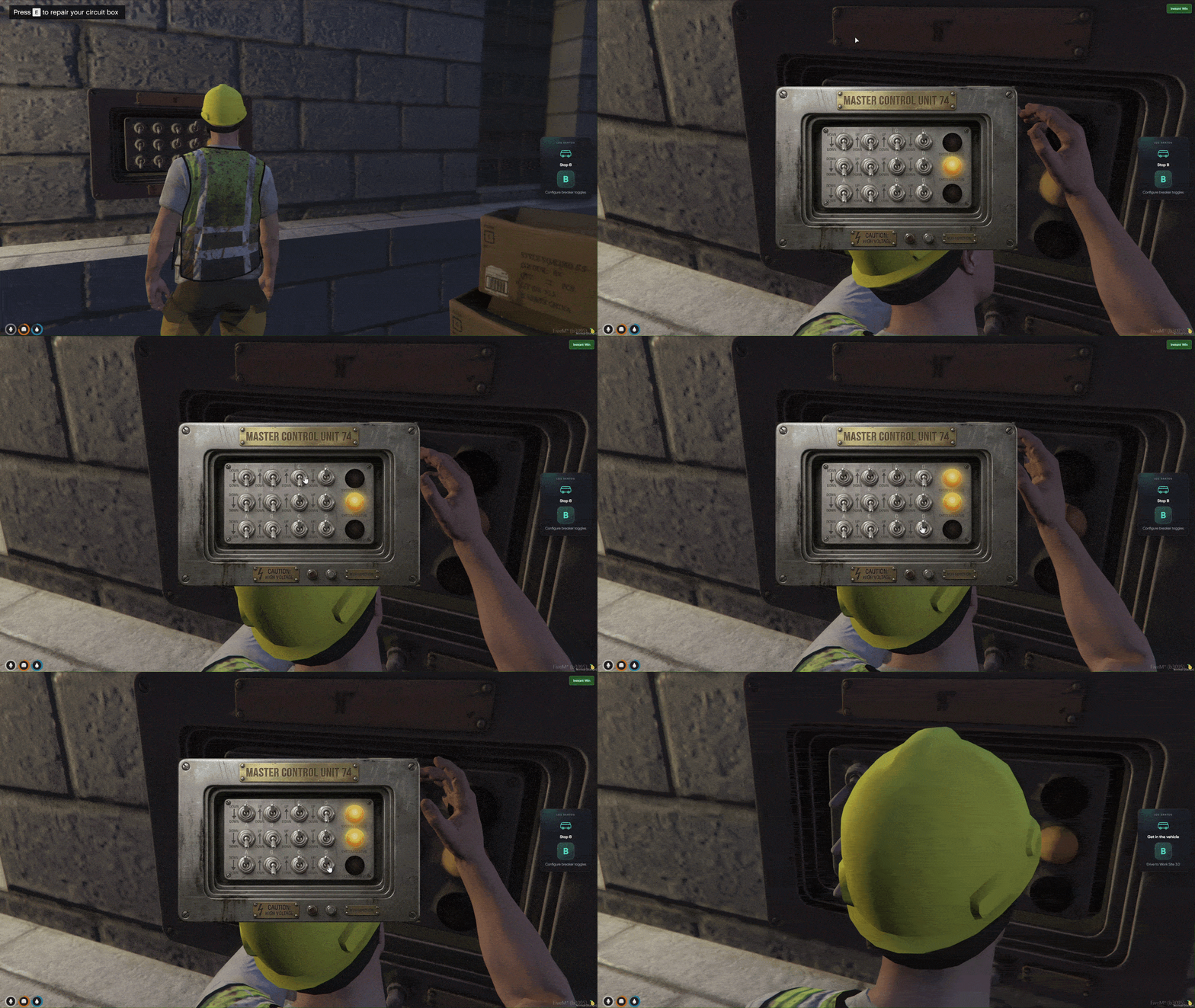
Switch Panel Puzzle
Toggle switch minigame on addon electrical panels — flip switches on a 4×3 grid until each row's indicator light turns on.
- Switch Grid UI — Twelve toggle switches arranged in four columns and three rows.
- Row Indicator Lights — Three lights on the side show which rows are correctly configured.
- Click to Flip — Tap any switch to move it up or down.
- Match the Pattern — Every switch in a row must match the hidden target for that row's light to activate.
- Row-by-Row Progress — Lights turn on one row at a time as you solve the panel.
- Timed Challenge — Finish all three rows before time expires.
- Panel Work Animation — Your character plays a standing repair animation at the box before the UI opens.
- Solve Every Row — All three indicator lights must be lit before the stop counts as complete.
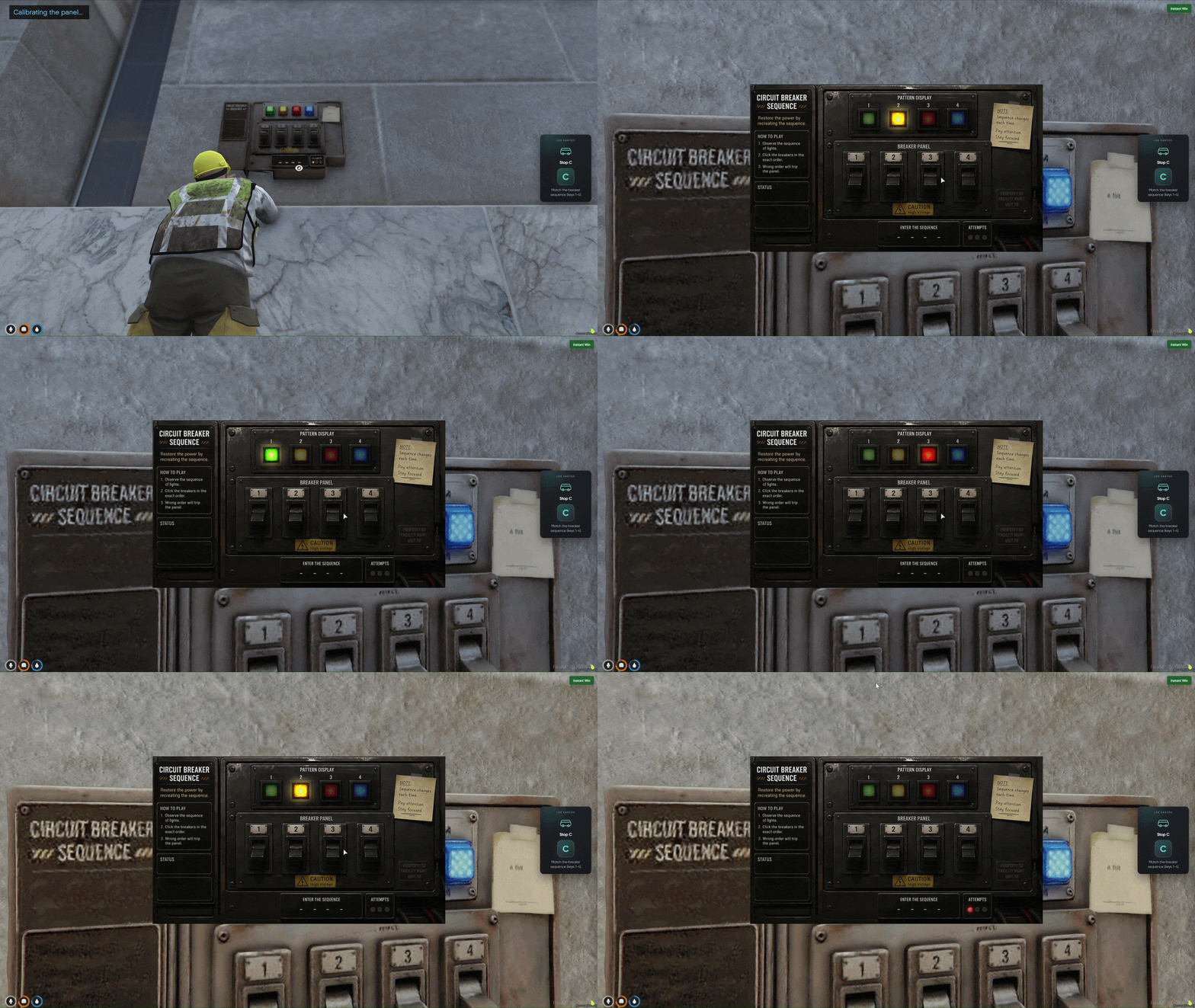
Breaker Sequence Game
Simon-style breaker sequence minigame — watch four indicator lights flash in order, then repeat the pattern across four rounds to finish the stop.
- Four Light Buttons — A row of breaker lights at the top of the panel UI.
- Watch the Sequence — Lights flash one at a time in a random order you must memorize.
- Repeat with 1 2 3 4 — Press the matching keys to enter the sequence you just saw.
- Four Rounds Required — Complete four successful sequences in a row to finish the stop.
- Three Attempts — Fail lights track your mistakes — three wrong inputs and the minigame fails.
- Between-Round Pause — A short gap between rounds gives you time to reset.
- Timed Pressure — The overall timer keeps running while you work through every round.
- Memorize the Pattern — Watch closely during the flash phase — you only get three strikes before the panel fails.