



3D RADIO SYSTEM
 ESX
ESX  QBCore
  QBox
QBox- Real Buttons Pressed on the prop itself, never on a menu
- Channel Slots 5 slots live in your ear at once — talk on the one you pick
- Quick Tune One command and you are on — /radio 145.50
- Hands-Free Keys Keybinds to hold your mic open, or mute the channel
- Signal Falloff Voice thins to static as the talker gets further
- Signal Jammers Three sizes — beaten with a hacking minigame
- Vehicle Radios Head units, occupant HUD and an EMERG panic
- Gunshots On Air Your gunfire bleeds to everyone on the channel
- Locked Channels PIN and job frequencies, set from in-game


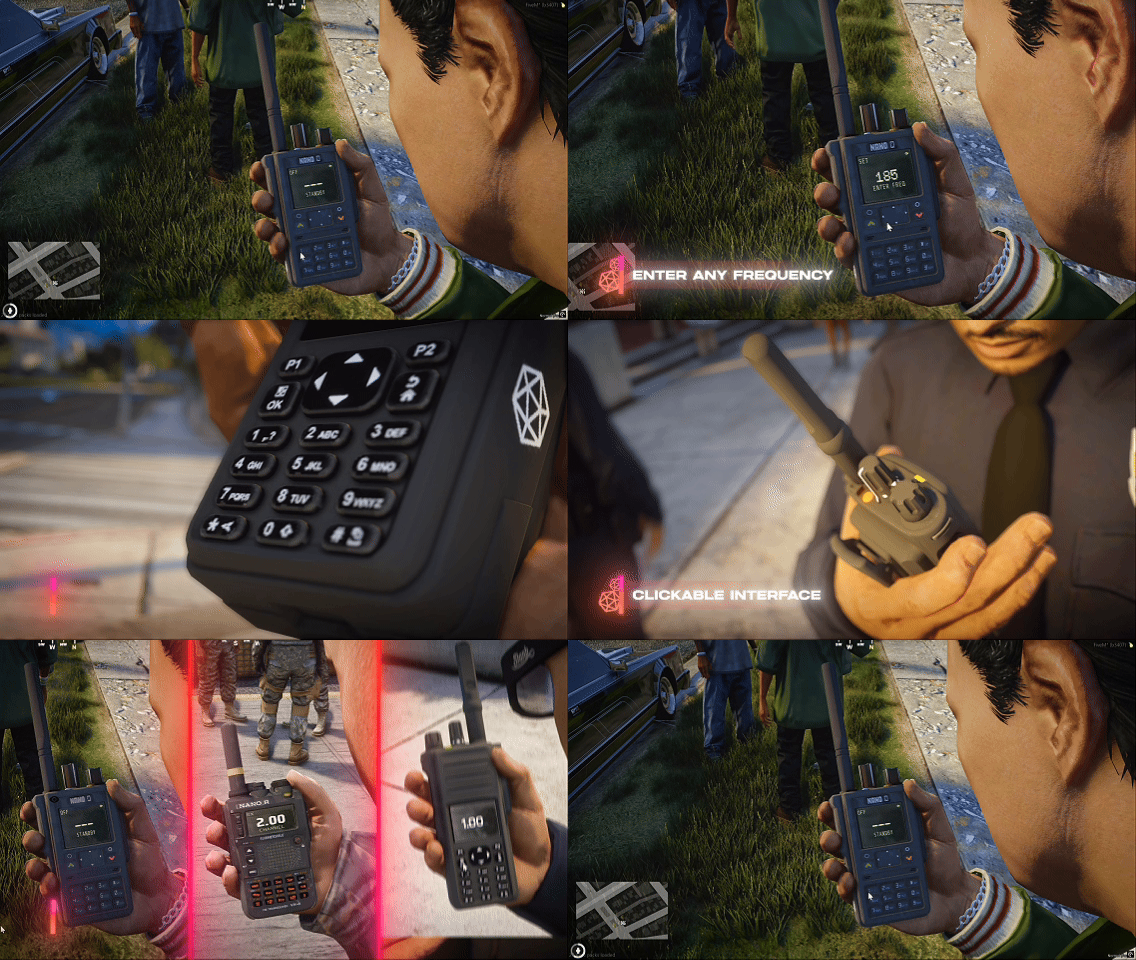
Three Radios. All of Them Real Objects.
Not a menu with a radio icon on it. A prop in your hand — you press its buttons with your crosshair and watch the screen answer.
- Every button works — hit-tested on the model, and it travels 2mm when pressed.
- The screen is on the radio — OLED, green dot-matrix or military LCD.
- Three tiers — Handheld, Field Pro and Military, each its own model.
- Range that matters — clear to 200m on a pocket set, 1500m on military.
- Turnable volume knob, and a hold pose that still lets you walk.
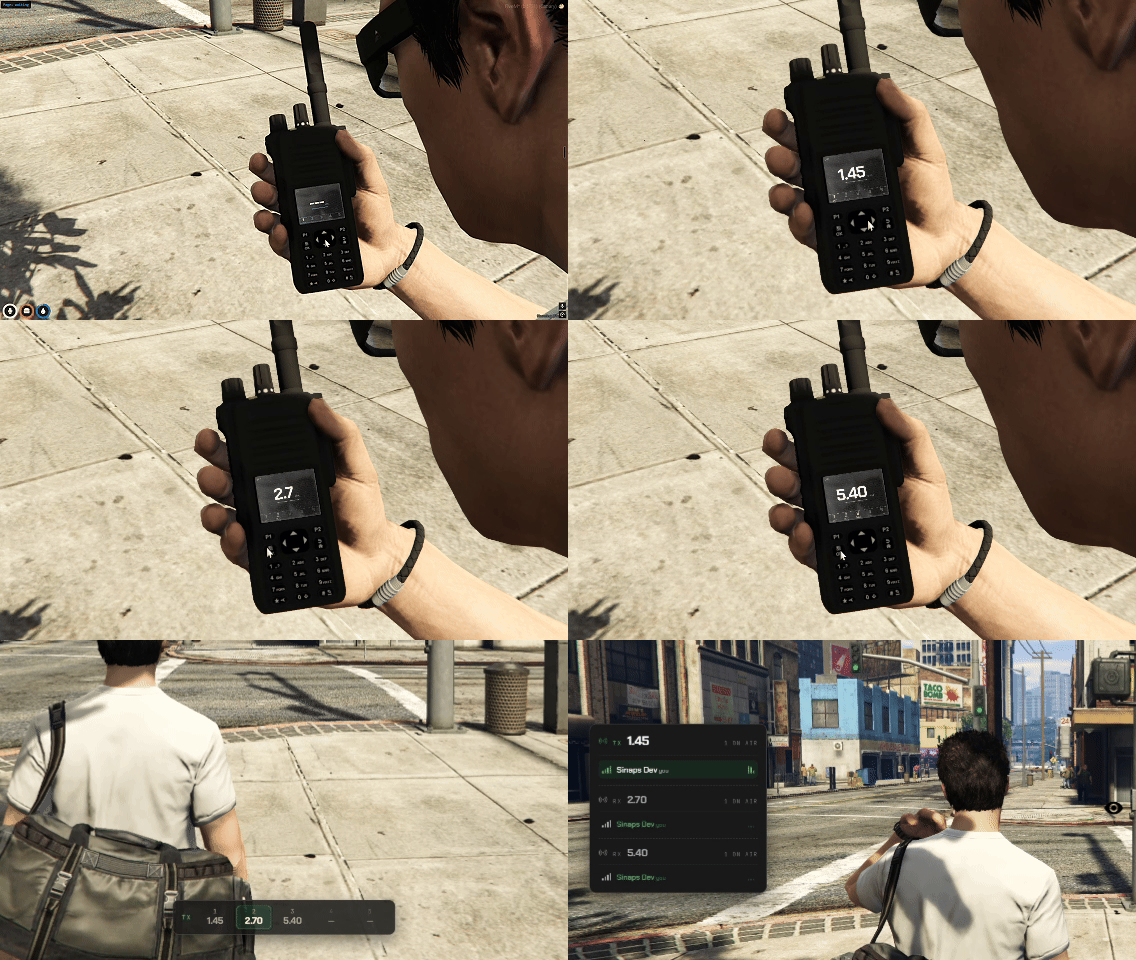
Five Channels. All Live In Your Ear At Once.
Every slot you fill stays open — dispatch, tac, EMS, whatever you need — playing at the same time. Pick which one your mic talks on, and switch it without ever raising the radio.
- 5 channel slots — every filled slot is live in your ear at the same time.
- Talk on the one you pick — the arrow pad rocks to whichever side you click, or use the [ / ] hotkeys without even raising the radio.
- Slot strip on the screen — see every channel you are on, with a blinking indicator on whoever is talking, and a quick HUD popup when you switch.
- F2 channel list now shows every channel you are on, talk channel first.
- One config toggle — Config.channels.enabled = false and radios go back to classic single-channel.
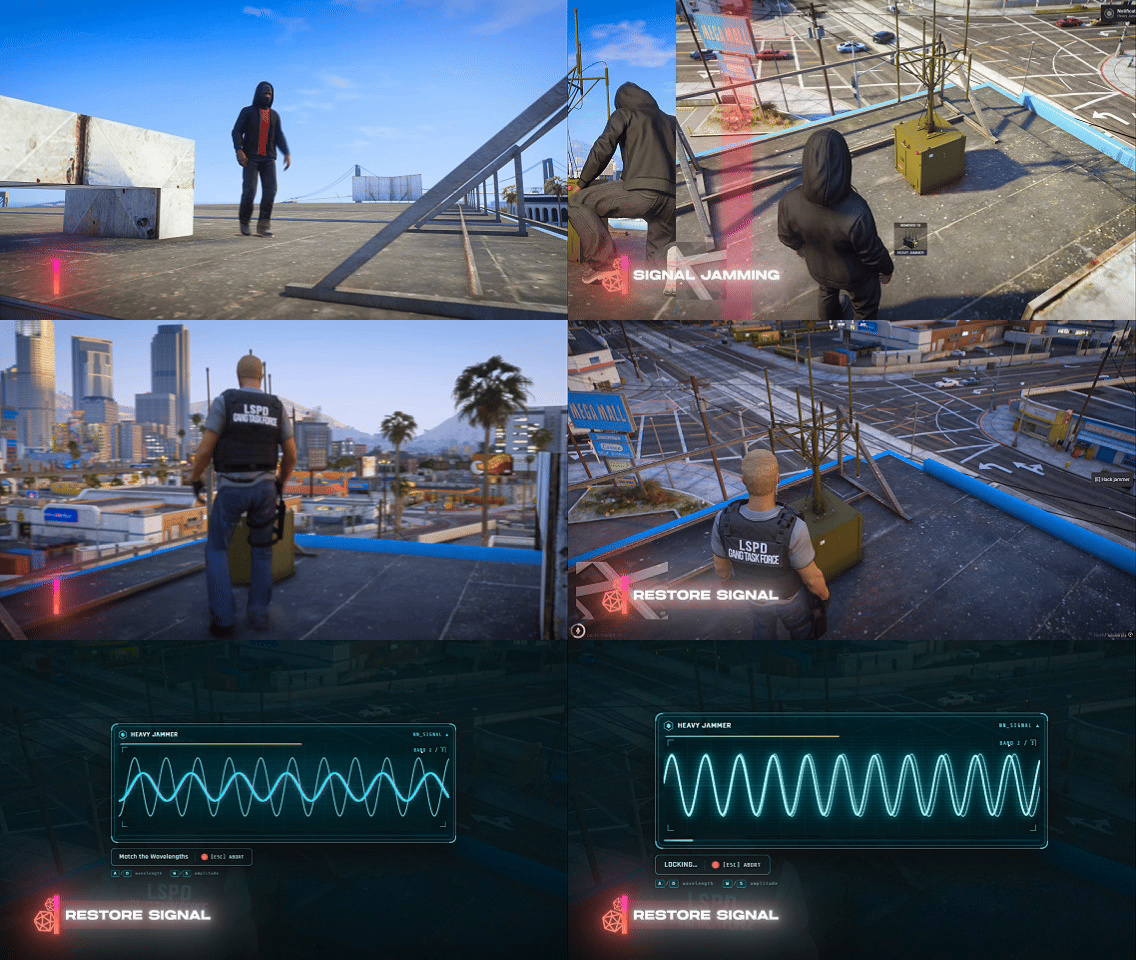
Kill Their Comms. Or Break the Jammer.
Drop a jammer and every radio nearby drowns in static. The closer they stand, the worse it gets.
- Three sizes — pocket 8m, standard 18m, heavy 32m.
- Not an on/off switch — the static scales with distance, and flickers.
- Hack it down with a signal-align minigame to override one you did not place.
- Better radios resist — a military set shrugs off 70 percent of it.
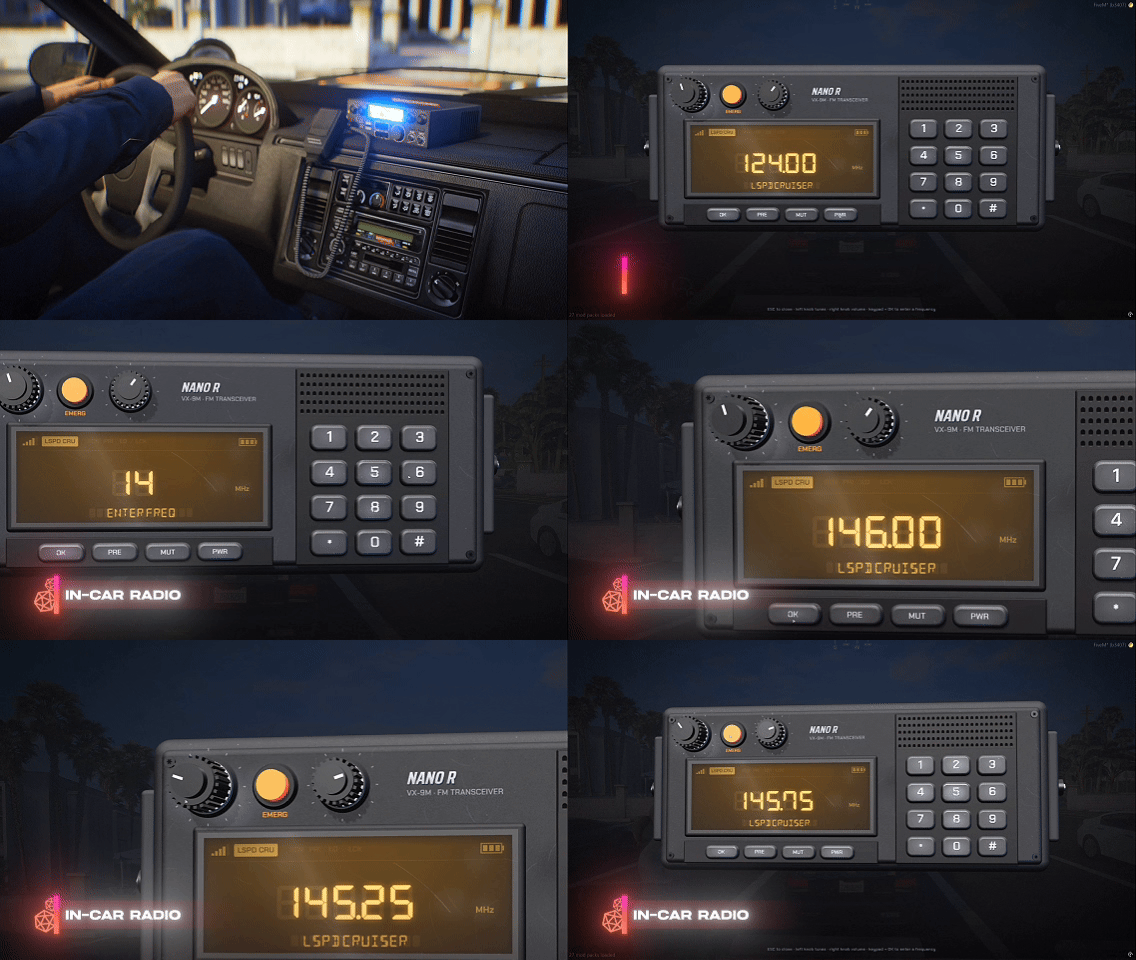
Every Cruiser Gets a Head Unit
Choose which vehicles carry a radio. The front seats tune it, everyone aboard hears it.
- Interactive 3D unit — frequency, volume, power. One operator at a time.
- Mini HUD for every occupant — frequency, unit name, TX and RX.
- EMERG panic alerts the whole channel with a tone and a flashing blip.
- Bystanders hear it leak from the speaker as they walk past.
- A roof antenna beats a pocket set — clean to 2km, and hard to jam.
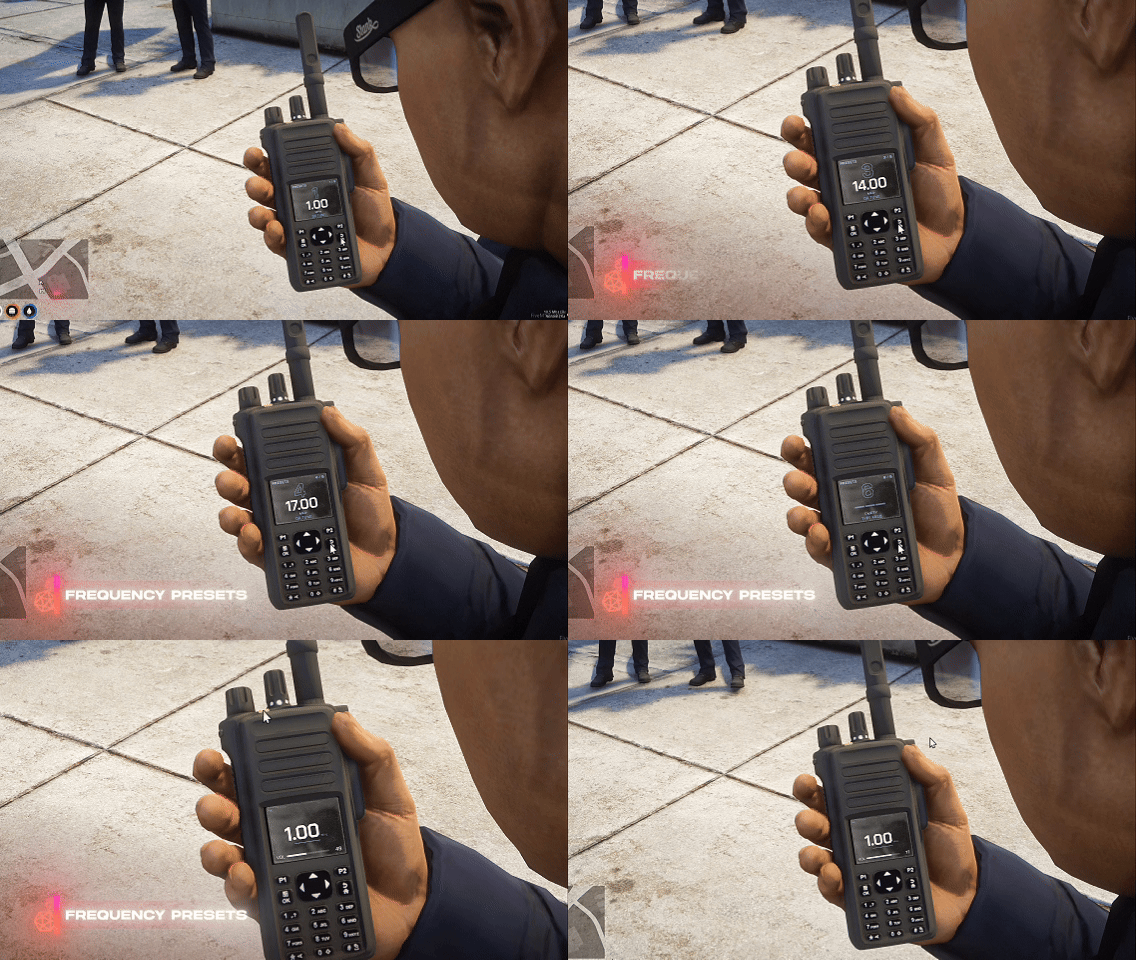
Saved Channels, Stored on the Radio
Press the preset key, pick a slot, you are on. No menu, and no typing a frequency twice.
- Named automatically from the channel label your admins set.
- 4 to 9 slots, depending on which radio you carry.
- Saved per character in the database — they survive a restart.
- Star to save, hash to clear, typed on the keypad.
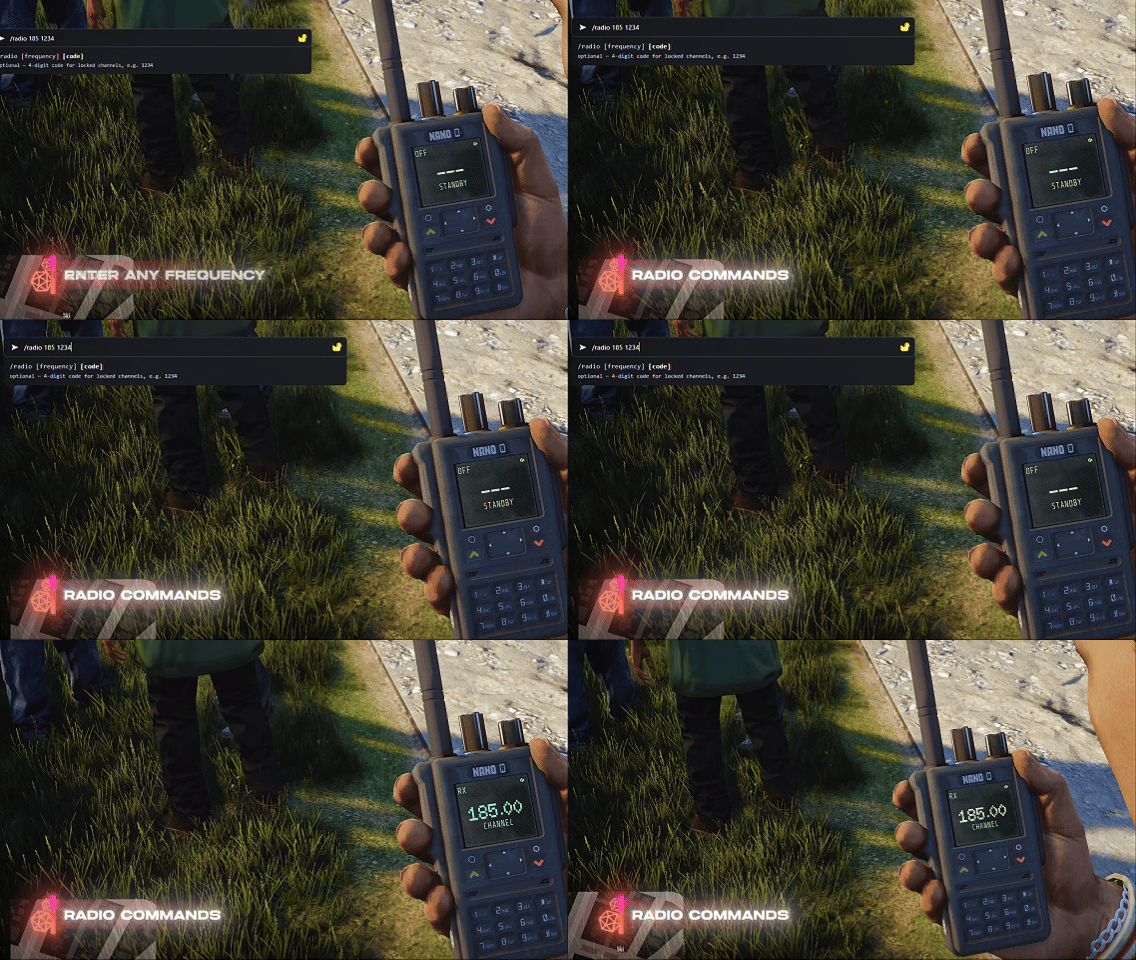
One Line in Chat, Straight to the Frequency
Someone shouts a number across the room. Type /radio 451.7 and you are on it — no keypad, no menu, no looking down.
- /radio <freq> — tunes the set in your hand and powers it on if it was off.
- Made for the moments you cannot fiddle — driving, running, or halfway through a callout.
- The radio still answers — the screen updates exactly as if you had punched it in.
- Locked channels stay locked — a PIN or job restriction still applies.
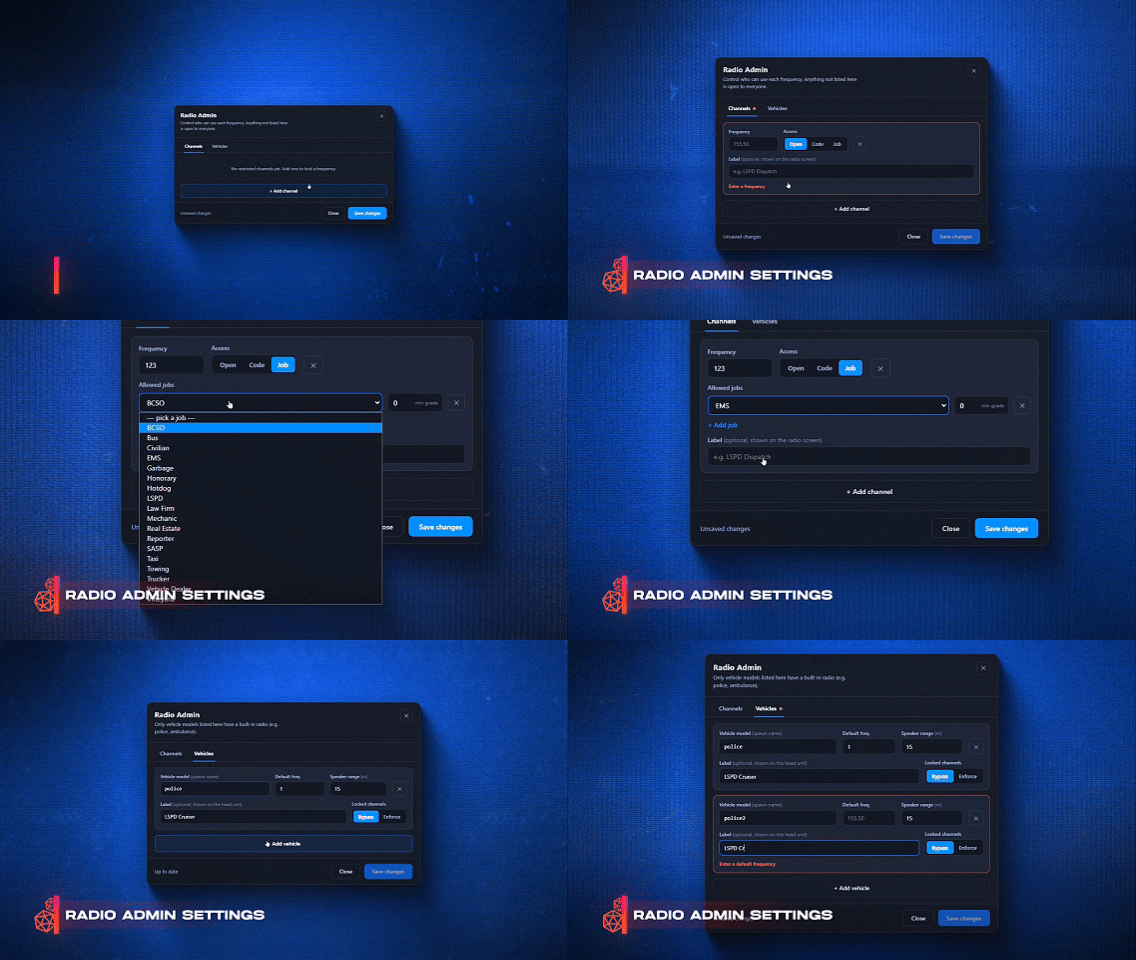
Lock a Channel Without Opening a Config
Type /radioadmin in game. Decide which frequencies are open, PIN-locked or job-only. Save.
- 4-digit PIN punched into the keypad on the radio.
- Job and grade locks read straight from your framework.
- Vehicle radios live here too — model, label, default frequency, speaker range.
- Written to the database. No file edits. No restart.
- QBox, QBCore & ESX through community_bridge.