


WEREWOLF (MAFIA)+ MLO
 ESX
ESX  QBCore
  QBox
QBox- Lobby Creation Join, set timers, toggle roles, ready up and start the match
- Minigames Bono cards and 3D chess at tables beside the circle
- Night Phase Closing eyes, then your role and how to use it on screen
- Narrator Voice Voiced narrator calls each role to wake and sleep
- MLO Included Wood-style interior, exterior and a waiting room with games
This product comes with an escrowed library dependency.


Bundle & save
Get Werewolf (Mafia) in a pack.
Pack it with more scripts and pay up to 29% less than buying them one by one.

Lobby Creation
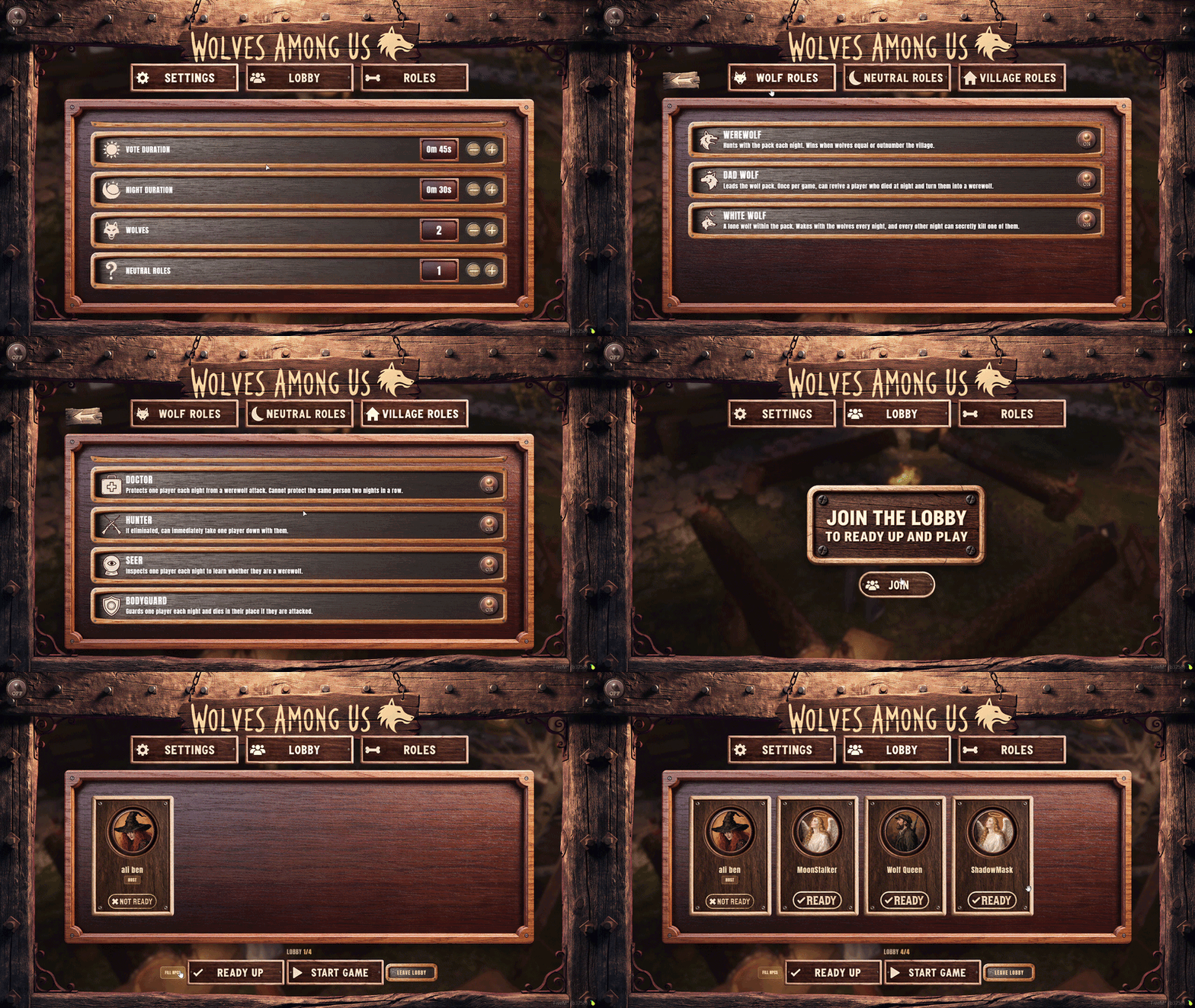
Wolves Among Us lobby board — join the table, tune match settings, toggle roles, ready up, and start the game from one wooden UI.
- Join the Lobby — Hit JOIN on the hanging board to ready up and play.
- Settings Tab — Set vote duration, night duration, wolf count, and how many neutrals are in the mix.
- Roles Tab — Switch between Wolf, Neutral, and Village roles and flip each one ON or OFF.
- Neutral Wildcards — Joker, Crow, Orphan, and Cupid sit on their own row with short power blurbs.
- Village Powers — Doctor, Hunter, Seer, Bodyguard, and Bear can be toggled in before kickoff.
- Player Portraits — Lobby slots show avatars, host tag, and READY / NOT READY on every seat.
- Fill NPCs — Pad a short lobby with bots, then Ready Up and Start Game when the count is full.
- Lobby Count — The board shows how many seats are filled so the host knows when to launch.
Minigames
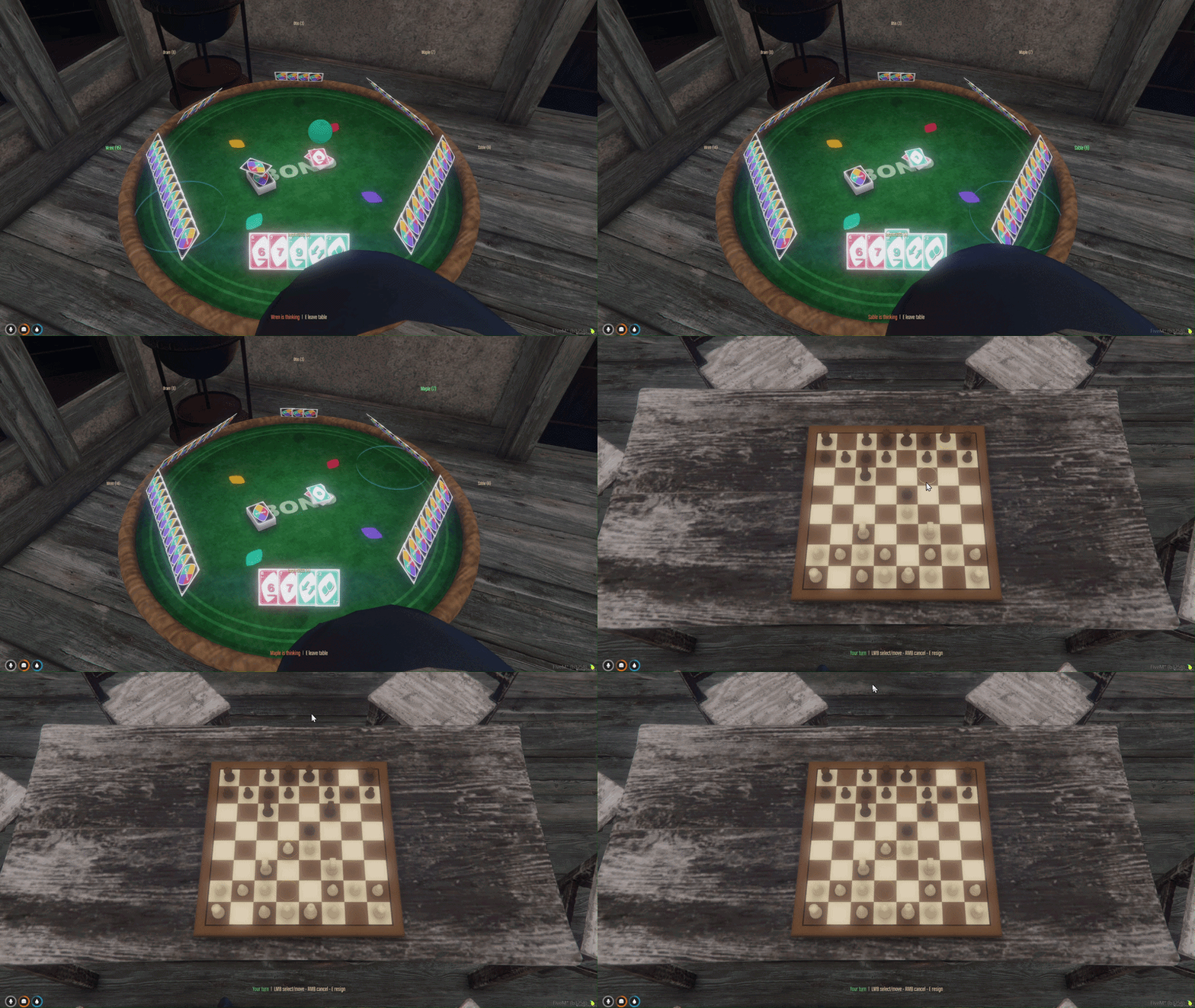
Side games next to the round table — play Bono cards around a felt table, then sit down for a full 3D chess match.
- Bono Card Table — Sit with up to five others; hands fan around a green felt table.
- Your Turn Prompt — Left-click a card or the deck to draw; E leaves the table.
- Skip, Reverse, Wilds — Action cards and wilds play onto the discard with live card counts over every seat.
- Bot Fill — Empty seats play as named bots (Wren, Otis, Maple, Sable, Bram) so a solo table still runs.
- Chess Board — Camera locks over the wooden board when you take a seat.
- Legal Move Rings — Select a piece and dashed circles show every legal square.
- LMB / RMB / E — Select and move, cancel, or resign from the prompt at the bottom of the screen.
- Capture Tray — Taken pieces slide off the board instead of vanishing.
Night Phase
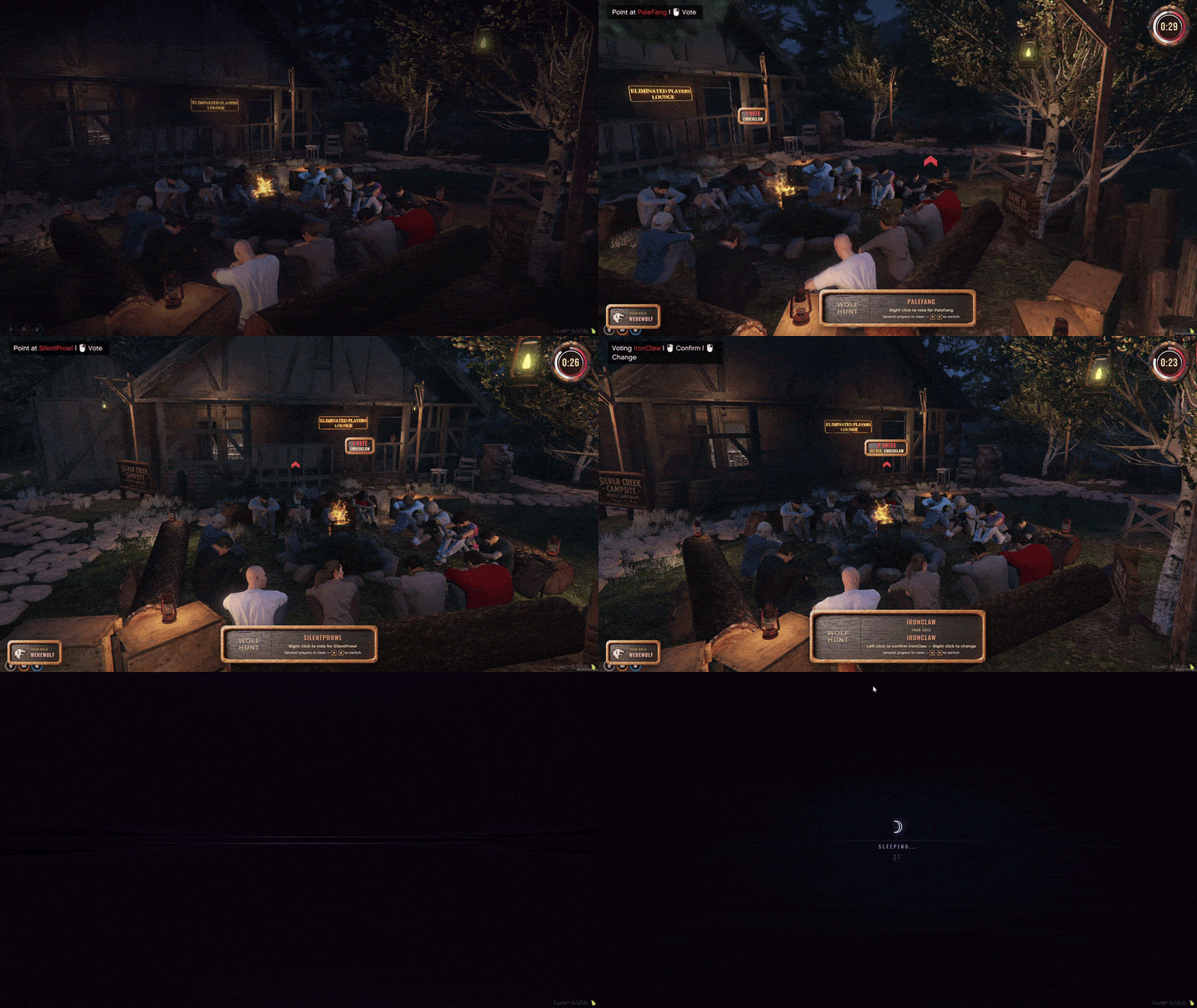
When night falls your eyes close — then the game shows your role and walks you through how to use it.
- Closing Eyes Effect — Eyelids shut over a moon screen with SLEEPING... until it is your turn.
- Your Role Shown — A role plaque tells you who you are for this night.
- How to Use It — On-screen prompts explain your night action so you know exactly what to do.
- Wake When Called — You only see the circle when your role is awake; everyone else stays asleep.
- Point to Act — Aim at a seated player to use your power, with prompts to confirm, change, or skip.
- Phase Timer — A countdown in the corner while the table sits around the fire.
- Eyes Open at Dawn — The overlay lifts when morning comes and discussion begins.
- Role Timer — Your action window is timed so the night keeps moving for the whole table.
MLO Included
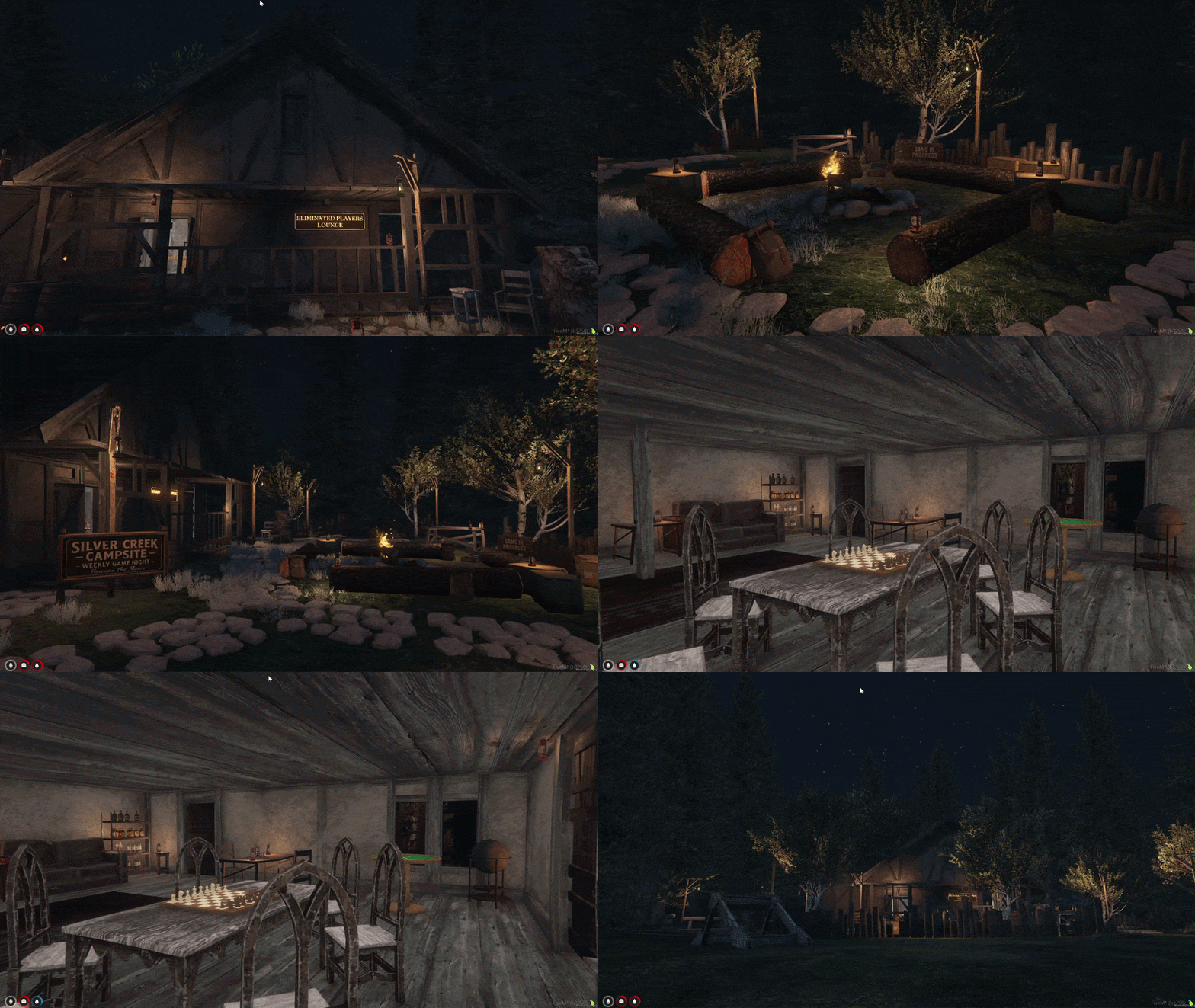
Wood-style MLO included with the resource — interior cabin, exterior campsite, and a waiting room where players can play games while they wait for the others.
- Wood Style Map — Custom wooden lodge and campsite shipped with the script.
- Exterior Campsite — Campfire circle, cabin porch, lanterns, and the grounds around the lodge.
- Interior Cabin — Walk inside for the chess board, Bono table, and lounge seating.
- Waiting Room — A lounge for players who are waiting on the rest of the group.
- Play While You Wait — Chess and Bono stay available in the waiting room so nobody sits idle.
- Eliminated Players Lounge — Voted-out and night-killed players wait out the match here.
- Back to the Circle — When everyone is ready, the group steps back outside to the fire.
- Drop-In Ready — Interior and exterior are mapped together so the job works out of the box.