




LOADING SCREEN
 ESX
ESX  QBCore
  QBox
QBox- In-Game Editor /loadingadmin edits it live — no restart, no file editing
- Server News Patch notes with image, date and version
- Server Rules Rule cards players actually read while they wait
- Admin Team Staff cards with avatar, role and a colour per member
- Keybinds Window A real visual keyboard — hover a key to see what it does


Bundle & save
Get Loading Screen in a pack.
Pack it with more scripts and pay up to 30% less than buying them one by one.

What Your Players See
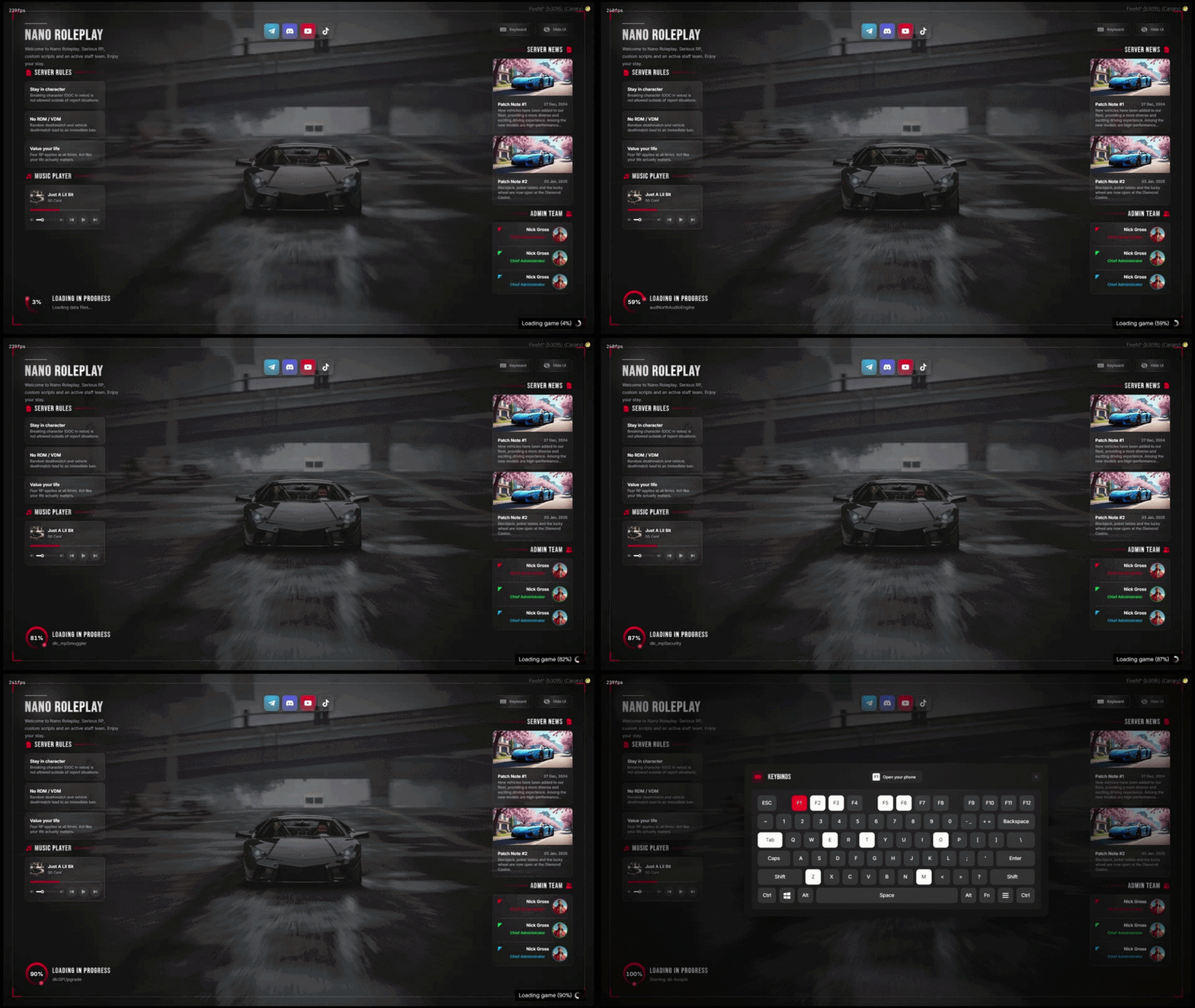
One clean screen over a full-screen image or video:
- Rules and music player on the left, patch notes and staff on the right.
- Loading ring driven by the real FiveM loading steps.
- Keyboard and Hide UI buttons for the players.
- Scales from 1080p to 4K, ultrawide friendly.
Edit Everything In-Game - Admin Editor
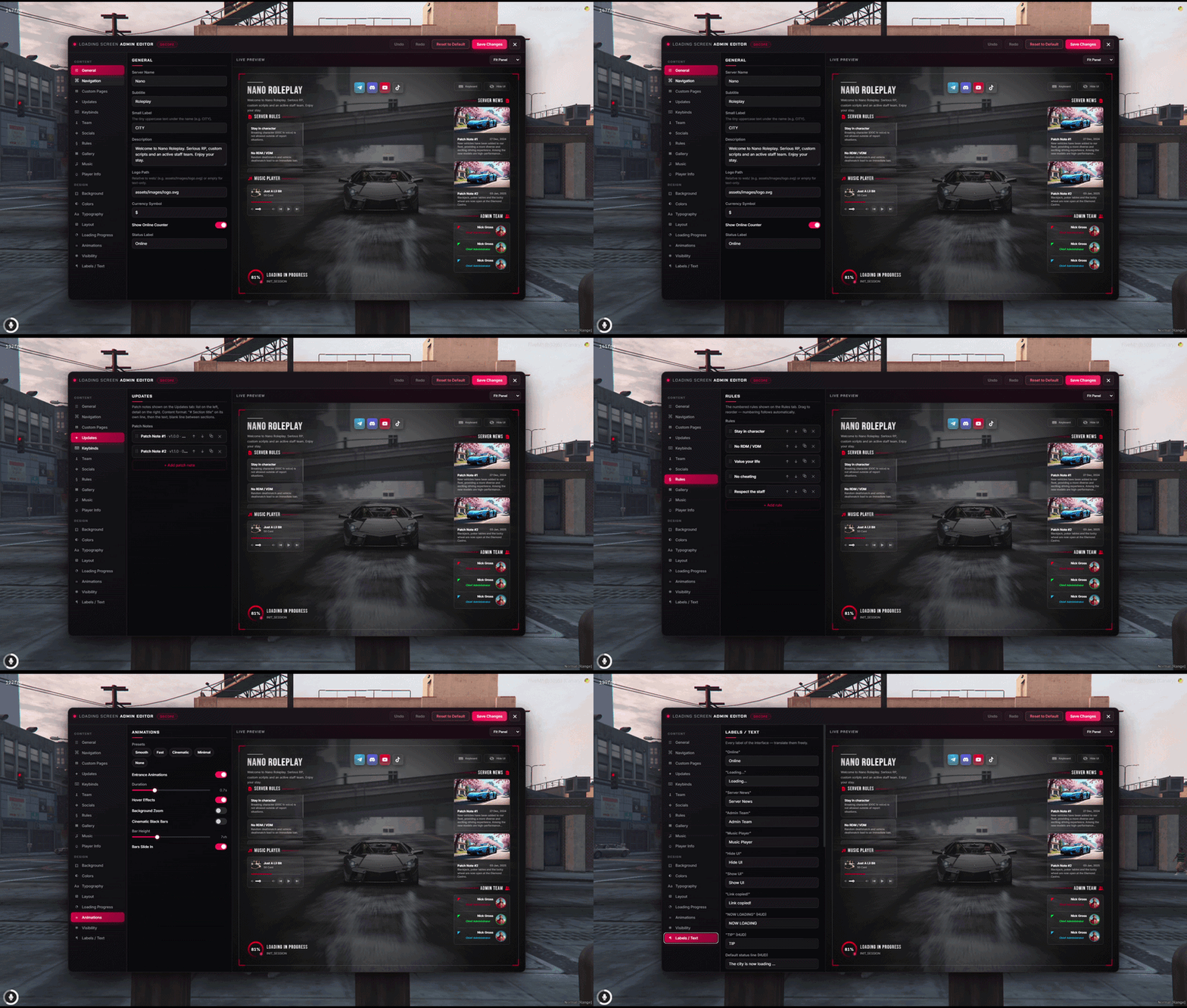
Type /loadingadmin and change the whole screen from a live preview:
- Nineteen sections: branding, background, colours, news, rules, team, music, keybinds, texts.
- Undo / redo, theme and animation presets.
- Saves apply to the next player without restarting anything.
- Every save is audit-logged; two admins stay in sync.
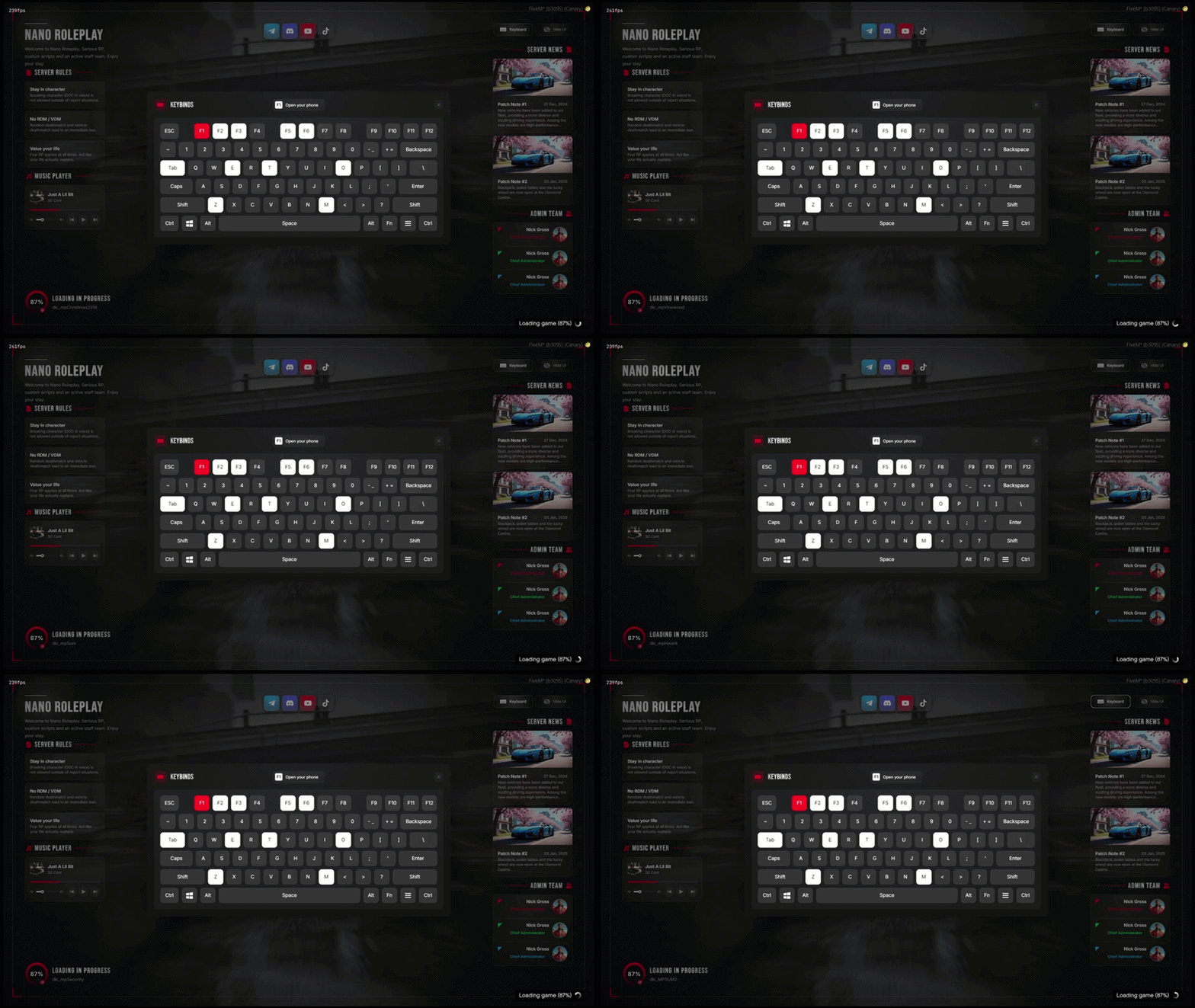
Keybinds Window
A real keyboard on screen, not a list:
- Bound keys light up, the selected one turns red and shows its action.
- Keys picked from a dropdown in the editor - no typos.
- Key colours configurable to match your theme.
- Closes with the cross, a click outside or Escape.