Limited Time
10% OFF — NANO10
Limited Time
10% OFF — NANO10
Limited Time
10% OFF — NANO10
Limited Time
10% OFF — NANO10
Limited Time
10% OFF — NANO10
Limited Time
10% OFF — NANO10
Limited Time
10% OFF — NANO10
Limited Time
10% OFF — NANO10
Limited Time
10% OFF — NANO10
Limited Time
10% OFF — NANO10
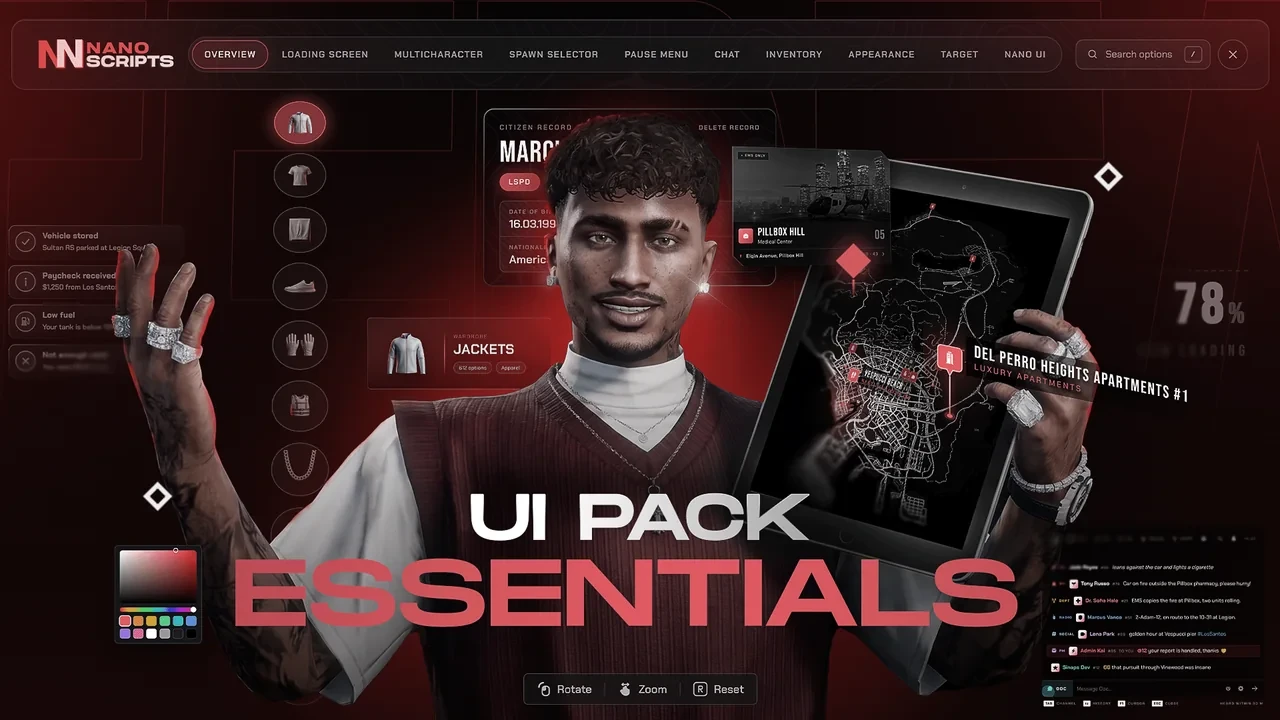
NANO UI Pack
Bundle · 10 scripts All 10 scripts

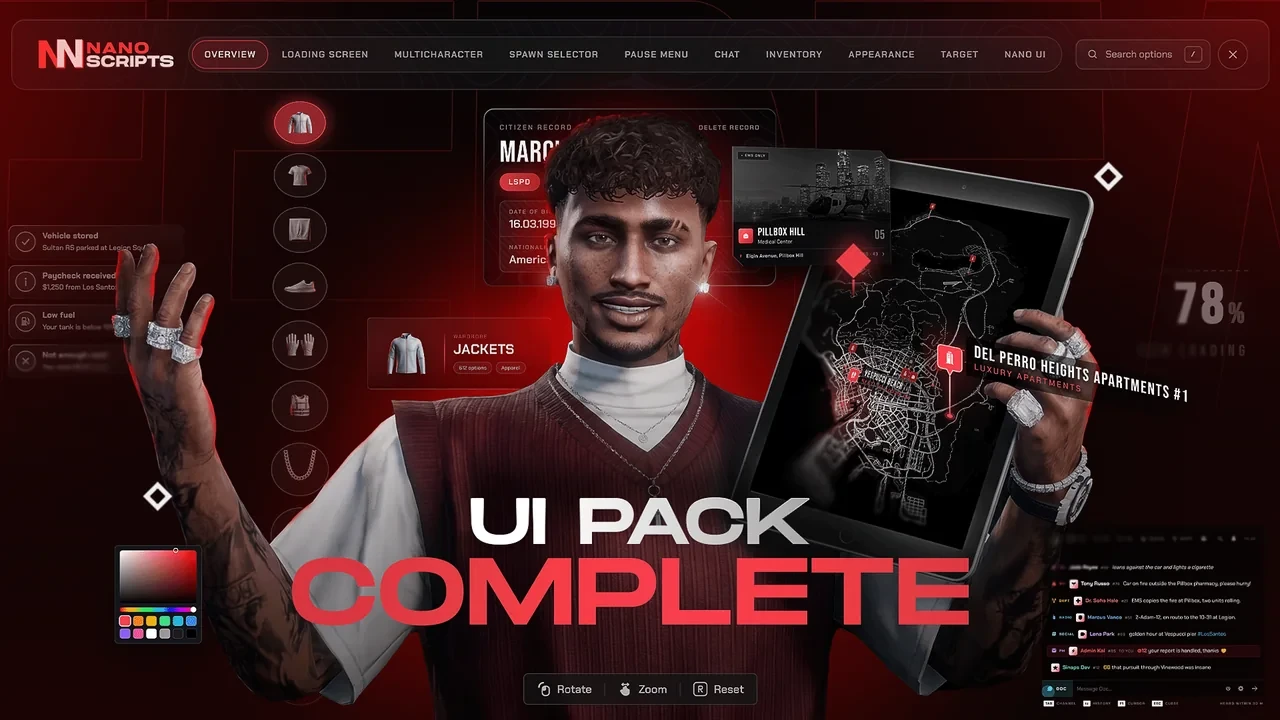
UI Pack Complete

All ten interfaces, from the loading screen to the HUD and the inventory. Nothing on screen left in another style.

Edition

123.99€ 176.48€ -30%

You save 52.49€ compared to buying the 10 scripts one by one.

Add to basket Watch the NANO UI Pack trailer
  • Instant delivery
  • Lifetime free updates
  • ESX, QBCore & QBox
  • Discord support

Why the pack

10 scripts. One price.

Every script in the UI Pack Complete is the full version sold on its own page. Take them together and keep the difference.

  • Clothing becomes items. Inventory and Appearance work together: 14 equipment slots that dress your character.
  • The full set. Pro plus HUD Ultimate and the Inventory: 100+ HUD styles, three inventory themes and clothing as items.
  • Drop-in. Inventory is ox_inventory and Target answers ox_target and qb-target, so your items and scripts stay.

UI Pack Complete · EscrowOn its own

  • Loading ScreenYour server, while it loads 15.86€
  • MulticharacterCharacter select + VIP slots 15.86€
  • AppearanceCreator, clothing, barber, tattoos 14.87€
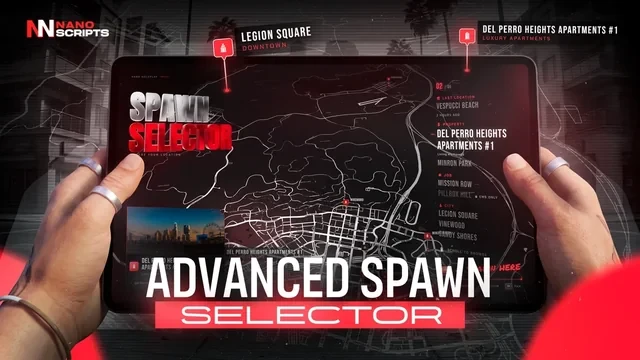
  • Spawn SelectorMap, homes, job spawns 15.86€
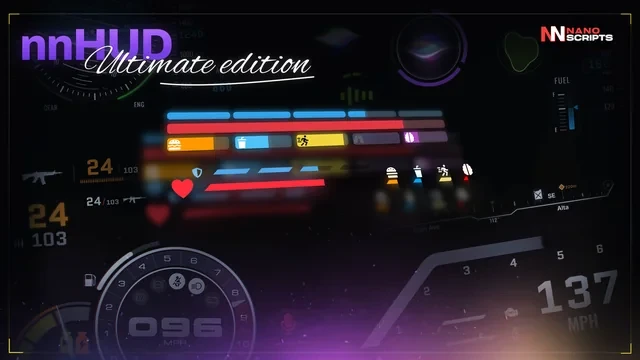
  • HUD Ultimate100+ HUD styles, HUD Studio 25.78€
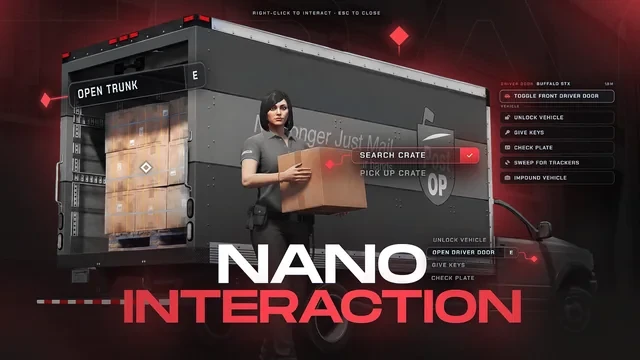
  • Target3D prompts, aim or cursor 14.87€
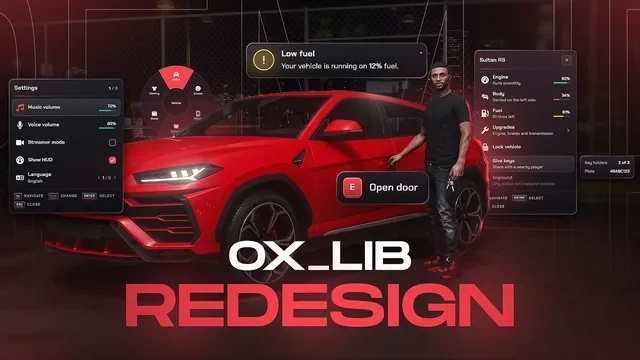
  • ox_lib RedesignEvery ox_lib menu and alert 15.86€
  • Inventory3 themes, clothing slots 25.78€
  • ChatChannels, /me, 911 15.86€
  • Pause MenuMap, garage, news 15.86€
Bought one by one
176.48€
Pack discount
-52.49€
You pay
123.99€
Add to basket

Inside the pack

Every script. Every feature.

01/10

Loading Screen

Your server, while it loads
On its own 15.86€Included
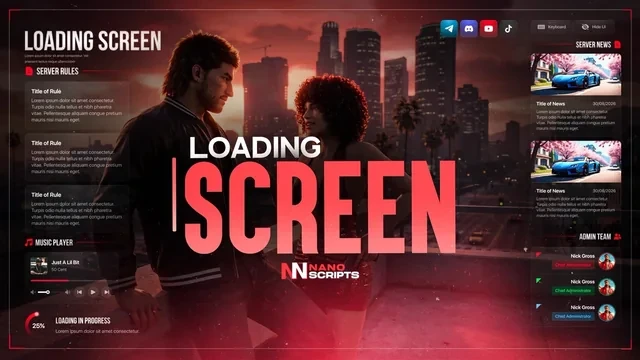
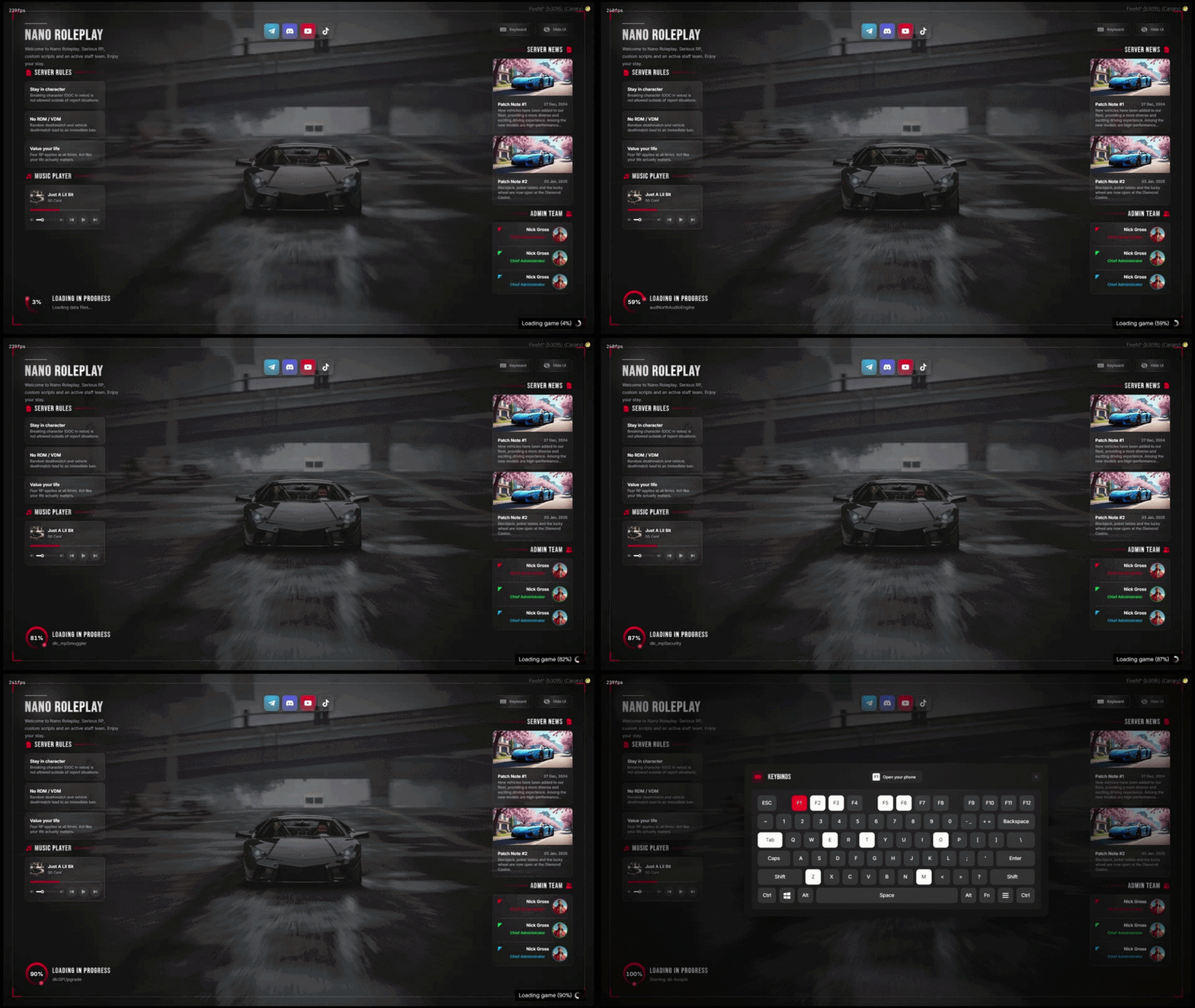
Loading Screen for FiveM, in game

Three layouts with news, rules, staff, keybinds, patch notes, a gallery and a music player over a picture or video. Edit it live in game.

  • In-Game Editor /loadingadmin edits it live — no restart, no file editing
  • Server News Patch notes with image, date and version
  • Server Rules Rule cards players actually read while they wait
  • Admin Team Staff cards with avatar, role and a colour per member
  • Keybinds Window A real visual keyboard — hover a key to see what it does
See all 3 Loading Screen features Hide the Loading Screen feature tour
What Your Players See

What Your Players See

One clean screen over a full-screen image or video:

  • Rules and music player on the left, patch notes and staff on the right.
  • Loading ring driven by the real FiveM loading steps.
  • Keyboard and Hide UI buttons for the players.
  • Scales from 1080p to 4K, ultrawide friendly.
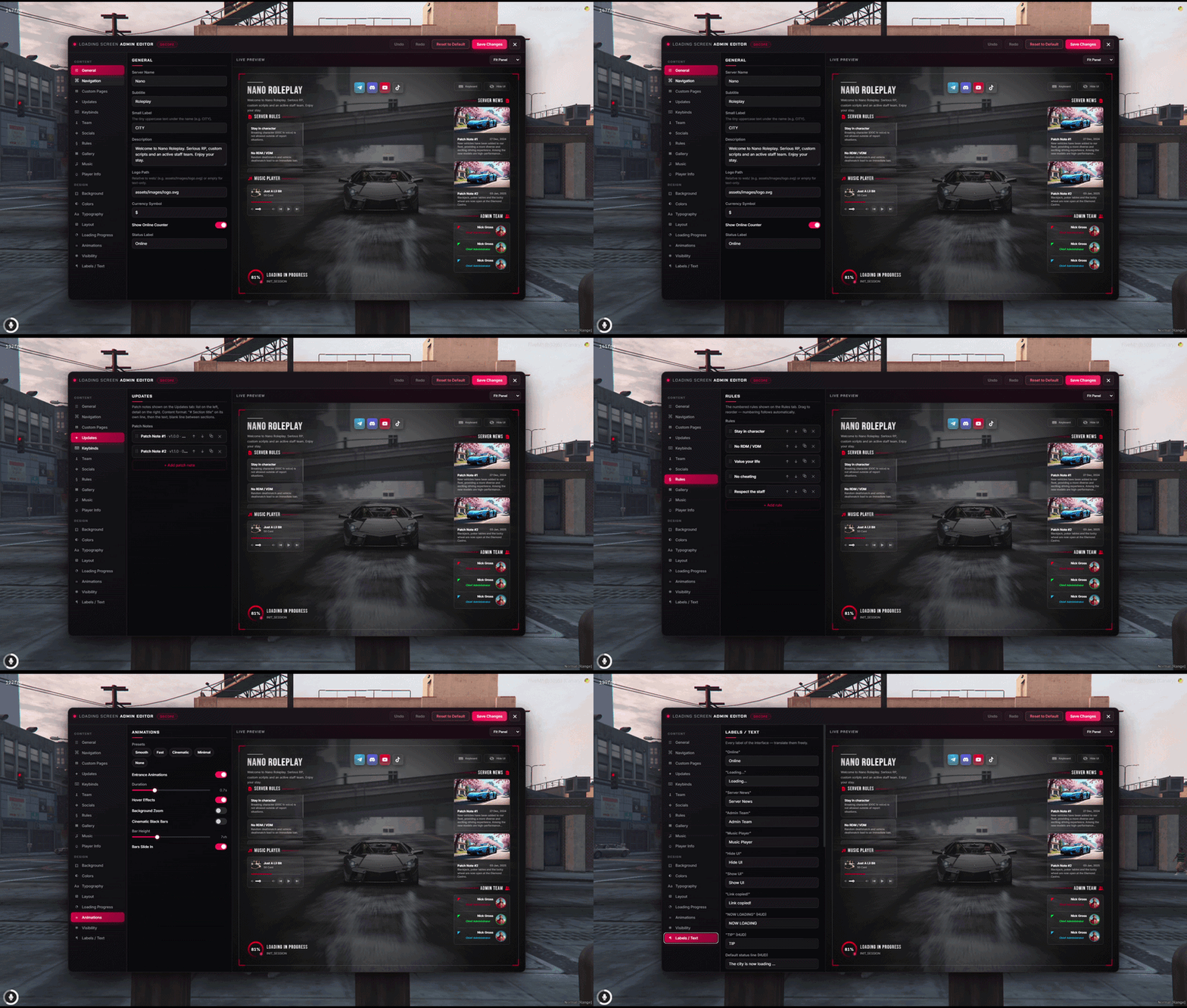
Edit Everything In-Game - Admin Editor

Edit Everything In-Game - Admin Editor

Type /loadingadmin and change the whole screen from a live preview:

  • Nineteen sections: branding, background, colours, news, rules, team, music, keybinds, texts.
  • Undo / redo, theme and animation presets.
  • Saves apply to the next player without restarting anything.
  • Every save is audit-logged; two admins stay in sync.
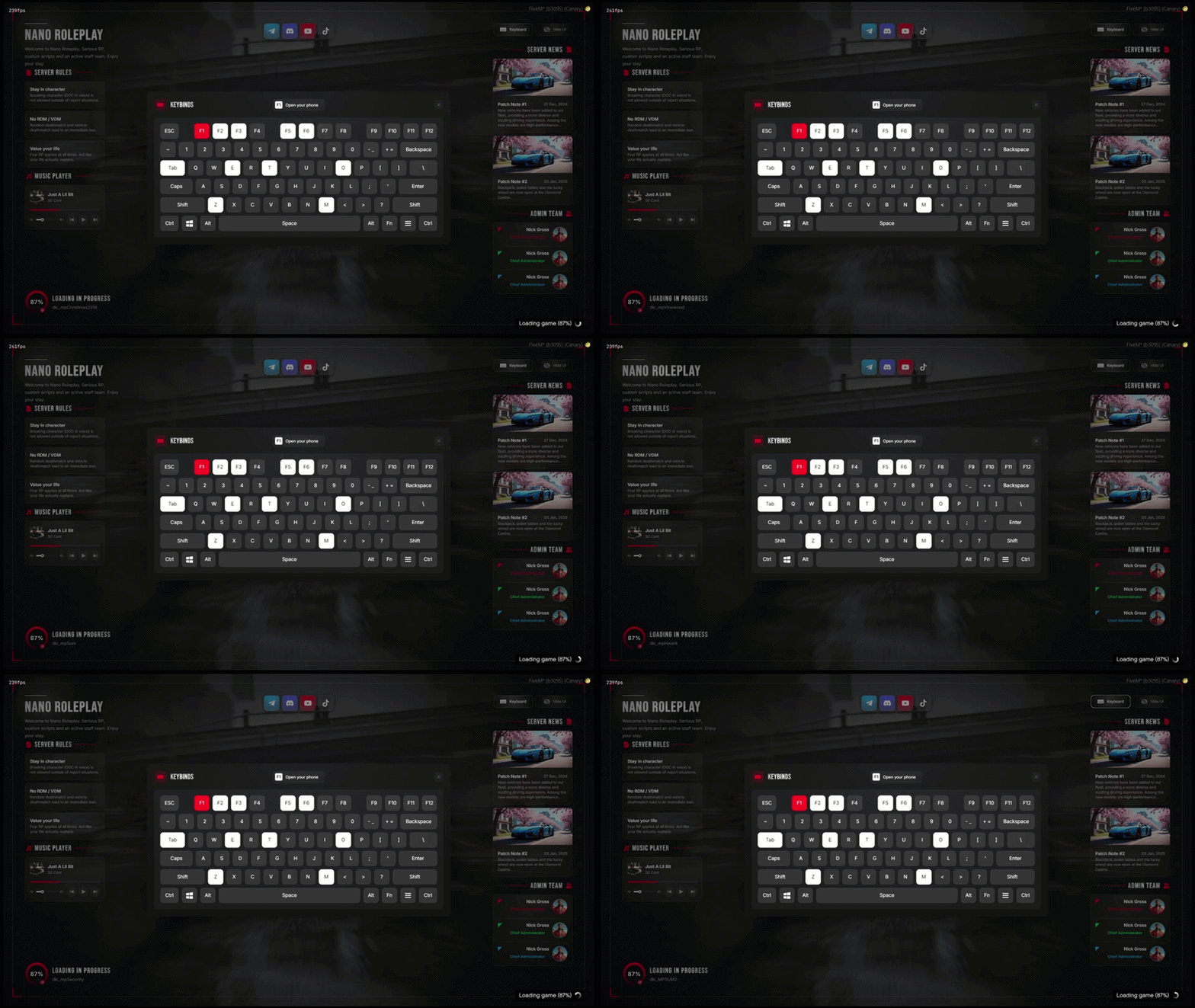
Keybinds Window

Keybinds Window

A real keyboard on screen, not a list:

  • Bound keys light up, the selected one turns red and shows its action.
  • Keys picked from a dropdown in the editor - no typos.
  • Key colours configurable to match your theme.
  • Closes with the cross, a click outside or Escape.
02/10

Multicharacter

Character select + VIP slots

On its own 15.86€Included
Multicharacter for FiveM, in game

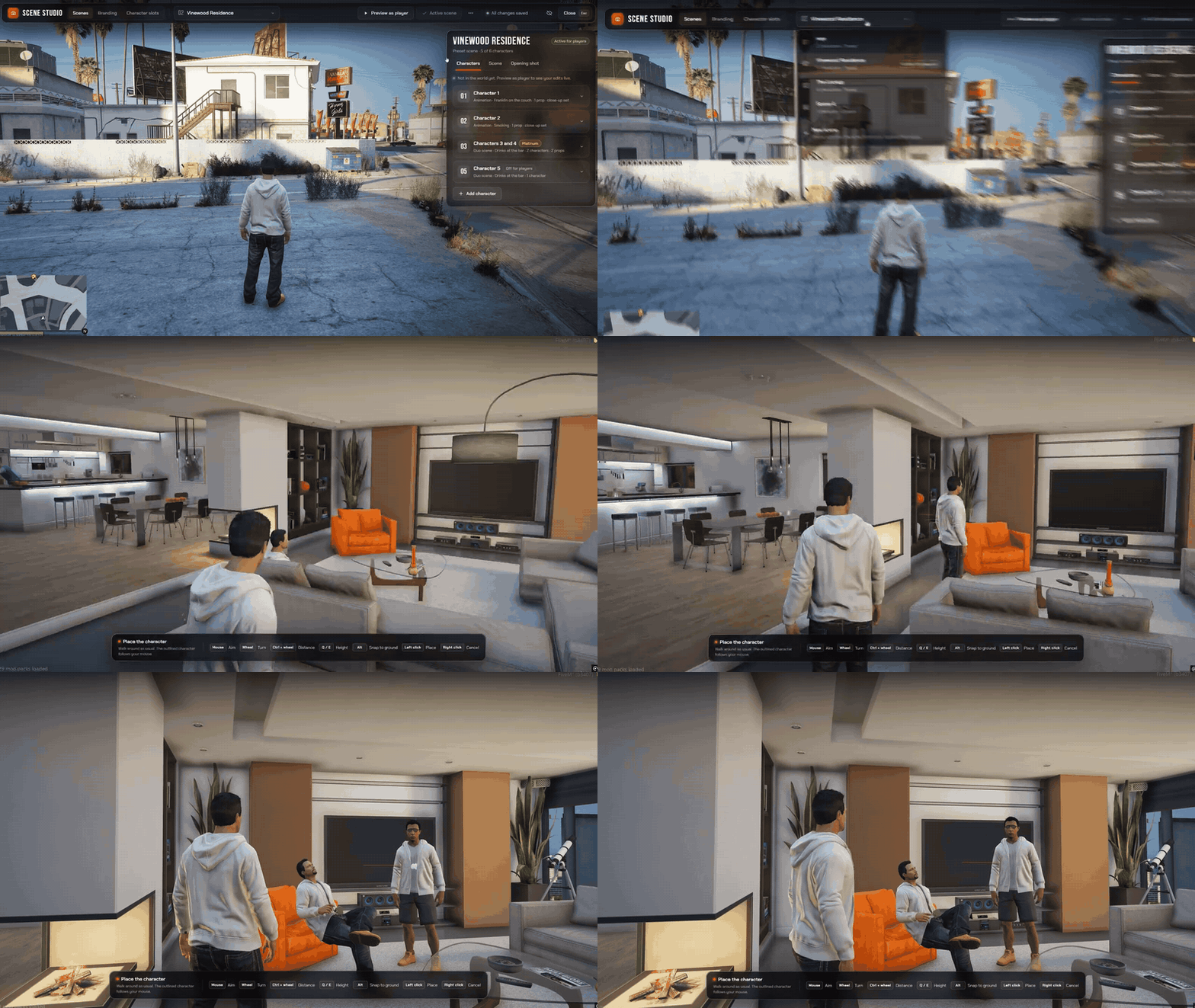
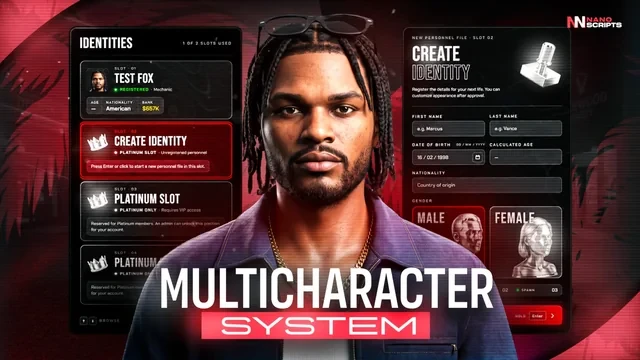
Every character posed in one room while the camera flies between them. Build the scene in game, and sell extra slots with Platinum and VIP.

  • Six Positions Stage up to six selectable characters in one scene
  • Identity Dossiers Character details, job, cash, and bank balance
  • Scene Creator Build and manage your entrance directly in game
  • Custom Cameras Capture the overview and each character close-up
  • Living Scenes Poses, synchronized animations, props, and effects
  • Your Branding Set the server wordmark, logo, and accent colour
  • VIP Positions Free, Platinum, and Disabled tiers with account grants
  • Frameworks QBox, QBCore, and ESX with community_bridge

Escrow edition: protected Lua, with editable configuration and locale files.

Requires community_bridge, oxmysql, a supported framework, and a compatible appearance resource. Appearance and spawn-selector resources are separate.

See all 2 Multicharacter features Hide the Multicharacter feature tour
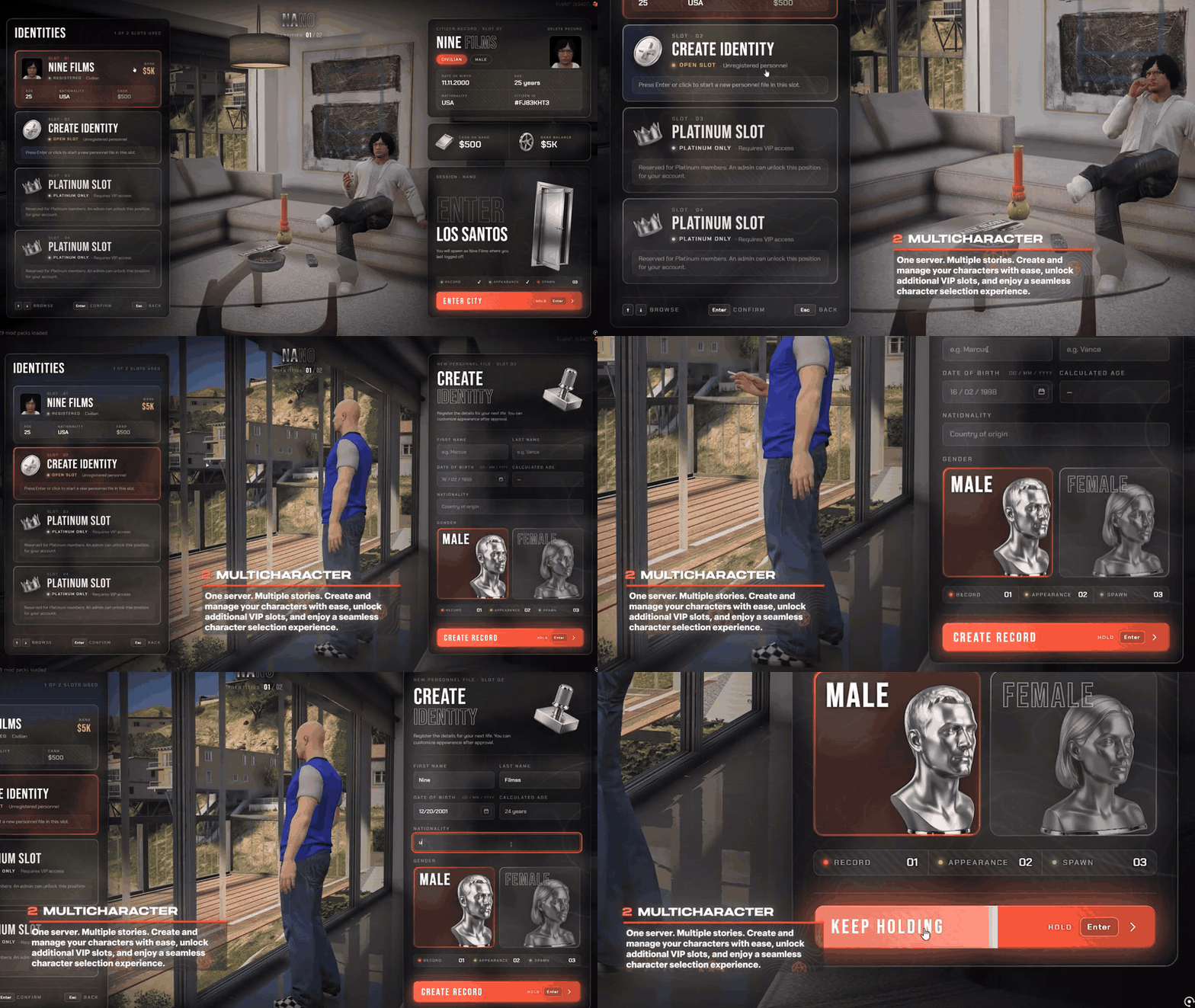
NANO Multicharacter scene overview and character selection

Every Character. One First Impression.

Turn the character menu into a scene from your server. Players see their characters together in the world, browse their identities, and move into a close-up before entering the city.

  • Stage up to six selectable characters with saved appearances, poses, and individual cameras.
  • Give each identity its own dossier with character details, job, cash, and bank balance.
  • Create a new identity through the matching character form, then hand off to your appearance editor.
  • Choose a scene that fits your server and bring the interface together with your name, logo, and accent colour.
NANO Scene Studio scene selection and in-game character placement

Build Your Entrance In Game

Open Scene Creator and shape the first place your players see. A guided workflow takes you from the scene environment to ped placement, cameras, animations, props, and the final preview.

  • Place character peds and capture overview and close-up cameras directly in the game world.
  • Use scenarios, custom animations, or synchronized actor groups, with optional props and effects.
  • Create, duplicate, and switch scenes; changes save to your database.
  • Set positions to Free, Platinum, or Disabled and manage account-level VIP grants.
  • Built for QBox, QBCore, and ESX through framework adapters and community_bridge.
03/10

Appearance

Creator, clothing, barber, tattoos

On its own 14.87€Included
Appearance for FiveM, in game

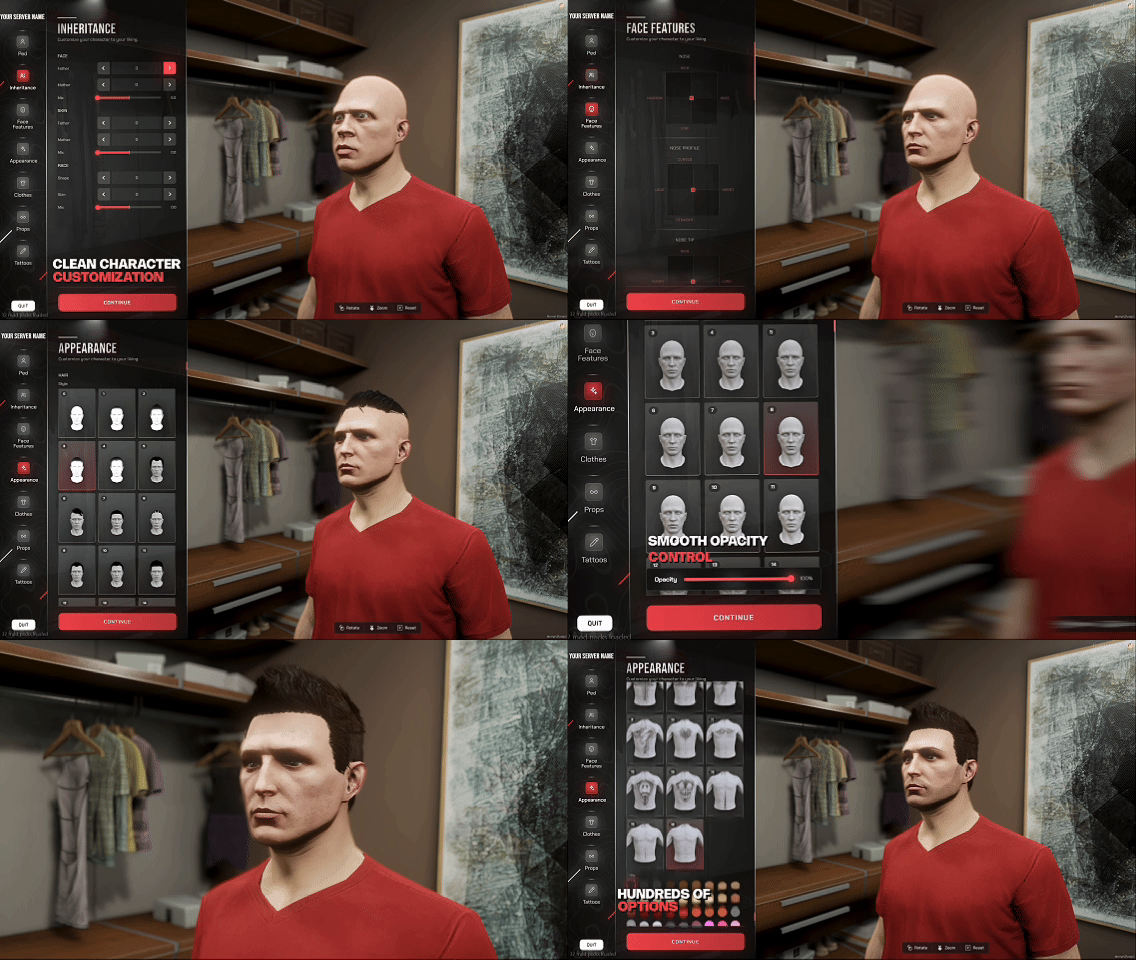
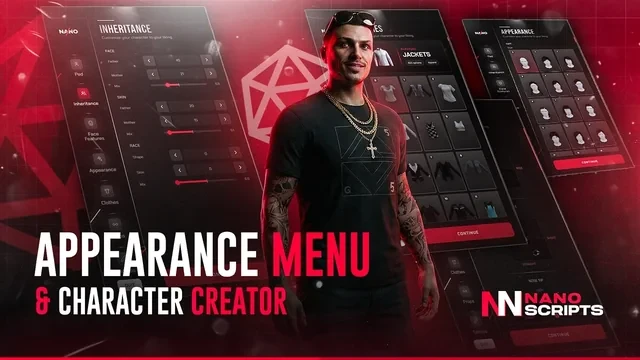
The character creator, clothing, barber, tattoo and surgeon shops in one menu, with 7,676 pre-rendered clothing thumbnails.

  • Add-On Ready Full support for custom clothing packs
  • Image Tool Capture fresh preview shots of your clothes
  • Easy Install Import the SQL, ensure it, done
  • Drop-In Provides illenium-appearance — nothing breaks
  • Any Framework QBCore, QBX, ESX & ox_core
  • One-Hex Theme Recolor the whole UI from one value
  • Outfits & Codes Save looks, share via outfit codes
  • Mapped Shops 13 clothing, 7 barber & 6 tattoo spots
See all 4 Appearance features Hide the Appearance feature tour
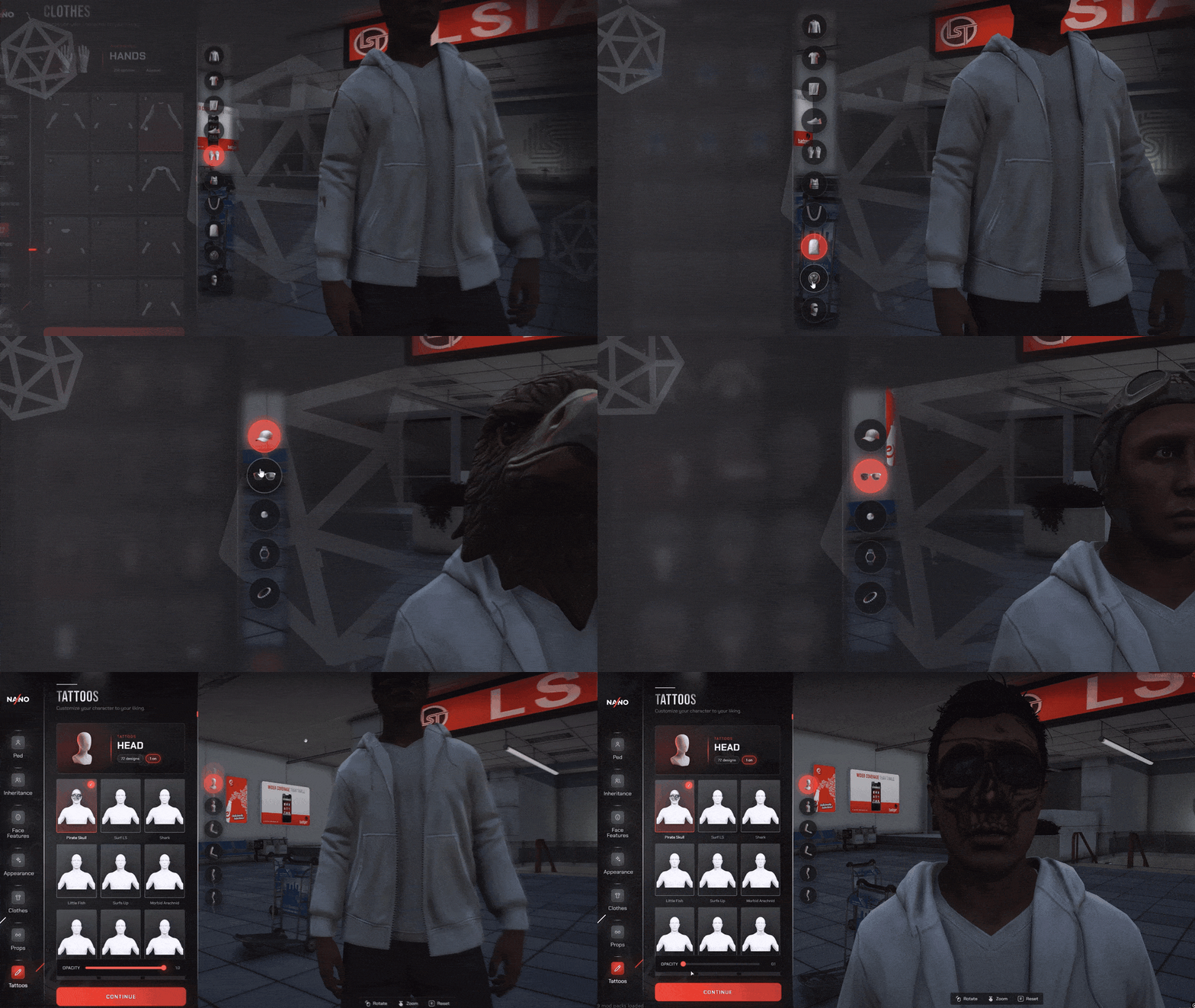
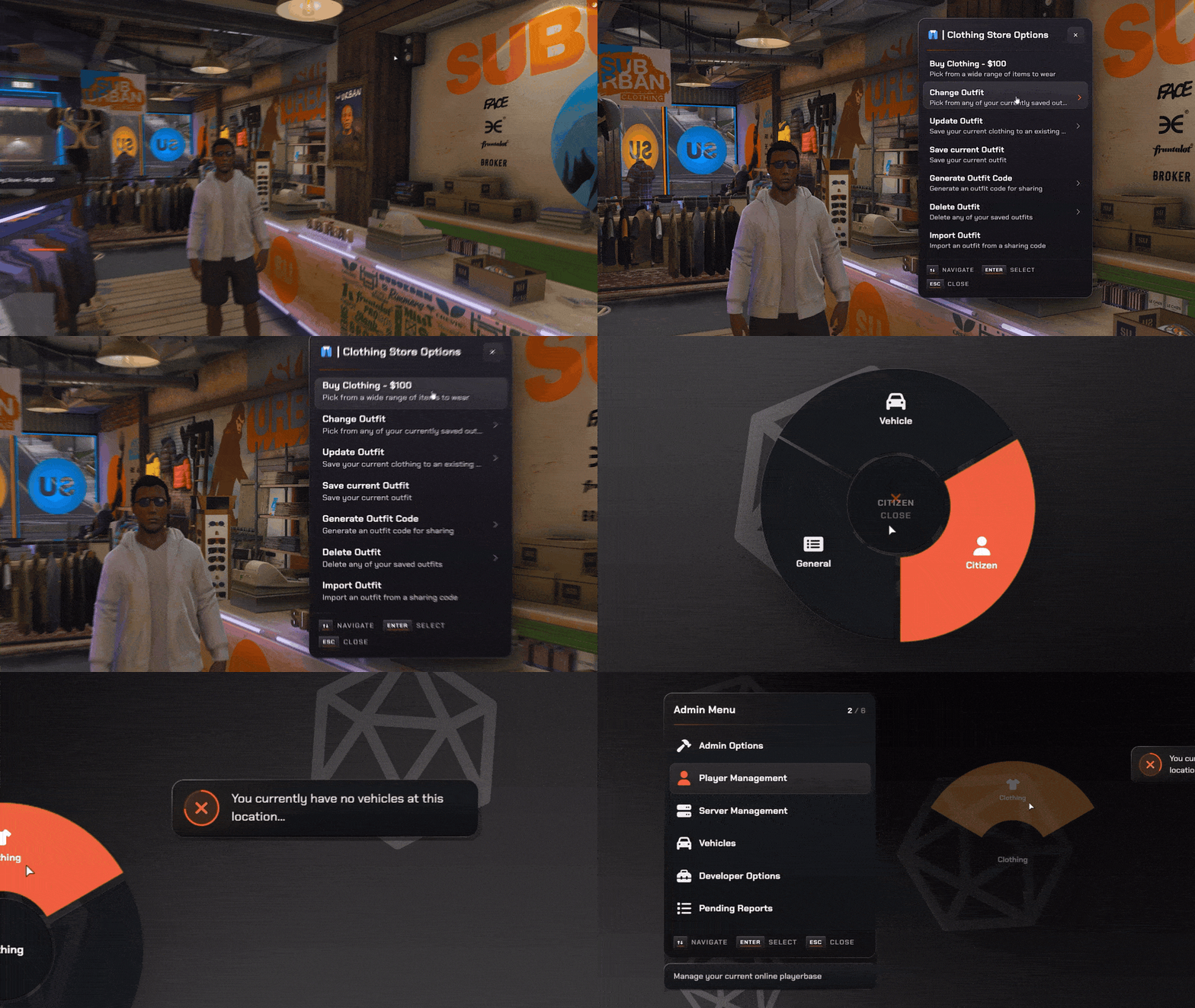
Redesigned Appearance Menu

Redesigned Appearance Menu

A clean, modern UI for every component and prop — masks, tops, pants, shoes, bags, hats, glasses and more — with live preview as you scroll.

  • Every clothing piece and accessory in one tidy menu
  • Add-on & custom clothing packs supported — every item gets a real preview tile, not a blank number
  • Includes an image tool to capture fresh preview pictures of your own clothes
  • Rotate, zoom and preview changes on your ped in real time
  • Open from shops, the radial menu or by aiming with target
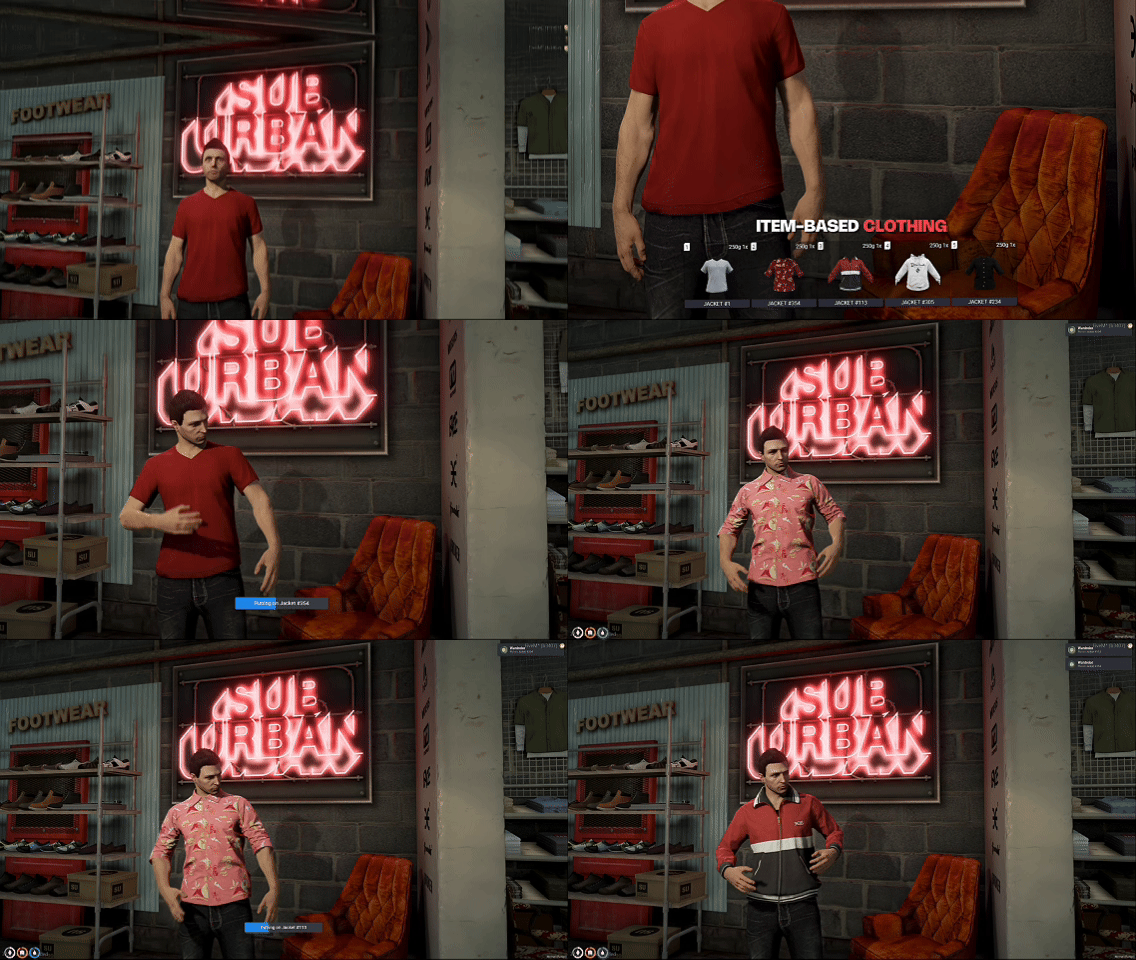
Clothing as Inventory Items

Clothing as Inventory Items

Turn bought clothes into real inventory items — players carry them, equip them and lose them like any other item, with dressing animations on every change.

  • Every garment and accessory becomes an ownable item
  • Per-item equip animations when players get dressed
  • Items persist through relog and death on ox_inventory
  • Fully optional — toggle on via community_bridge
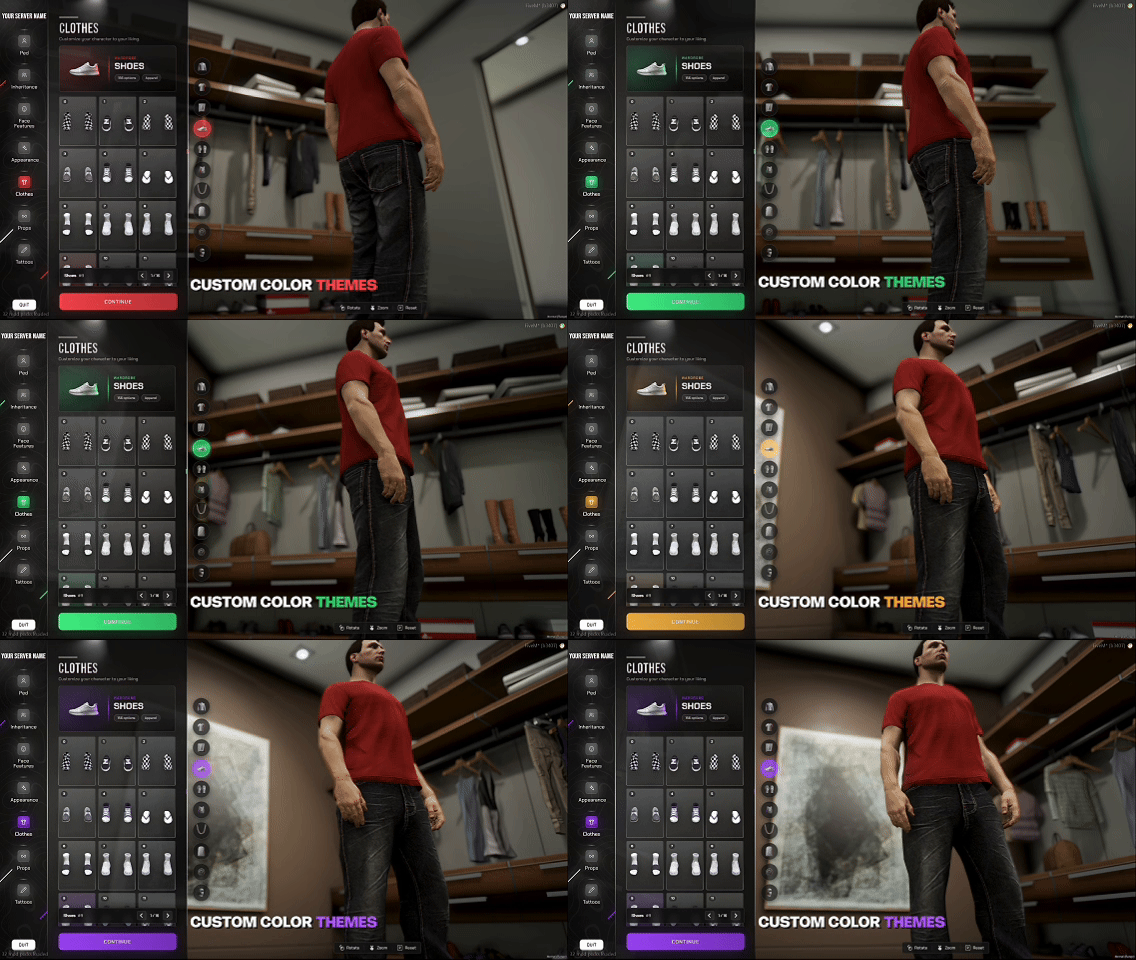
Customizable Color Theme

Customizable Color Theme

Match the menu to your brand by changing a single value — Config.PrimaryColor recolors highlights, glows, gradients and active states across the whole UI. Preset themes ship in the box.

  • Recolor the entire interface from one hex code
  • Swap in your own logo or brand text
  • Ready-made theme presets included to start from
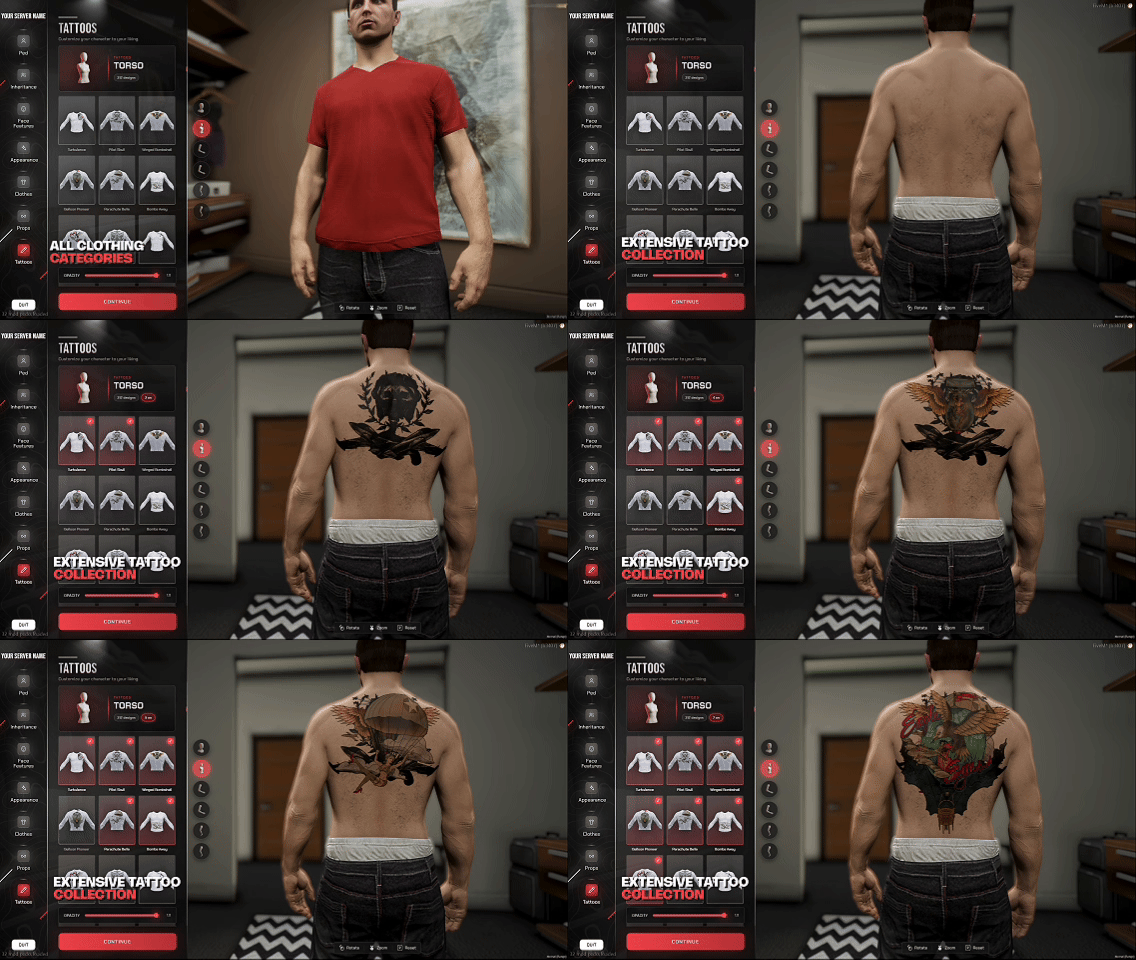
Full Tattoo Studio

Full Tattoo Studio

Over 100 built-in tattoos across every body zone, each with male and female variants, browsable and previewed before you commit.

  • 100+ designs across torso, arms, legs and head
  • Separate male and female variants for every design
  • Compatible with rcore_tattoos if you already run it
04/10

Spawn Selector

Map, homes, job spawns

On its own 15.86€Included
Spawn Selector for FiveM, in game

Last location, homes, job stations (locked without the job) and city spots on a tactical map, with a cinematic camera flight in.

  • Cinematic Arrival The camera flies you from the sky to your feet
  • Live City Map Every spawn point on a zoomable map
  • Last Location Back exactly where you logged out
  • Property Spawns Compatible with any housing script
  • Job Stations Locked by job and grade - PD, EMS and more
  • Config Studio Place every spawn in game - no file editing
  • Drop-In Ready QBox, QBCore and ESX via community_bridge
  • 9 Languages EN, FR, RU, AR, ES, ZH, PT, DE, PL - 3D title too
See all 2 Spawn Selector features Hide the Spawn Selector feature tour
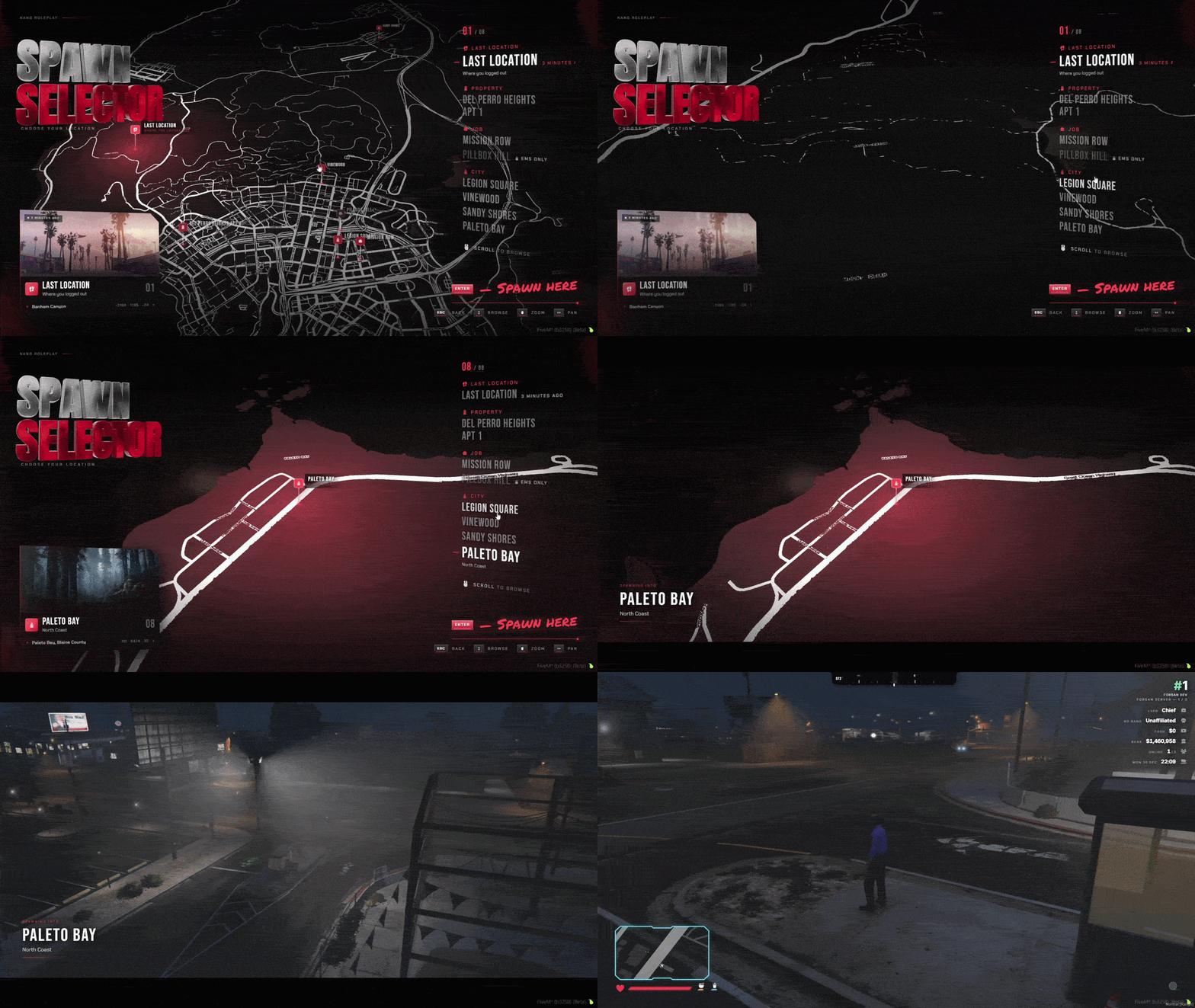
Pick Your Spot, Then Fly In - Cinematic Spawn Selector

Pick Your Spot, Then Fly In - Cinematic Spawn Selector

Players choose where they wake up from a live map of the city. Pick a spot and the map glides to it, hit spawn, and the camera flies them down out of the sky to land right behind their character, in a world that has already loaded.

  • Every option in one menu: last location, owned property, job stations and city points.
  • Cinematic camera flight with motion blur and a soft landing, with the area preloaded on the way down.
  • Last location puts players exactly where they logged out and shows how long ago that was.
  • Houses and apartments detected automatically from QBX, QB, PS, QS, ESX and BNL housing.
  • Job stations locked by job and grade - police and EMS see theirs, everyone else sees them greyed out.
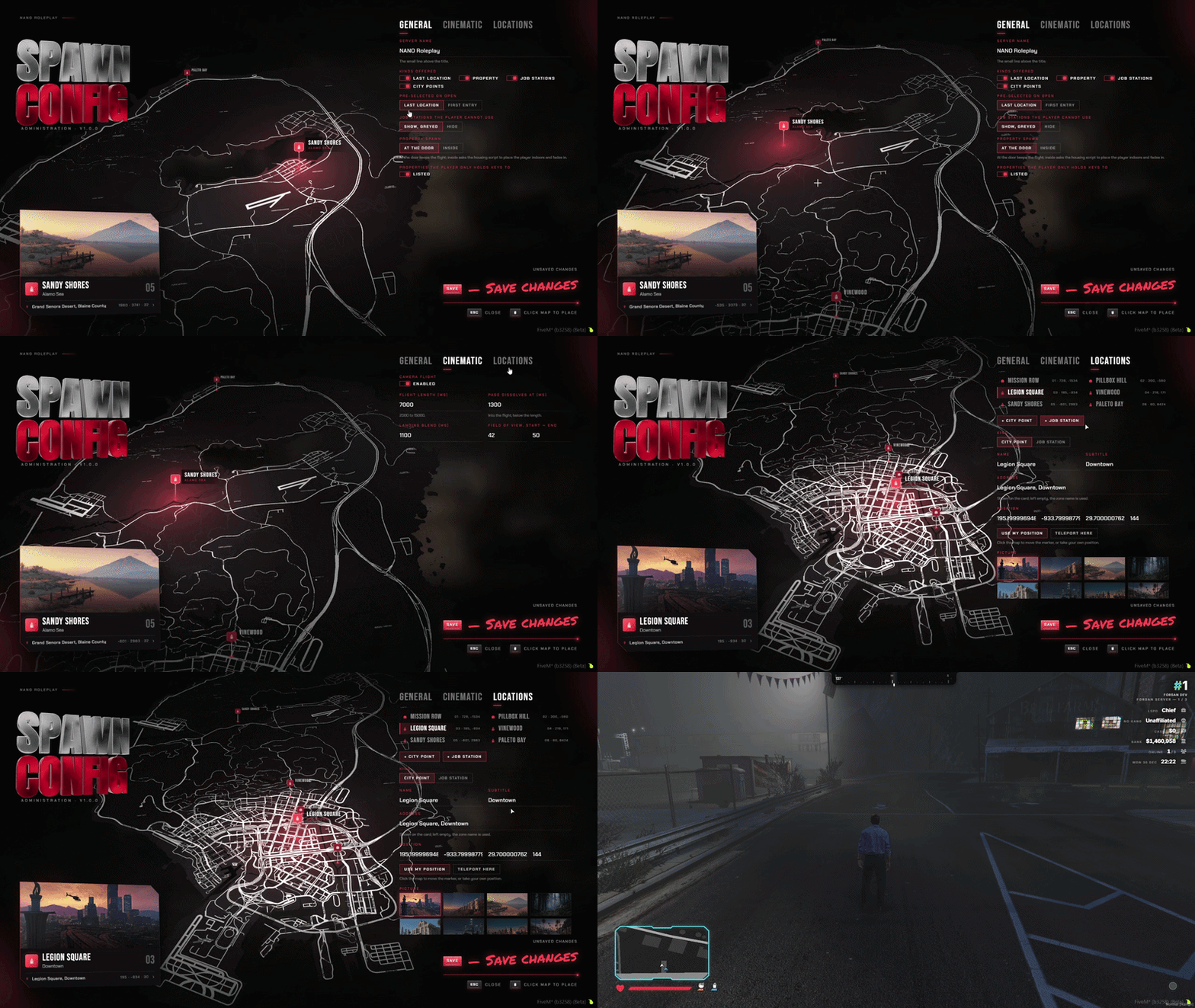
Spawn Config Studio - Build It All In Game

Spawn Config Studio - Build It All In Game

Build the whole spawn menu without leaving the server. Choose which spawn types appear, drop points on the map, lock stations to jobs and tune the camera flight, then hit save and every player has it straight away.

  • Click the map to place a point, use your own position, or teleport there to check it in person.
  • Give every point a name, address and picture - use the shipped photos or link your own.
  • Job gates with a minimum grade, plus your own tags for allowed and locked.
  • Tune the flight length, landing blend and field of view, or swap the flight for a simple fade.
  • Saved to your database and live instantly for every player - no restart.
  • The studio and the selector ship in 9 languages: English, French, Russian, Arabic, Spanish, Chinese, Portuguese, German and Polish.
05/10

HUD Ultimate

100+ HUD styles, HUD Studio

On its own 25.78€Included
HUD Ultimate for FiveM, in game

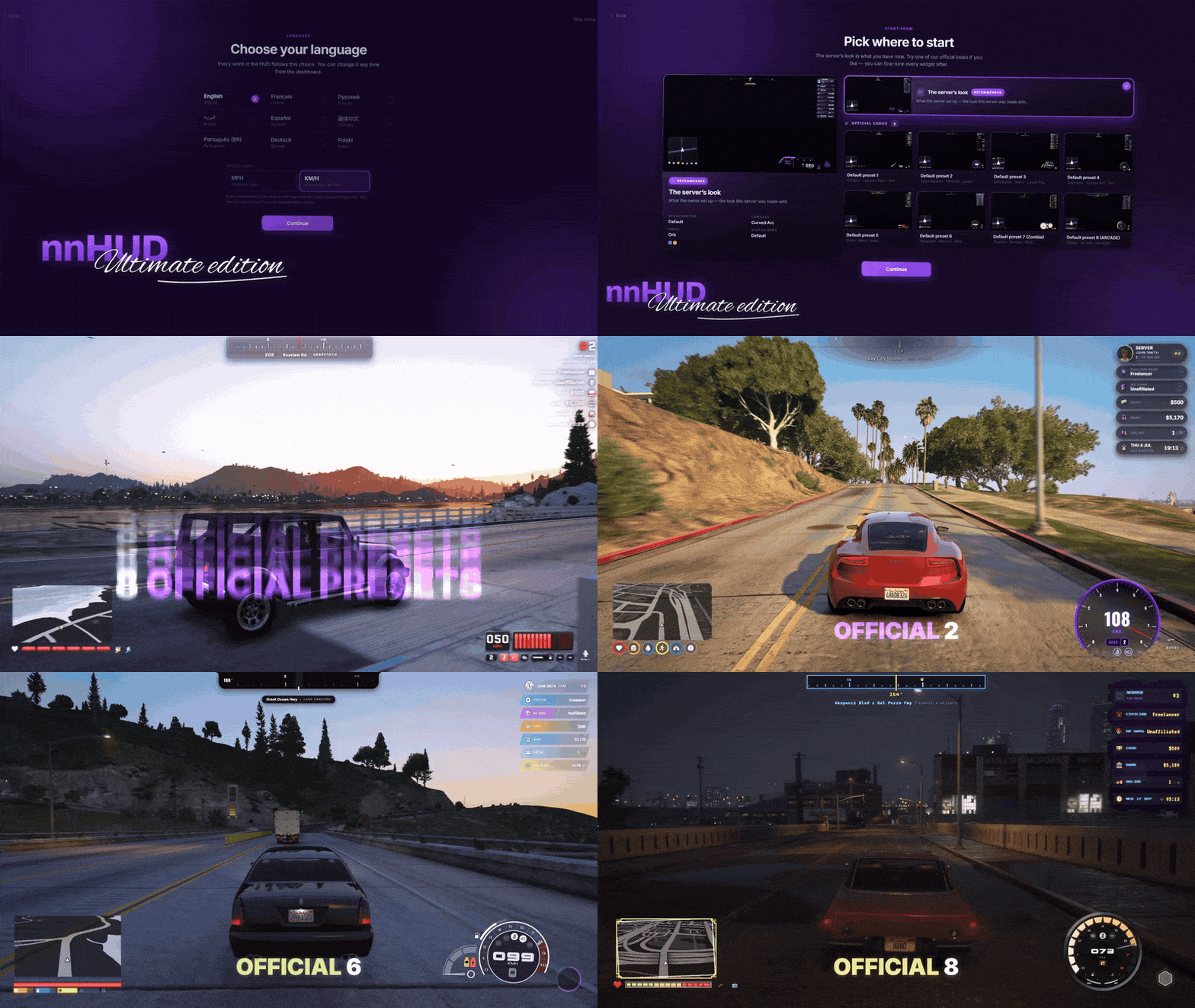
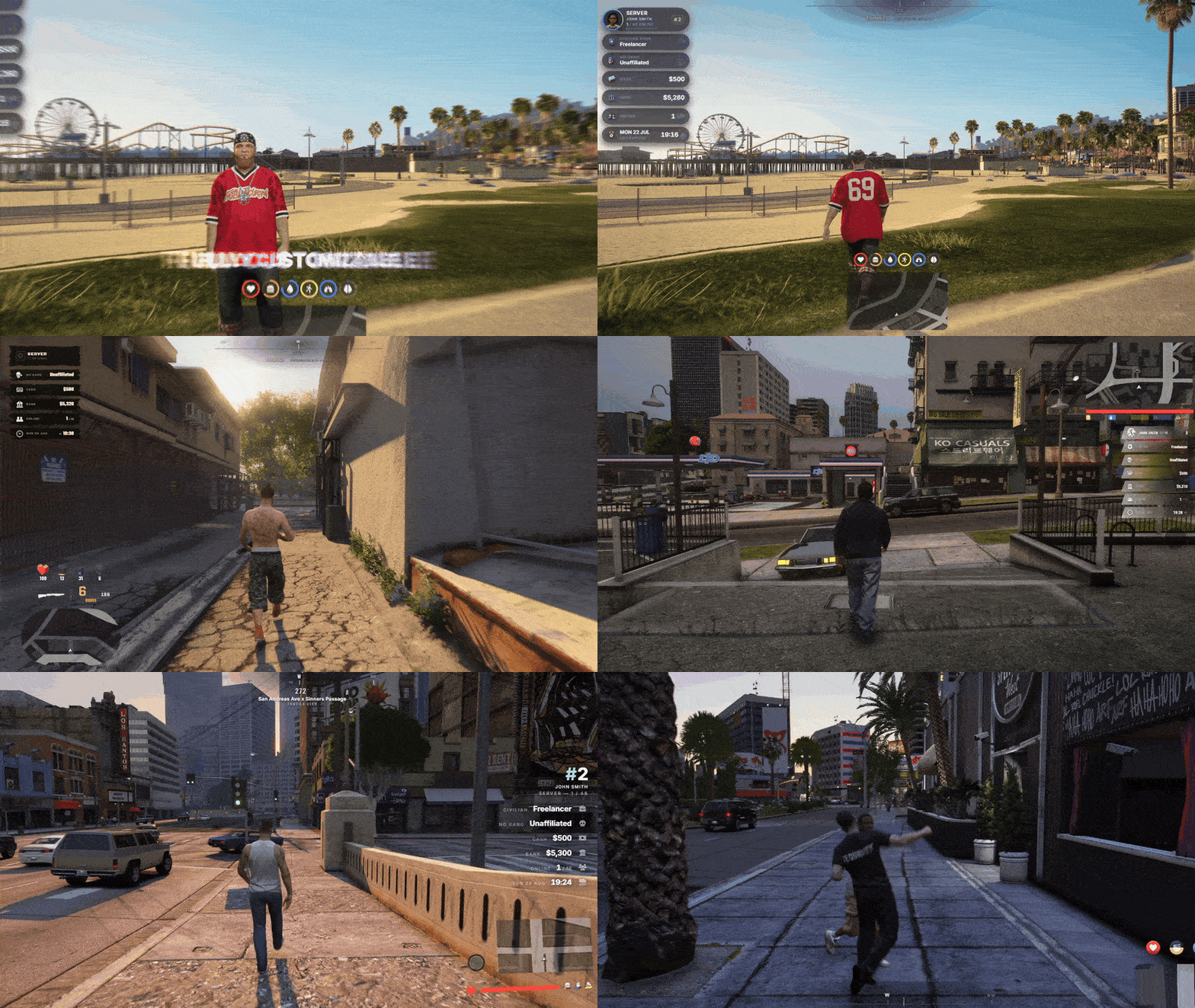
100+ widget styles: 21 speedometers, 17 status bars, 12 radar shapes and 8 official looks. Players restyle and place every widget live in the HUD Studio.

  • 100+ Widget Styles 21 speedos, 17 status bars, 14 info bars, 12 radar shapes
  • HUD Studio /hudmenu or F7 - restyle and place every widget live
  • Vehicle Dock Doors, seats, lights, radio and GPS right over the radar
  • Setup Wizard Language, a look, done - shown once per player
  • Community Presets 8 official looks, one-click apply, publish your own
  • Admin Control /hudconfig - who sets up, opens, publishes and sees what
  • 9 Languages EN, FR, RU, AR, ES, ZH, PT, DE, PL - each player picks
  • Any Framework Qbox, QBCore and ESX - near-zero idle cost
See all 17 HUD Ultimate features Hide the HUD Ultimate feature tour
8 Official Presets - A Whole New HUD in One Click

8 Official Presets - A Whole New HUD in One Click

Pick one of eight looks made by the makers of nnHUD and the whole HUD changes at once - speedometer, status bars, radar, info bar and compass. Players can also browse the presets published on your server and by every server running the HUD, and publish their own.

  • 8 official looks from the makers of nnHUD, offered right in the setup wizard and pinned in every feed.
  • Three shelves: Mine, This server and Community.
  • Apply in one click - colours, sizes and places included - with Undo right there.
  • Twelve slots of your own, plus look codes to copy and paste between friends.
  • Search by name, author or tag, and sort by trending, most liked, most applied or newest.
  • The owner decides who may publish and can hide anything from the server shelf.
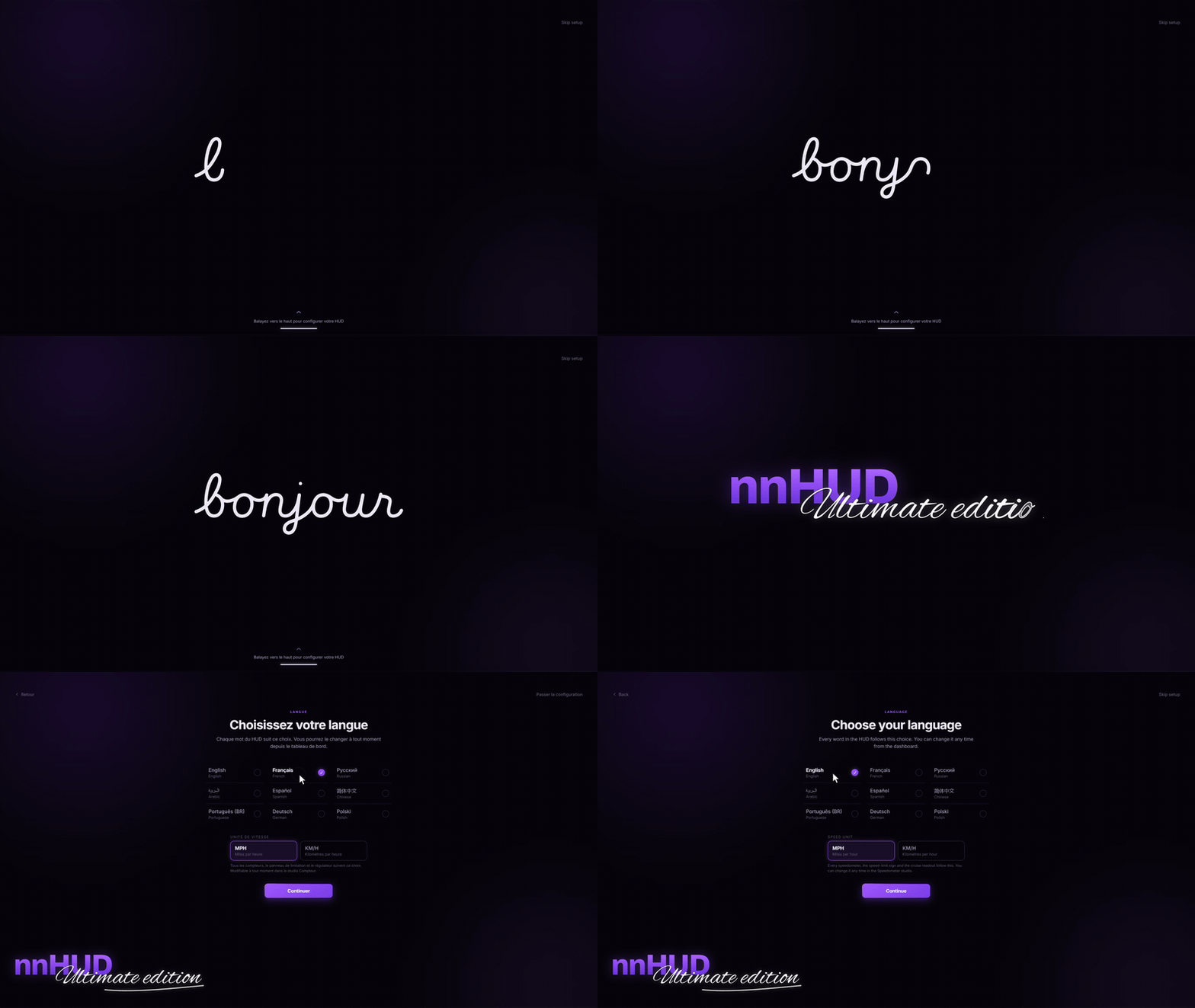
Setup Wizard - Hello in Nine Languages

Setup Wizard - Hello in Nine Languages

The first time someone joins, a short wizard says hello and asks for their language - the whole page switches the moment they pick one. Then it offers a look to start from, and lets them fine-tune it or finish straight away.

  • Shows once per player, on their first join, whichever PC they play from.
  • 9 languages: English, French, Russian, Arabic, Spanish, Chinese, Portuguese, German and Polish.
  • Each player picks their own language and speed unit, and the whole HUD follows it.
  • Start from the server look, the shipped defaults, or one of 8 official looks.
  • The owner run also names the server, sets its logo and decides who may open the dashboard and publish.
  • Choose which widgets exist on your server and who gets each - and change it all later in game with /hudconfig.
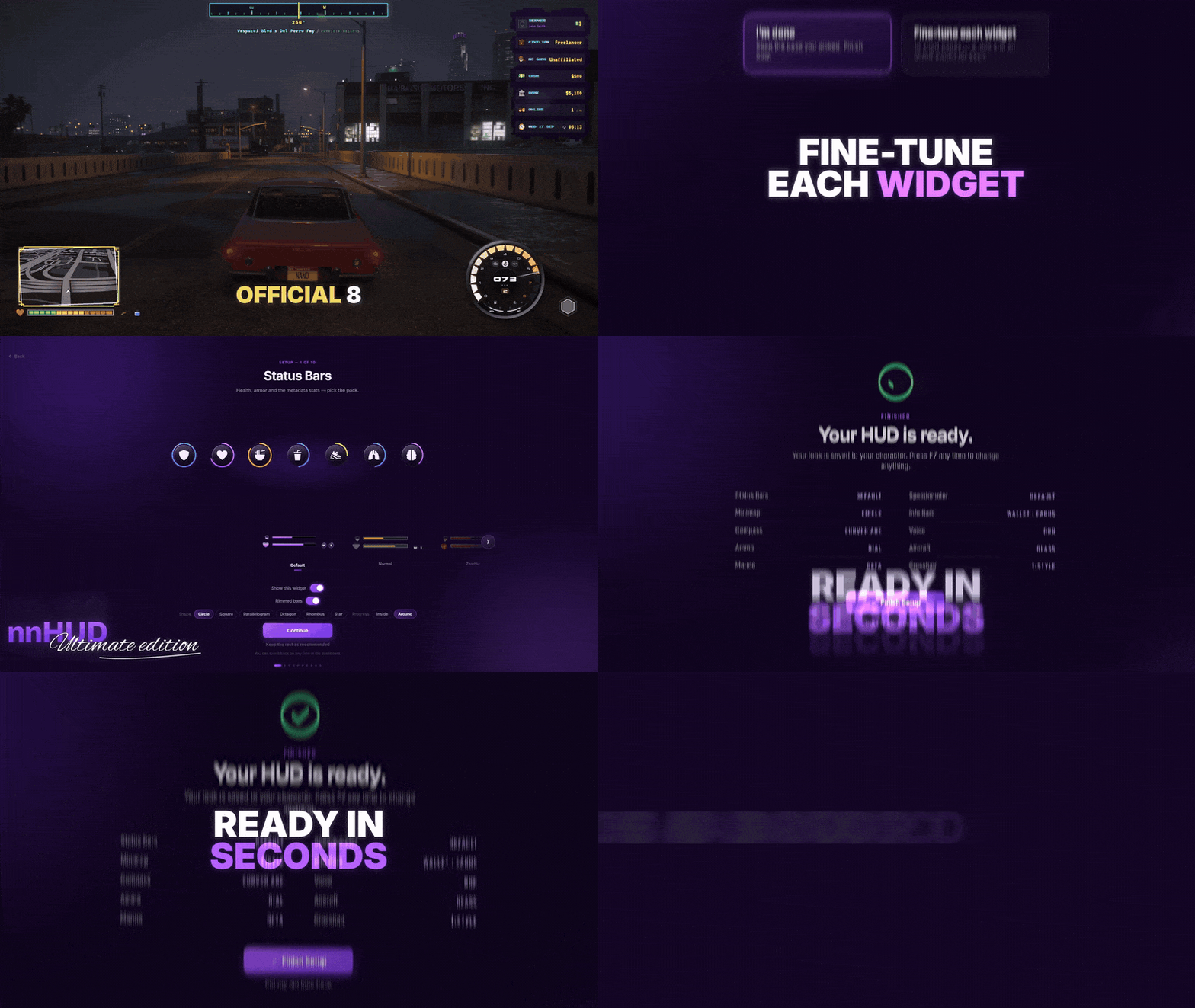
Fine-Tune Each Widget - Ready in Seconds

Fine-Tune Each Widget - Ready in Seconds

After picking a look, a player can step through the widgets and adjust each one, or finish straight away. Either way the HUD is ready in seconds.

  • A step for each widget, with the real widget live on the page as you change it.
  • Fine-tuning is optional - the look you picked is already complete.
  • A summary lists every choice before the HUD goes live.
  • Everything stays editable later in the HUD Studio with F7.
HUD Studio - Restyle Everything Live

HUD Studio - Restyle Everything Live

Type /hudmenu or press F7 and every widget is in one dashboard. Pick a style, change its colours, then move and resize everything right over the live game.

  • A page for every widget, and every change lands on the preview as you click - no restart.
  • Click a part of a cluster to recolour it, or drag it to a new spot.
  • The placement editor moves and resizes every widget on one stage, with a grid and 3D tilt.
  • Show when: always, only in a vehicle, only when it matters, or never - per widget.
  • Undo any change, or put the whole HUD back the way it shipped in one click.
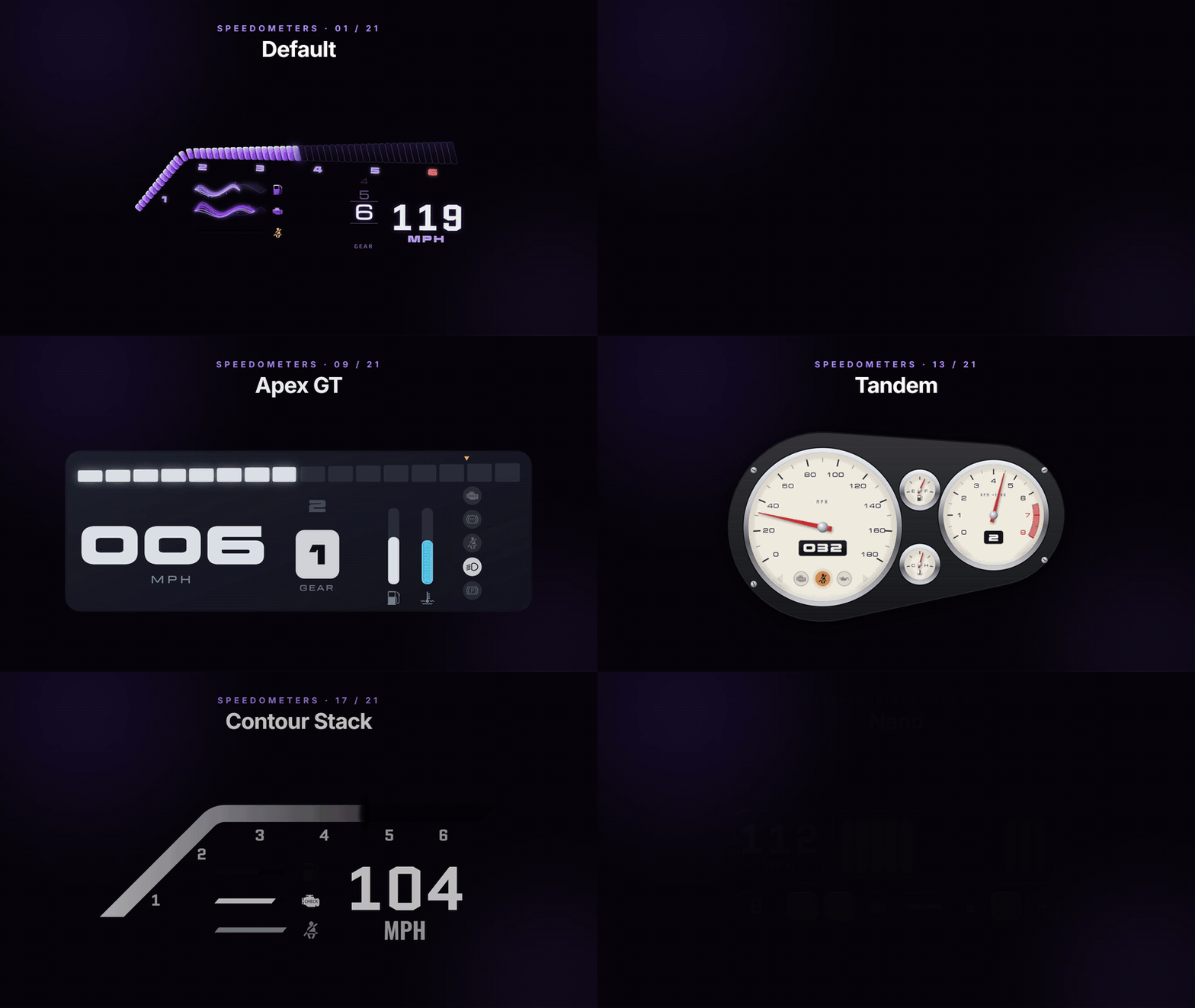
21 Speedometers - From Race Cluster to Wristwatch

21 Speedometers - From Race Cluster to Wristwatch

Twenty-one speedometers, from a cyberpunk rev trace to a gold wristwatch dial. Every one reads live speed, revs, gear and fuel, and goes live the moment you pick it.

  • 21 styles: Cyber Trace, Apex GT, Concours, Sovereign, Neon Cluster, Drift Boost, the Contour family, Nano and more.
  • Smooth needles - speed, revs and heading glide between readings instead of jumping.
  • Gear ladders, shift lights and a row of telltales: ABS, traction control, handbrake, beams, oil, battery, temperature, seatbelt and NOS.
  • Assignable gauges for fuel, engine health, oil, temperature, coolant, battery or NOS.
  • The engine lamp turns amber, then red, with a chime each player can turn down.
  • Cruise control, turn signals and hazards on their own keys, in KM/H or MPH.
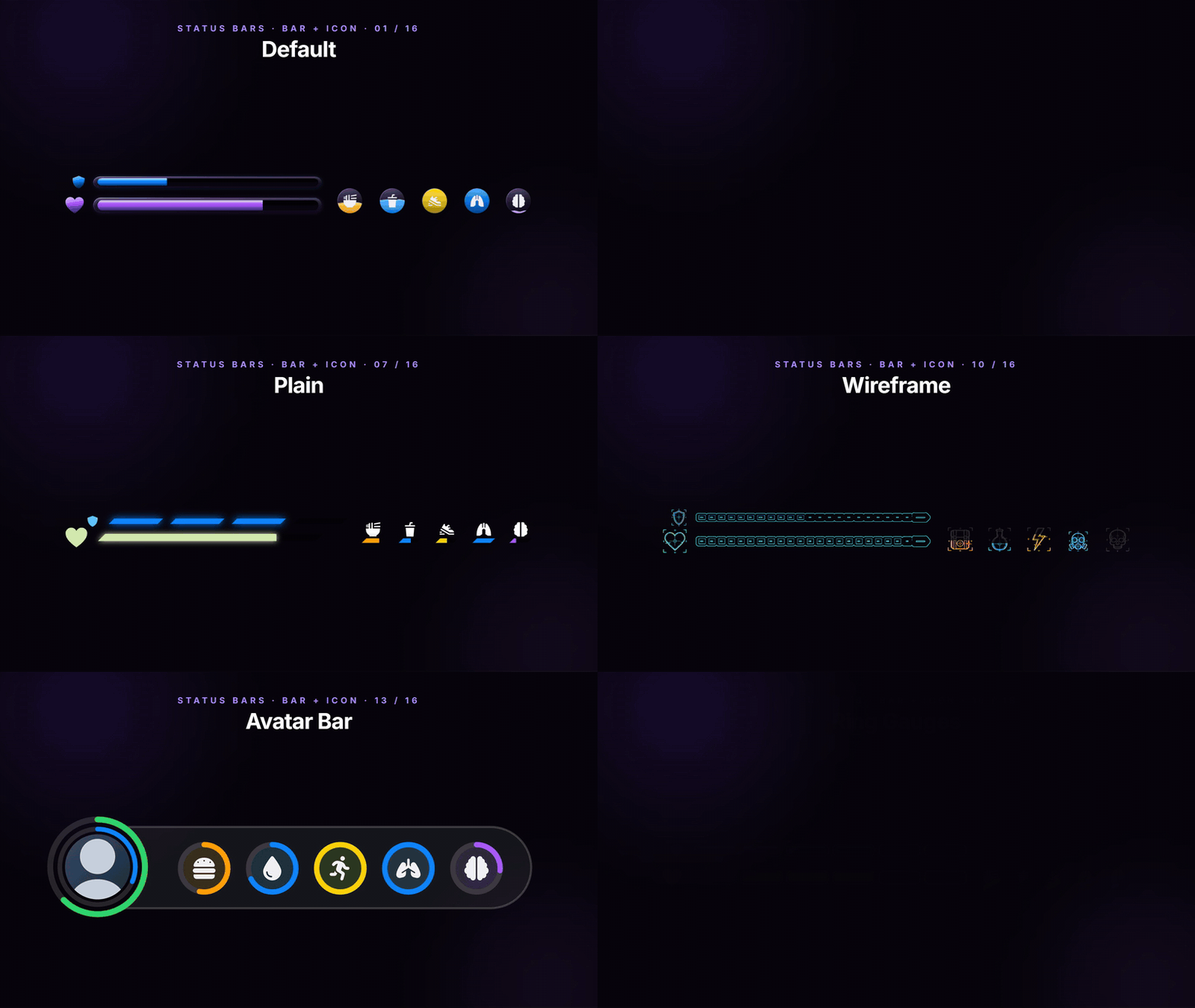
Status Bars - 17 Looks, Seven Stats

Status Bars - 17 Looks, Seven Stats

Health, armour, hunger, thirst, stamina, oxygen and stress, in 17 looks - from clean bars to hexagon clusters and ring gauges.

  • 17 looks, including Cyberpunk, Zombie, Arcade, Glossy 3D, Wireframe, Isometric, Hexline, Avatar Bar and Ring Gauges.
  • Every stat shows as a bar with its icon, a bar, an icon, a ring, or not at all - each in its own colour.
  • Stats at rest can fade or step aside, so the corner stays calm until something drops.
  • A full stress system: shooting, speeding, crashes, falls and low health raise it, calm time and relief items bring it down.
  • Any script can add its own stat to the status bar with one export.
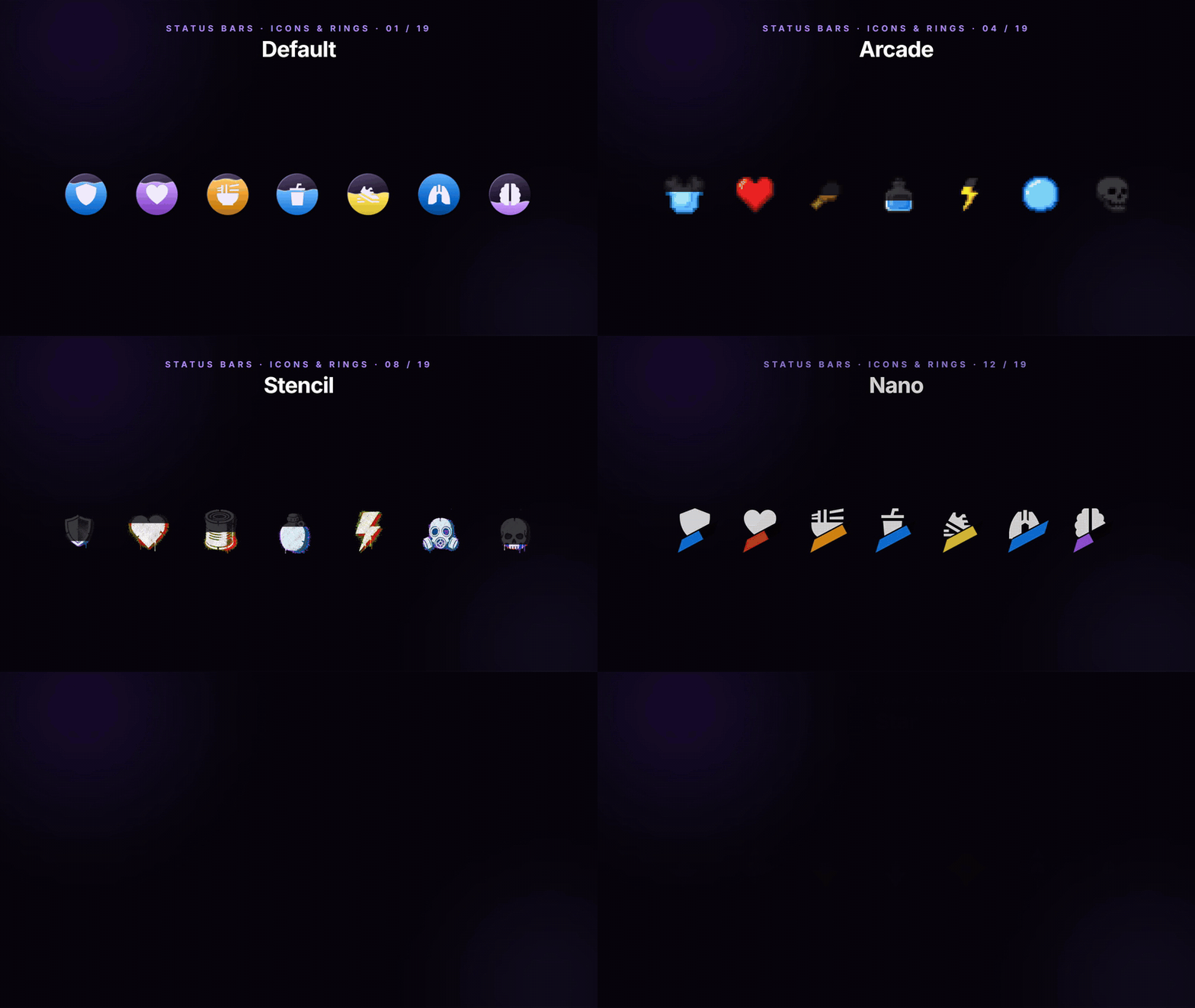
Status Icons - Icons, Rings and Shapes

Status Icons - Icons, Rings and Shapes

Drop the bars and every stat becomes an icon: a compact row that still reads every value, in the look of your choice.

  • Icon only in every look - Cyberpunk, Zombie, Arcade, Glossy 3D, Stencil, Sticker, Wireframe, Isometric, Nano and more.
  • A ring around each icon fills with its value.
  • Icon shapes: circle, square, parallelogram, octagon, rhombus and star.
  • Mix them - one stat as a bar, another as an icon, another hidden.
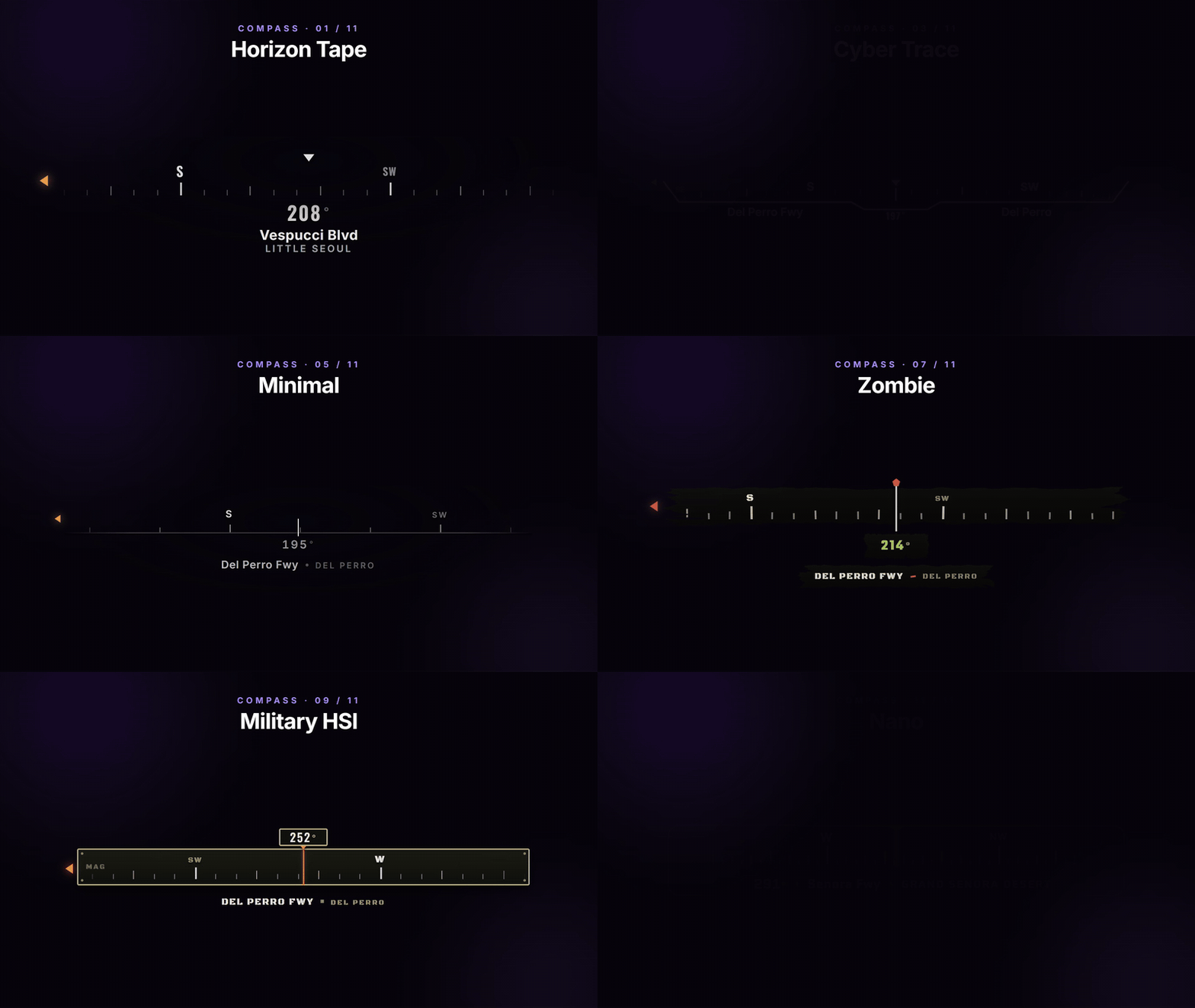
11 Compasses - Where You Are, Where You Are Going

11 Compasses - Where You Are, Where You Are Going

A compass across the top of the screen with your heading, your street and your waypoint, in eleven styles.

  • 11 compasses: Horizon Tape, Curved Arc, Cyber Trace, Liquid Glass, Minimal, Arcade, Zombie, Glossy 3D, Military HSI, Notch and Nano.
  • Street, zone, degrees, postal code, your waypoint and map blips, each with its own switch.
  • The heading glides between readings instead of jumping.
  • Show it always, only in a vehicle, or never.
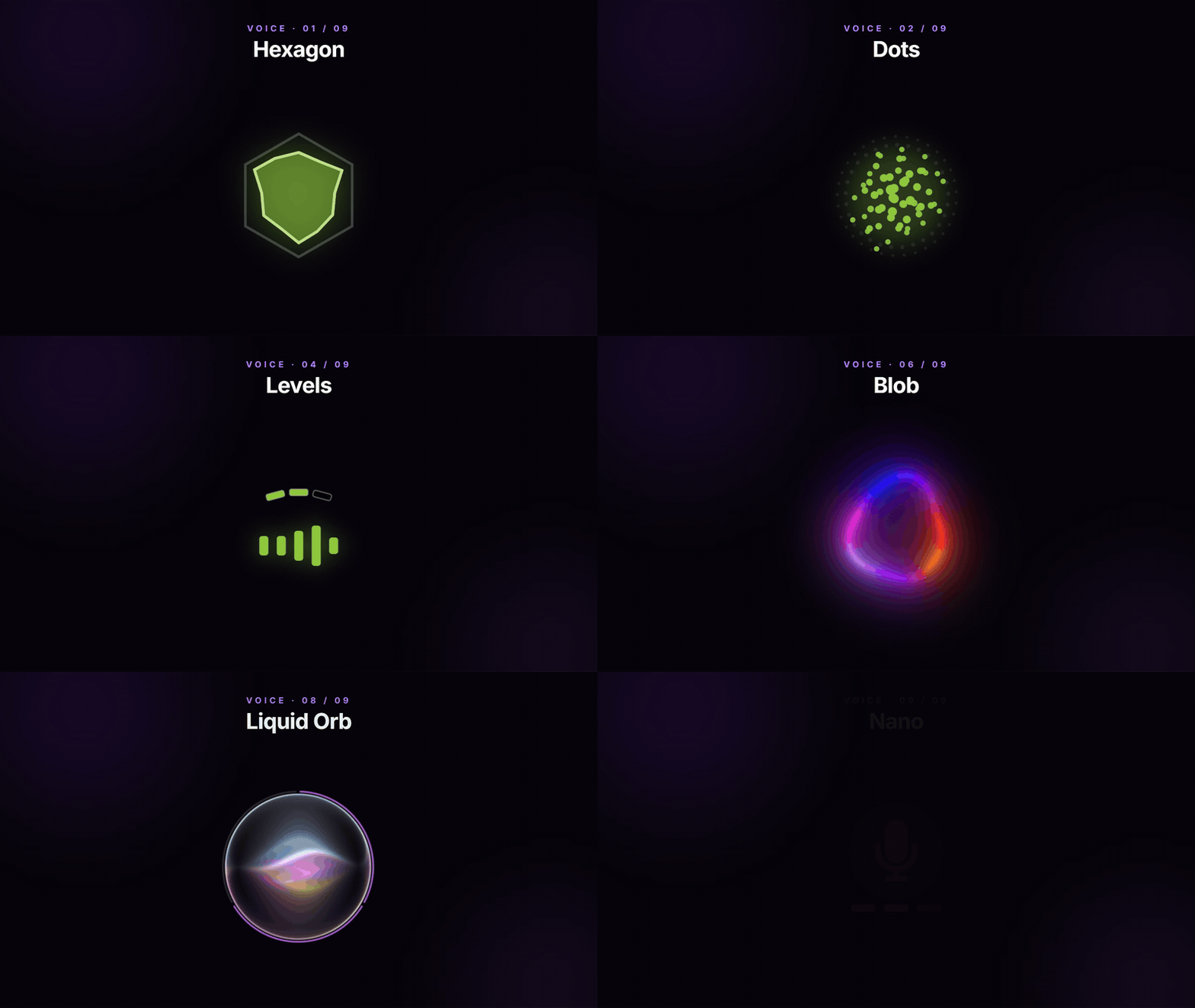
9 Voice Indicators - Lit While You Speak

9 Voice Indicators - Lit While You Speak

A voice indicator that moves with your mic and shows how far your voice carries.

  • 9 styles: Hexagon, Dots, Orb, Levels, Aura, Blob, Liri, Liquid Orb and Nano.
  • Whisper, Normal and Shout ranges on pma-voice, SaltyChat or mumble-voip.
  • Recolour it, resize it and place it anywhere with the rest of the HUD.
Ammo Counters - Clip, Reserve and the Gun in Your Hands

Ammo Counters - Clip, Reserve and the Gun in Your Hands

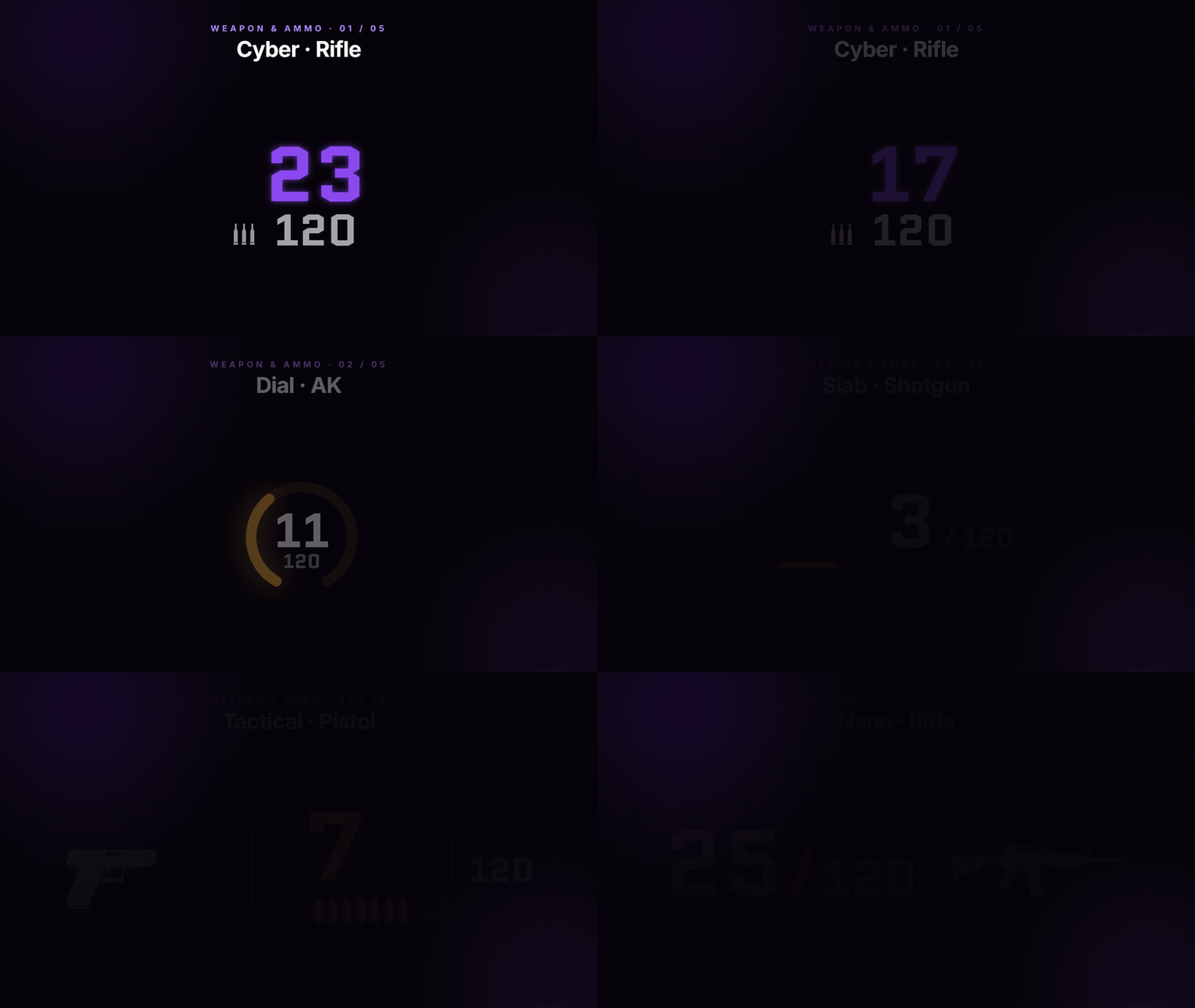
An ammo counter that shows the clip and the reserve and counts down with every shot, in five styles.

  • 5 ammo counters: Cyber, Dial, Slab, Tactical and Nano.
  • Clip and reserve at a glance, red when the magazine runs low.
  • Tactical and Nano draw the gun beside the count, and Tactical even changes with the gun in your hands.
Vehicle Dock - The Car, Over the Radar

Vehicle Dock - The Car, Over the Radar

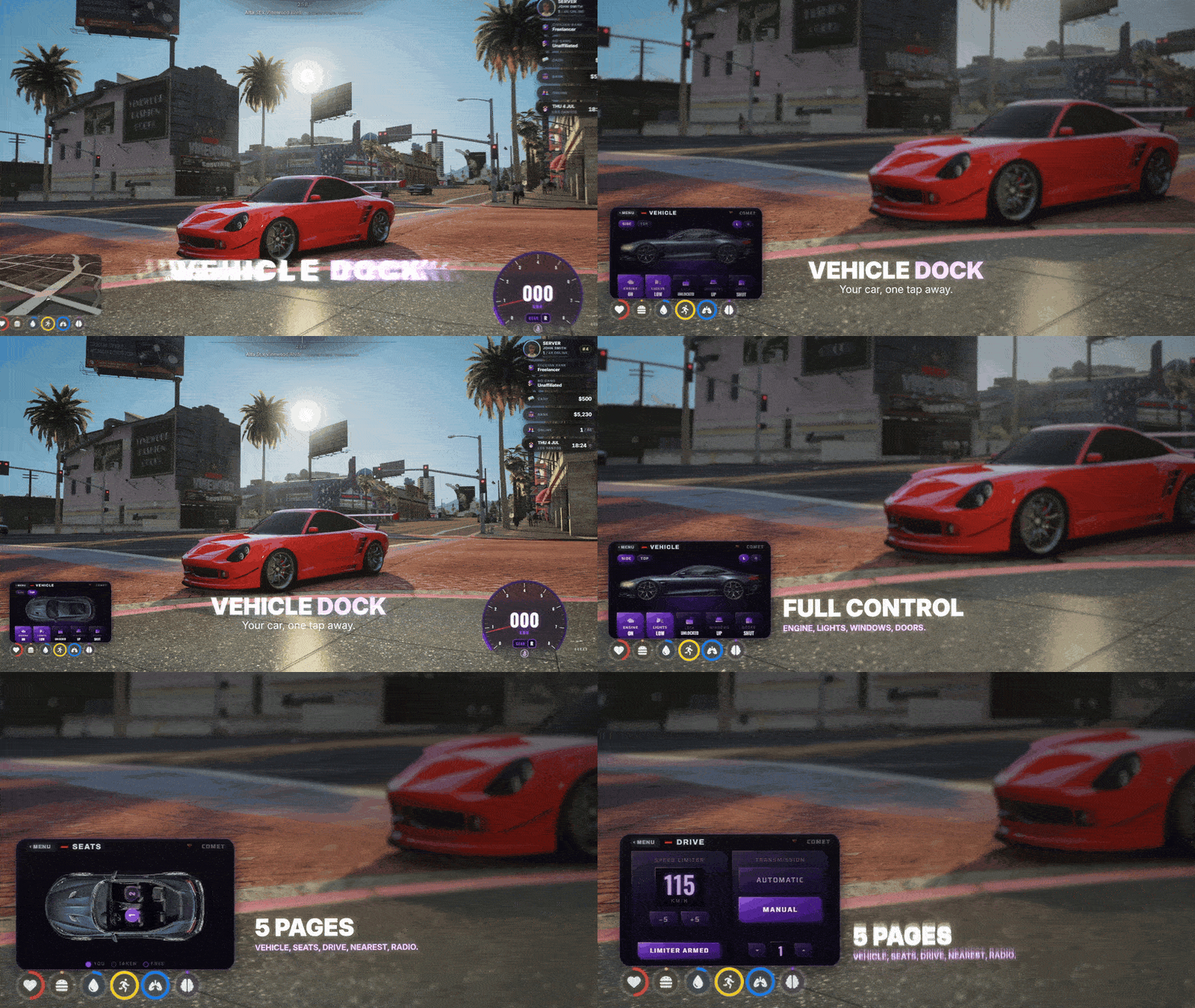
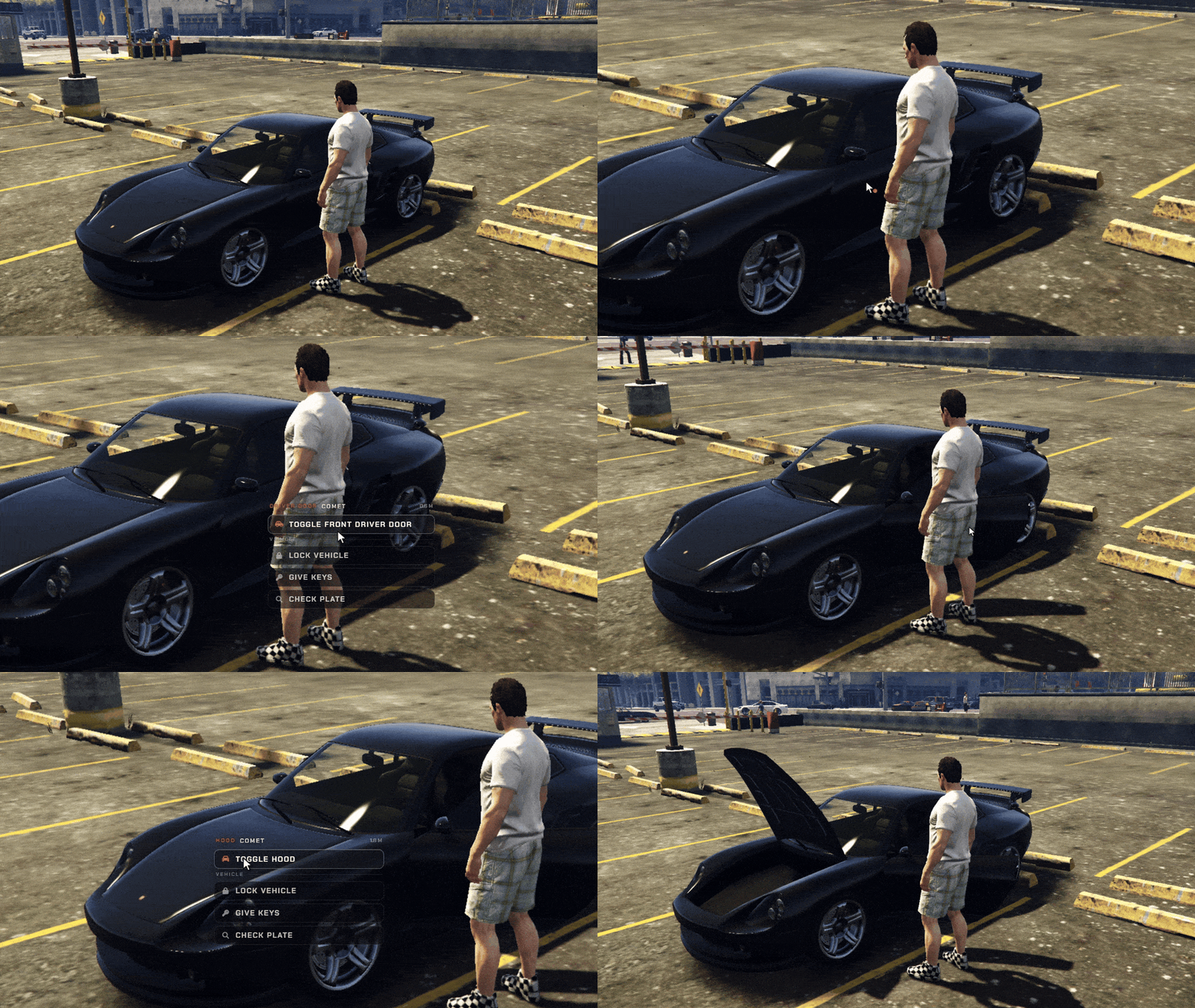
Hold Left Alt in a vehicle and a control deck covers the radar, cut to its exact shape. Click the painted car to pop the hood, open a door or switch on the lights of the real vehicle.

  • The deck takes the radar place and shape, wherever you moved it.
  • Doors, windows, hood, boot, lights, engine and locks, clicked where they are drawn, with side and top cameras.
  • Seat swap: the cabin from above - press a free seat to move to it, in cars, vans, boats, helicopters and planes.
  • A speed limiter and an automatic or manual gearbox for the driver.
  • Nearest places - fuel, ATMs, banks, hospitals, garages, mechanics, stores and more, one press to set the GPS route.
  • A radio deck with every station under its own logo, and OFF always one press away.
Aircraft Instruments - A Real Horizon for Pilots

Aircraft Instruments - A Real Horizon for Pilots

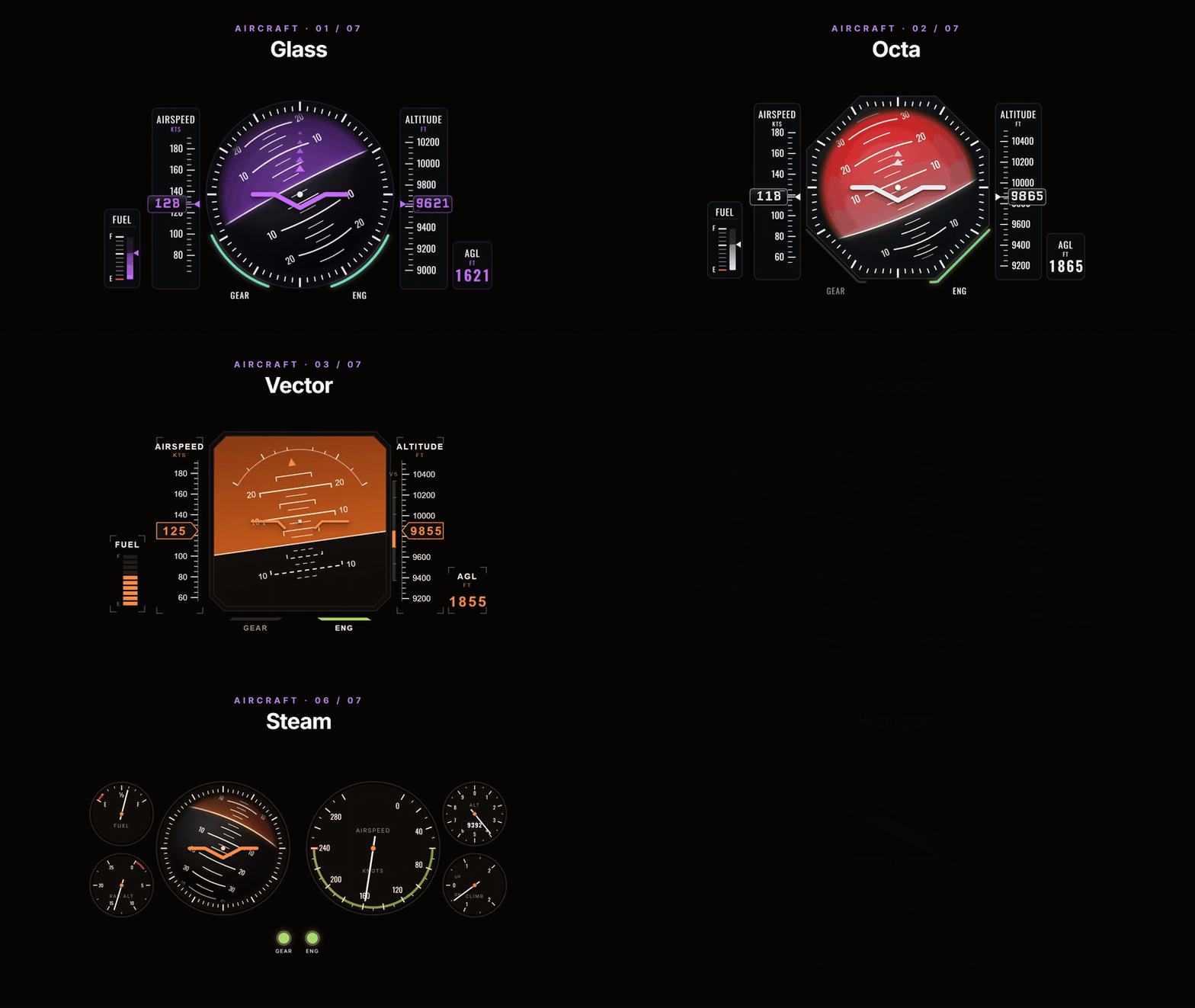
In a plane or helicopter the speedometer gives way to flight instruments: an artificial horizon with airspeed, altitude and fuel around it, in seven styles.

  • 7 instrument styles: Glass, Octa, Vector, Reticle, Standby, Steam and Horizon.
  • Attitude, airspeed, altitude, climb, fuel and gear at a glance.
  • Autopilot on End flies a plane to your map waypoint.
  • Hover hold on Home keeps a helicopter at its altitude, and G raises the landing gear.
Built for Every Vehicle - Cars, Planes, Helicopters and Boats

Built for Every Vehicle - Cars, Planes, Helicopters and Boats

The HUD changes with what you drive: a speedometer in a car, flight instruments in the air and a helm on the water.

  • Cars get the speedometer, the gear and the telltales.
  • Planes and helicopters swap it for flight instruments.
  • 4 marine helms with knots, fuel, trim, sea state and a live depth sounder under the hull.
  • Drop and weigh anchor on K.
Your Layout - Radar, Info Bar and Compass Anywhere

Your Layout - Radar, Info Bar and Compass Anywhere

Every server and every player can lay the HUD out their own way: the radar in any corner and any shape, the info bar where it reads best, the compass on top or not at all.

  • 12 radar shapes: Card, Square, Faded, Circle, Notch, Military, Arcade, Liquid, Cyber, Zombie, Glossy and Avatar Bar, applied to the real minimap instantly.
  • A themed frame traces the radar outline, and 3D tilt lays it back in perspective.
  • 14 info bars: player ID, character name, job, gang, cash, bank, marked money, players online, clock, date and weather.
  • Money pops show every payment and purchase beside the balance it changed.
  • Your server name and logo in the header, and a streamer mode that masks the money.
  • Set a waypoint and a route pocket slides open with the distance; hold Z for the big map.
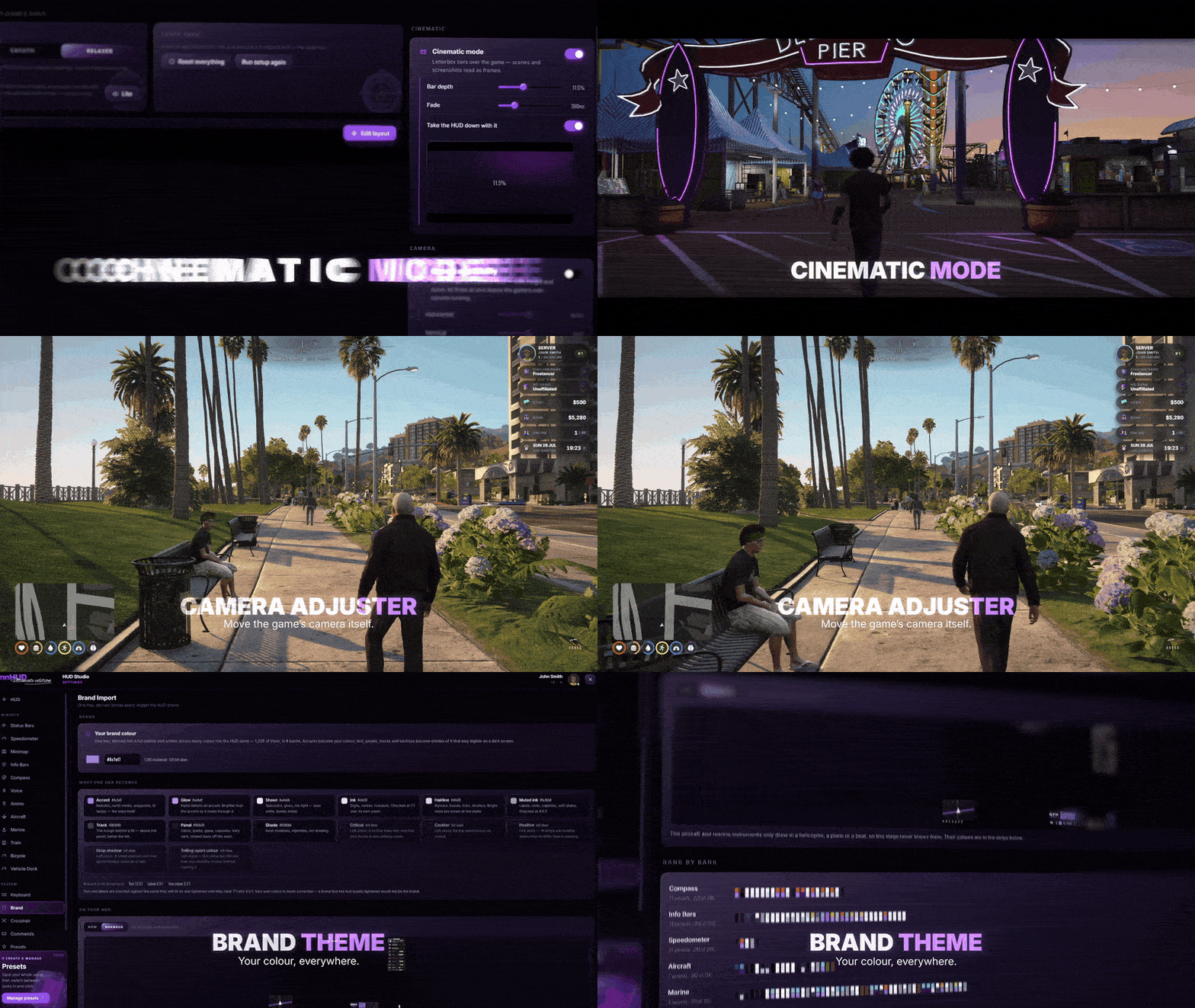
Cinematic Mode, Camera & Brand Colour

Cinematic Mode, Camera & Brand Colour

Letterbox bars for scenes and screenshots, a camera you can move, and one colour that becomes your whole HUD.

  • Cinematic mode drops letterbox bars over the game - set their depth and fade, and take the HUD down with them.
  • Bind cinematic mode to any key you like.
  • Camera accessibility moves the game camera itself - side, height and field of view.
  • Brand colour: type one hex and it becomes a full palette across every widget, while warnings keep their red and amber.
  • Text is checked for contrast, so it stays readable on your colour.
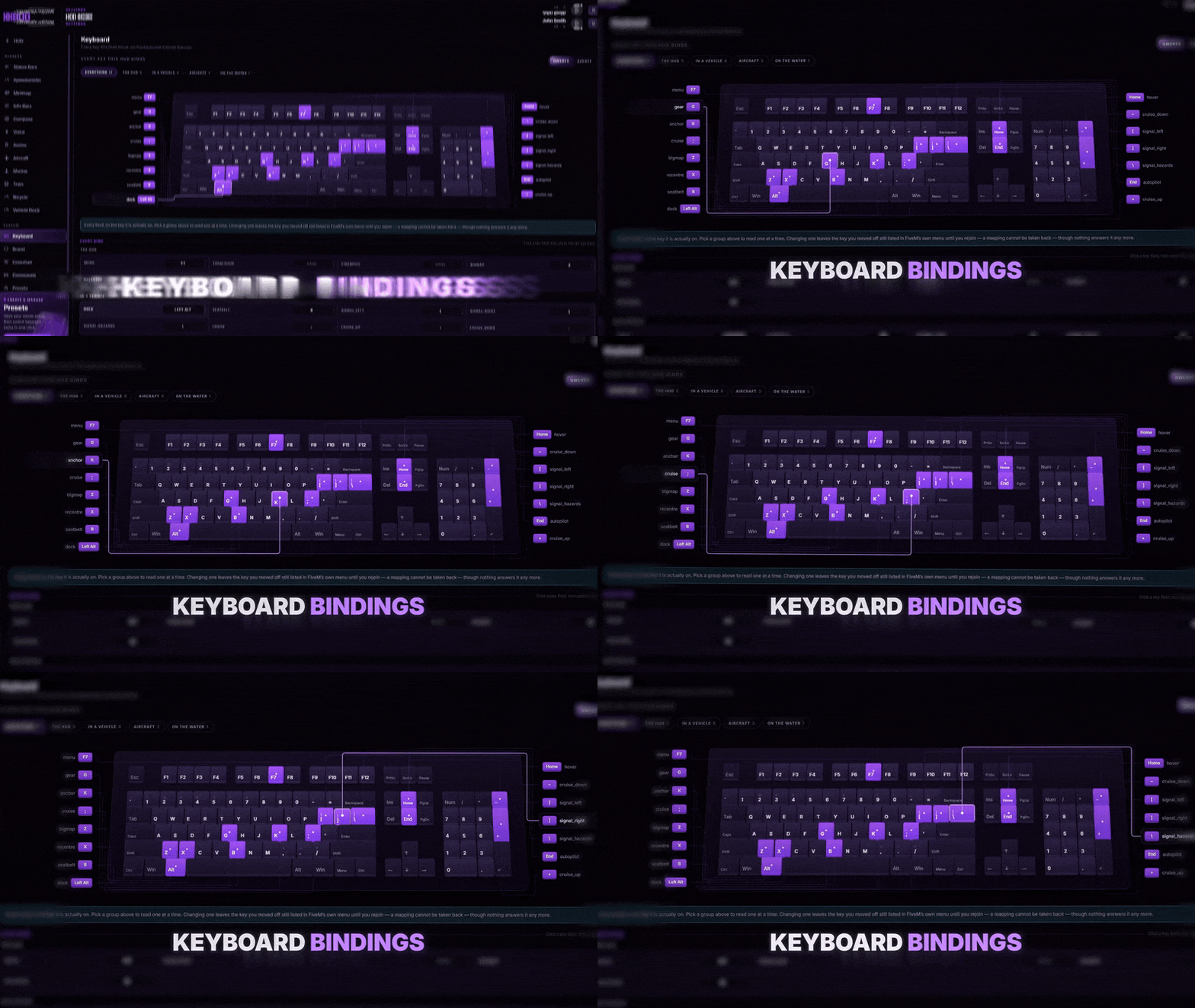
Keyboard Map - Every Key on One Keyboard

Keyboard Map - Every Key on One Keyboard

Every key the HUD binds, drawn on a keyboard and grouped by where you use it: the HUD, in a vehicle, in the air and on the water.

  • F7 opens the studio, B buckles the seatbelt, Left Alt raises the vehicle dock and Z opens the big map.
  • Cruise control, turn signals and hazards for drivers.
  • Autopilot, hover hold and landing gear in the air; the anchor on the water.
  • Pick a group and its keys light up - one click rebinds a key.
Every Widget, Its Own Collection

Every Widget, Its Own Collection

Each part of the HUD comes in its own set of styles - here the speedometers, the status looks and the info bars, all side by side.

  • 21 speedometers, 17 status looks and 14 info bars.
  • Plus 11 compasses, 12 radar shapes, 9 voice indicators and 5 ammo counters.
  • Mix any style with any other.
  • One brand colour recolours them all at once.
06/10

Target

3D prompts, aim or cursor

On its own 14.87€Included
Target for FiveM, in game

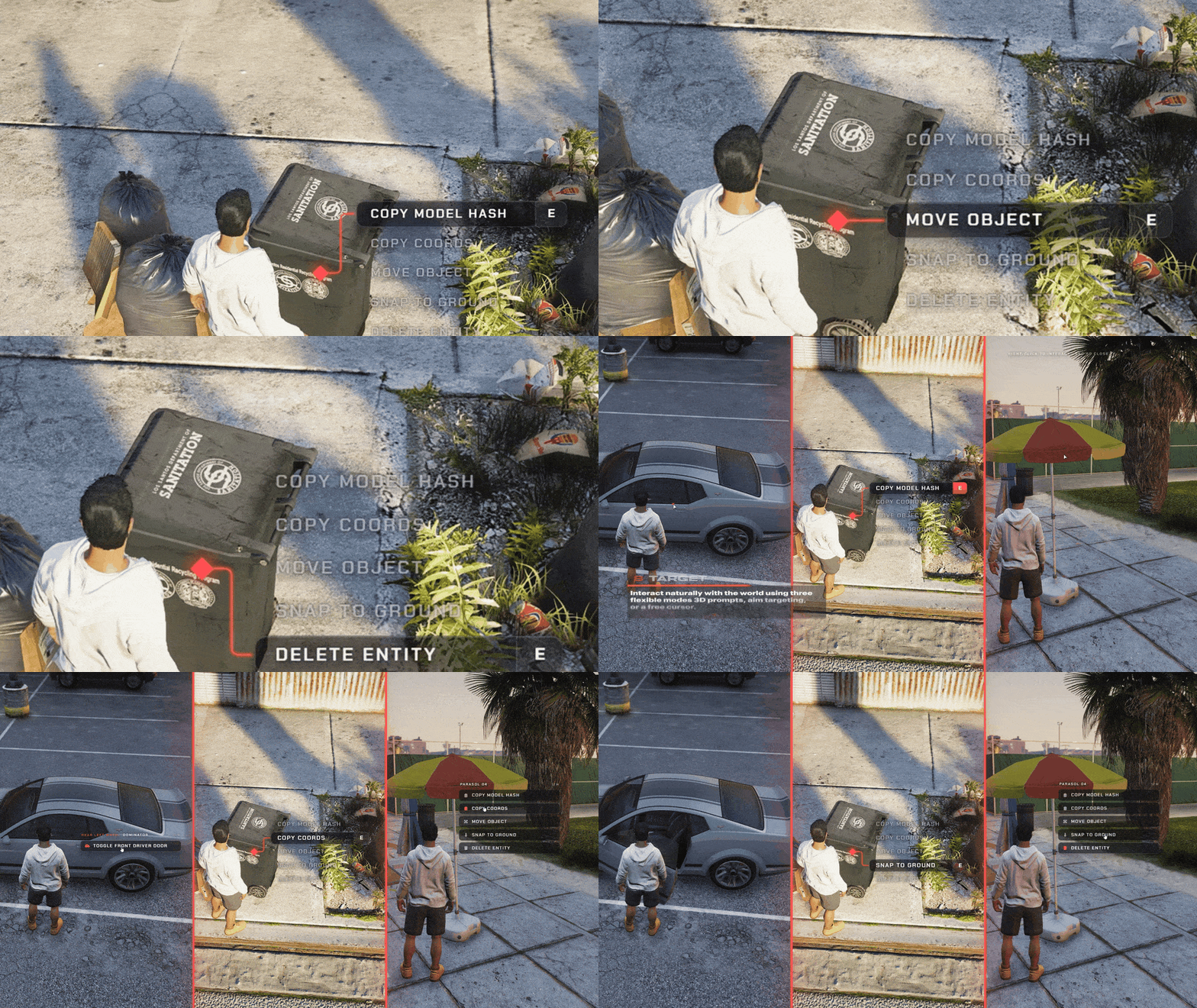
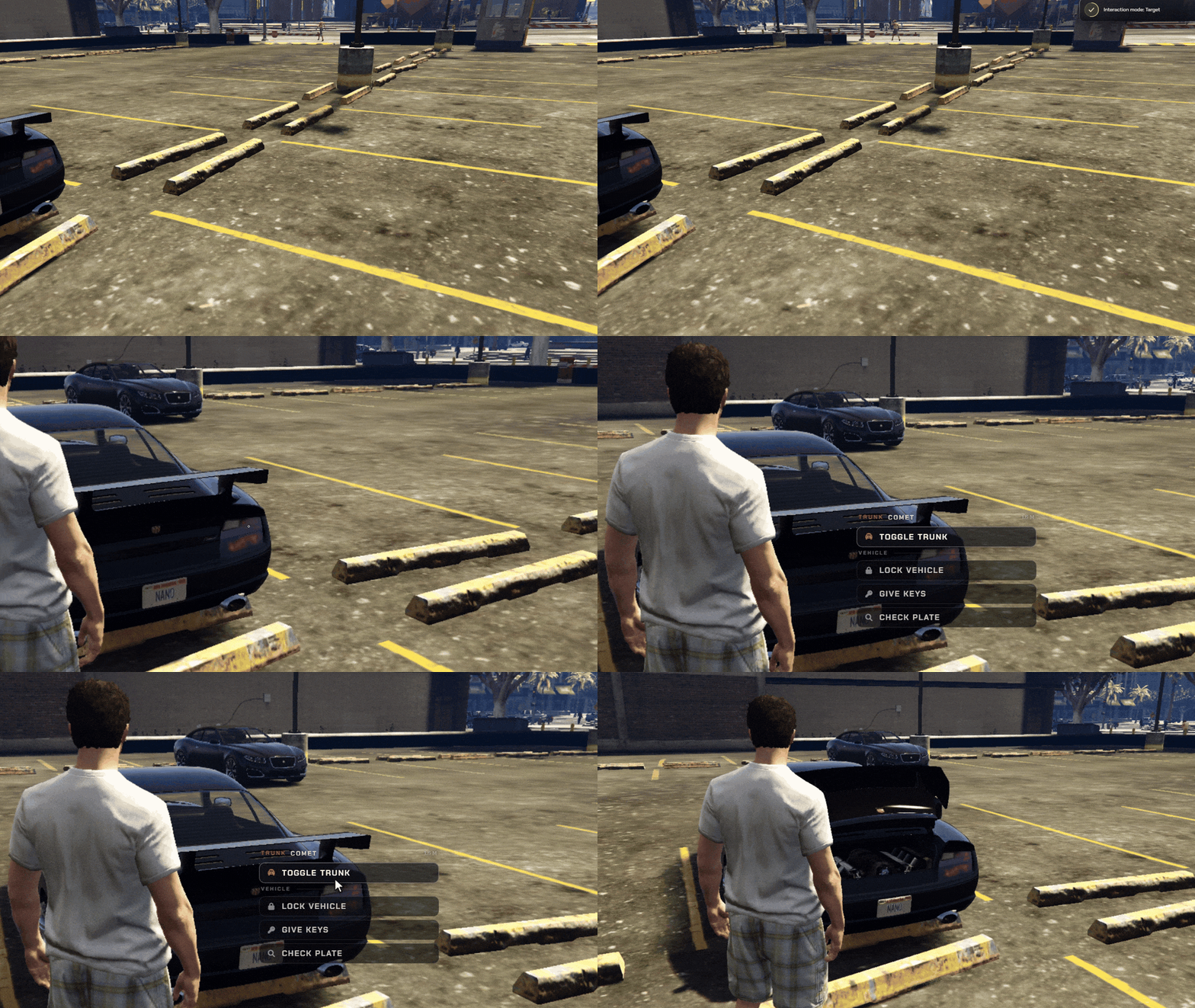
Three ways to interact: prompts in the world, aim, or a right-click cursor that knows a car door from the bonnet. Players pick their own.

  • Drop-in ox_target, qtarget & qb-target
  • 3 Modes 3D prompts, aim or right-click
  • Every Part Doors, hood, trunk & wheels named
  • Theme Colour Prompts, markers & menus in yours
  • Any Framework ESX, QBCore, QBox or standalone
  • Player Choice /interactmode & rebindable keys
  • Job & Item Checks Groups & items on any framework
  • Hold to Run Per server, per option or on press
See all 3 Target features Hide the Target feature tour
3D Prompts: Walk Up, Hold ALT

3D Prompts: Walk Up, Hold ALT

Options open right beside what you face. Hold E to run one.

  • Markers show what is interactive
  • Hidden behind walls
  • No marker spam in car parks
Aim Mode: The ox_target Way

Aim Mode: The ox_target Way

Hold ALT and aim. The crosshair lights up, click to choose.

  • Same rules as ox_target
  • The part you aim at comes first
  • No stray shots while aiming
Cursor Mode: Right-Click Any Part

Cursor Mode: Right-Click Any Part

Free the mouse and right-click a door, the hood or a ped.

  • Every part named in the menu
  • Door, hood and trunk options built in
  • Any theme colour you want
07/10

ox_lib Redesign

Every ox_lib menu and alert

On its own 15.86€Included
ox_lib Redesign for FiveM, in game

Restyles every notification, menu, progress bar and dialog, plus the skill check and radial menu, from every script that uses ox_lib.

  • Drop-In Replacement Swap the folder, every ox_lib script keeps working
  • Nine Components Notify, text UI, progress, menus, dialogs and more
  • Eight Positions Notifications wherever your scripts put them
  • Keyboard First Arrows, Enter and Esc in every menu
  • Your Colour Follows ox:primaryColor and ox:primaryShade
  • Nine Languages Follows the locale you set for ox_lib
  • Any Resolution Scales cleanly from 1080p to 4K
  • ox_lib 3.32.2 The original library, untouched and open source
See all 6 ox_lib Redesign features Hide the ox_lib Redesign feature tour
ox_lib, Redesigned - A New Face for Every Script You Run

ox_lib, Redesigned - A New Face for Every Script You Run

This is ox_lib 3.32.2 with a completely new interface. Replace your ox_lib folder and every notification, prompt and progress bar on your server changes at once, without touching a single script.

  • A drop-in replacement - the original ox_lib 3.32.2 files, untouched, with the new interface on top.
  • Notifications in all eight ox_lib positions, with a countdown ring, icons, custom colours and markdown.
  • Text UI turns [E] - Open trunk into a real keycap, with icons and several keys in one prompt.
  • Progress bars with a live wave fill and a percentage that counts up as it goes.
  • The whole interface scales with the screen, from 1080p to 4K.
Context Menus - Every Detail at a Glance

Context Menus - Every Detail at a Glance

Vehicle stats, upgrades and actions in one glass panel. Bars sit right inside the rows, details appear beside the row you pick, and submenus slide in with a back button.

  • Rows with progress bars in every ox_lib colour scheme.
  • Metadata cards beside the selected row - labels, values and bars of their own.
  • Submenus with a back button, arrows on rows that open a menu, disabled and read-only rows.
  • Full keyboard control: arrows to move, Enter to pick, Backspace to go back, Esc to close.
  • Icons, icon colours, spinning icons and image icons, straight from the options your scripts already send.
List Menus and Alerts - Built for the Keyboard

List Menus and Alerts - Built for the Keyboard

The list menu unrolls from its corner and follows the arrow keys. Values slide in from the side you press, a description card follows the selection, and the moments that matter get a proper alert dialog.

  • Value lists you scroll with Left and Right, with a live counter like 3 / 6.
  • Checkboxes that draw their tick and bars for fuel, volume or anything else.
  • A description card that follows the selection.
  • Opens from any of the four ox_lib corners.
  • Alert dialogs with confirm and cancel on their own keys, markdown, and long text that scrolls inside the card.
Input Dialogs - Every Field, Every Type

Input Dialogs - Every Field, Every Type

Character creation, bank transfers or business licences: every field ox_lib offers, in one dialog that fits the screen and scrolls inside when the form is long.

  • Every ox_lib field type: text, number, checkbox, select, multi-select, slider, colour, date, date range, time and text area.
  • Searchable selects that filter as you type.
  • A calendar and a colour picker that open right on the field.
  • Required fields, limits, descriptions and icons, exactly as your scripts set them.
  • Long forms scroll inside the dialog, so it never outgrows the screen.
Radial Menu - Everything on One Ring

Radial Menu - Everything on One Ring

A glass ring with a slice for every action. Point at a slice or use the arrows, step into submenus and back out through the centre. Change one setting and the whole interface takes your colour.
  • Six slots a page, with More and back for bigger menus.
  • Submenus open in place, and the centre goes back or closes.
  • Arrow keys and Enter work as well as the mouse.
  • Your colour - set ox:primaryColor and ox:primaryShade the way you always have, and every component follows.
  • Any CSS colour works as well, such as #ff454b.
Skill Checks and Progress - Feel Every Hit

Skill Checks and Progress - Feel Every Hit

The skill check is a glass dial with the key to press in its centre. Every hit fills a stage, the last one turns the ring green, and a miss shakes it red.

  • Multi-stage runs show as a ring of arcs around the dial.
  • Easy, medium, hard or a custom area and speed, exactly like ox_lib.
  • Custom keys - ask for W, A, S or D instead of E.
  • A circular progress with its label, in the middle of the screen or at the bottom.
  • Nine languages that follow the locale set for ox_lib.
08/10

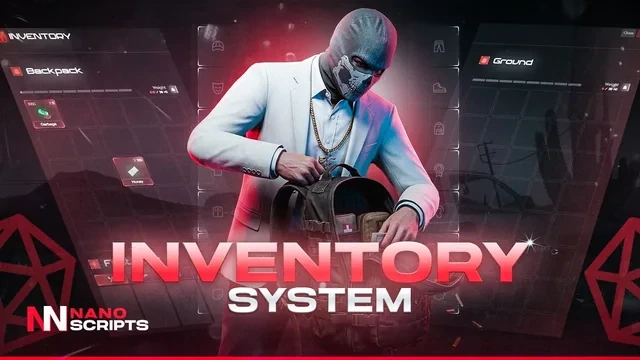
Inventory

3 themes, clothing slots

On its own 25.78€Included
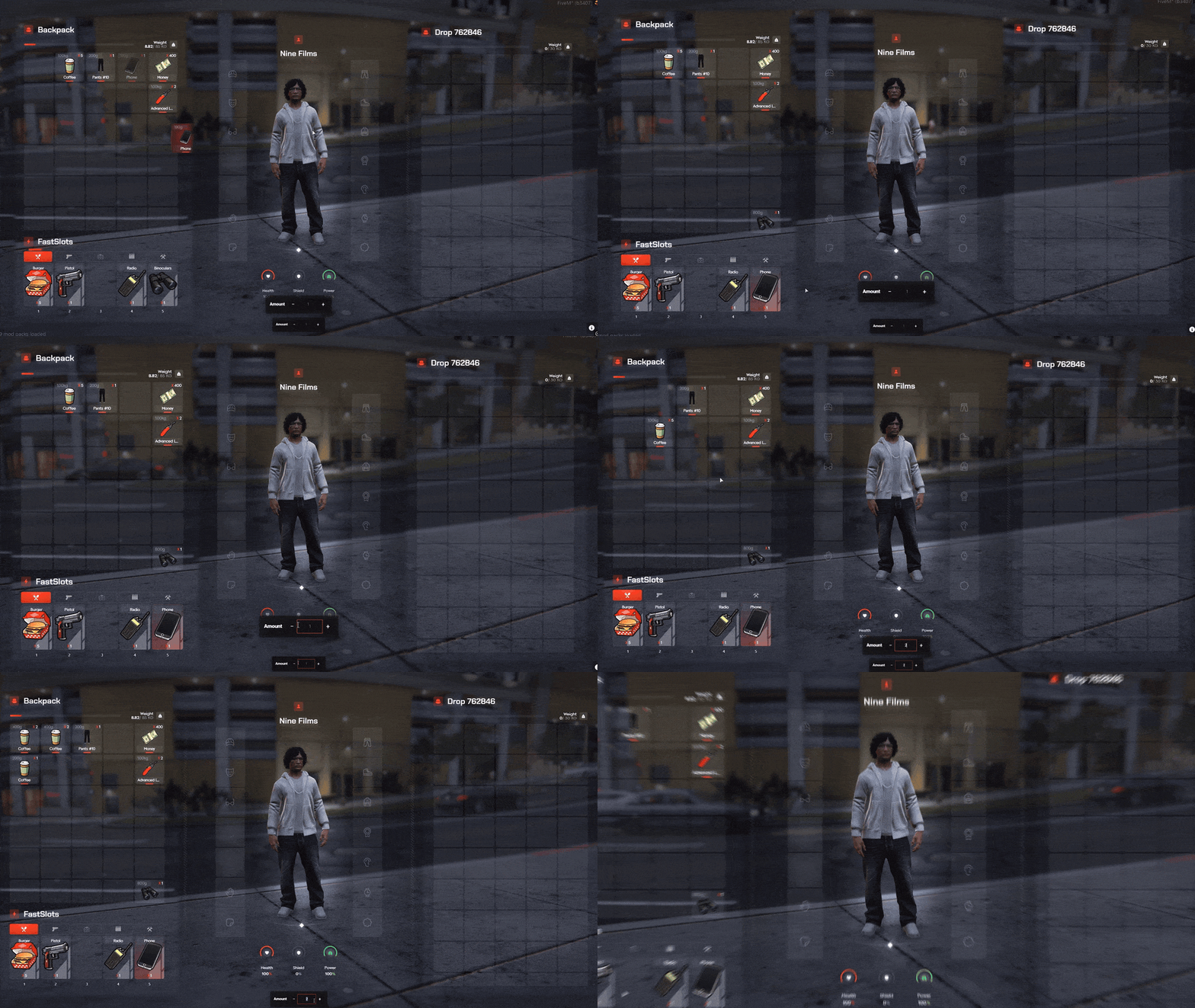
Inventory for FiveM, in game

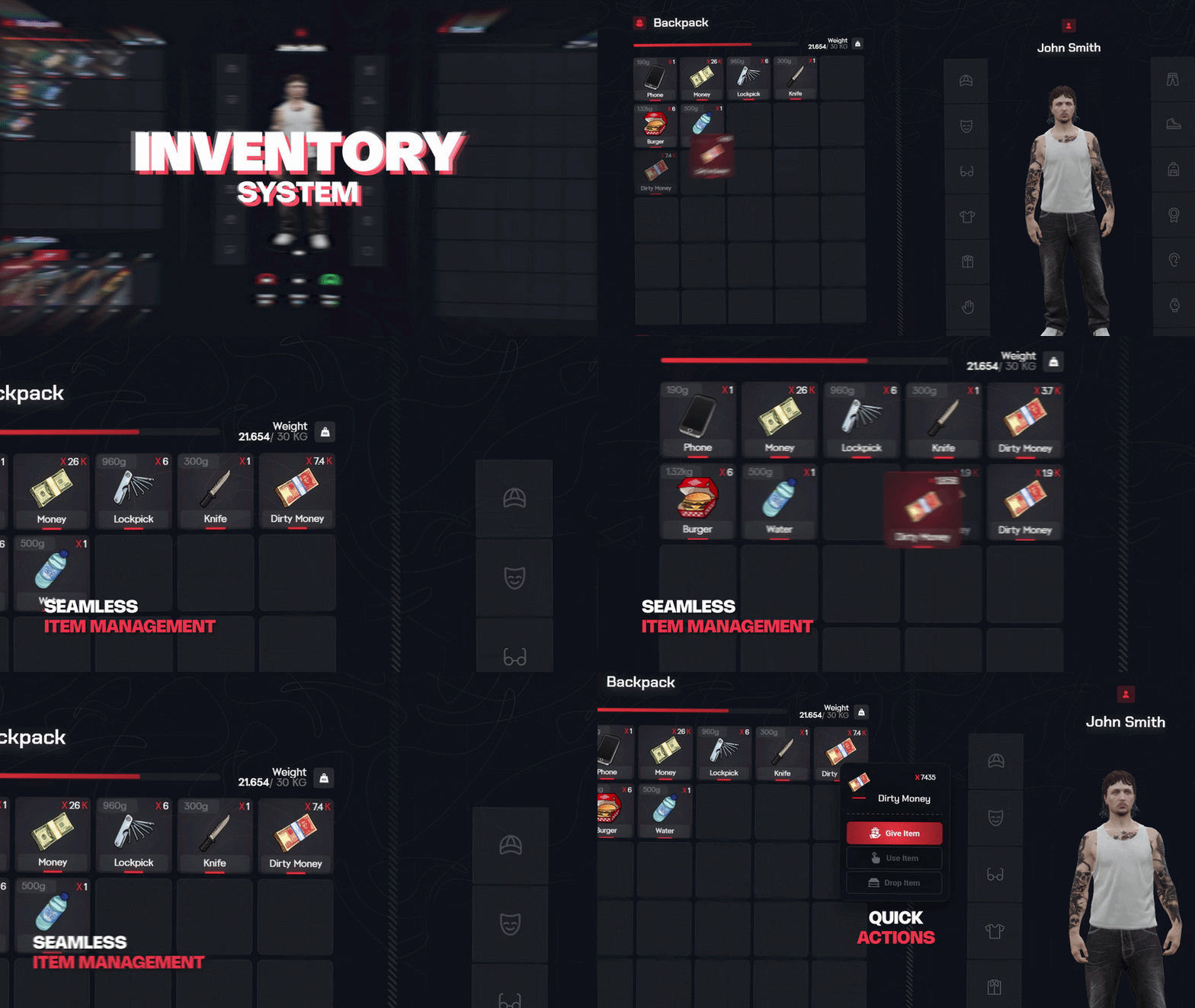
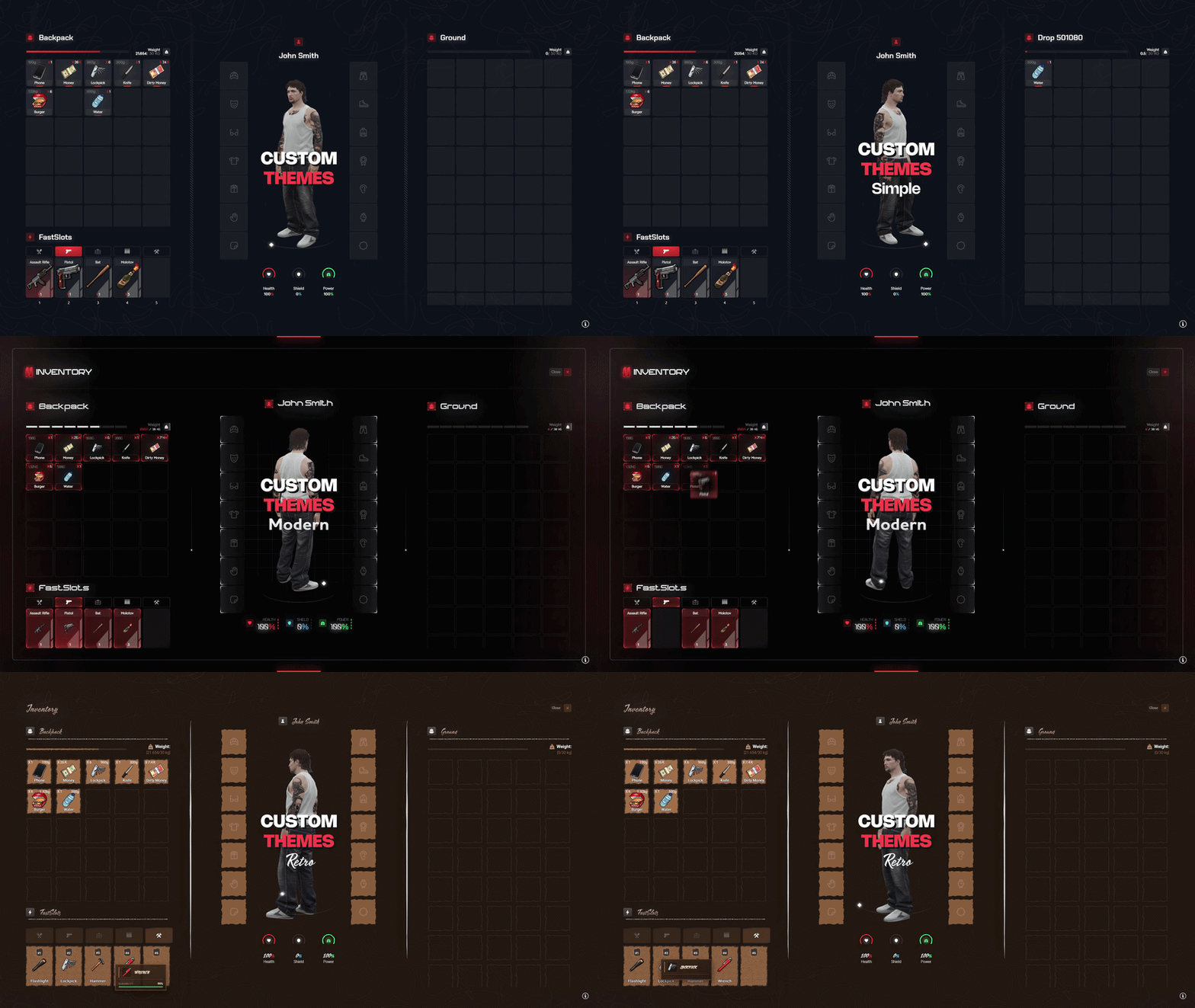
Three themes players switch between, clothing as items in 14 equipment slots, 25 fast slots and a live 3D preview of your character.

  • Slot Inventory Slot-based with full item metadata support
  • Fast Hotbar Quick-use slots for items & weapons
  • 3 UI Themes Simple, Modern & Retro — switch in-game
  • Clothing Items Equip clothes from real equipment slots
  • Ped Preview See your character & outfit update live
  • Custom UI Recolor, restyle & rebind the controls
  • Any Framework ESX, QBCore/QBox, OX & ND supported
  • Shops & Stashes Shops, stashes, drops & evidence built in
See all 3 Inventory features Hide the Inventory feature tour
Advanced Slot-Based Inventory

Advanced Slot-Based Inventory

A powerful, slot-based inventory with full item metadata support — built for performance and packed with everything a serious roleplay server needs, right out of the box.

  • Slot-based inventory with full item metadata support
  • Fast-slot hotbar for quick-use items and weapons
  • Weight system, ground drops and lootable vehicles & dumpsters
  • Shops, stashes and a built-in police evidence system
  • ox_target interaction support and optimized performance
  • Native support for ESX, QBCore/QBox, OX and ND
3 Switchable UI Themes + Clothing & Ped Preview

3 Switchable UI Themes + Clothing & Ped Preview

Let every player pick the look they love. Switch between three fully-designed UI themes straight from the in-game Customize tab — and manage clothing as real inventory items with a live ped preview.

  • Three built-in themes: Simple, Modern and Retro
  • Players switch themes instantly from the Customize tab
  • Handle clothing as real inventory items in dedicated equipment slots
  • Live ped preview — see your character and outfit update in real time
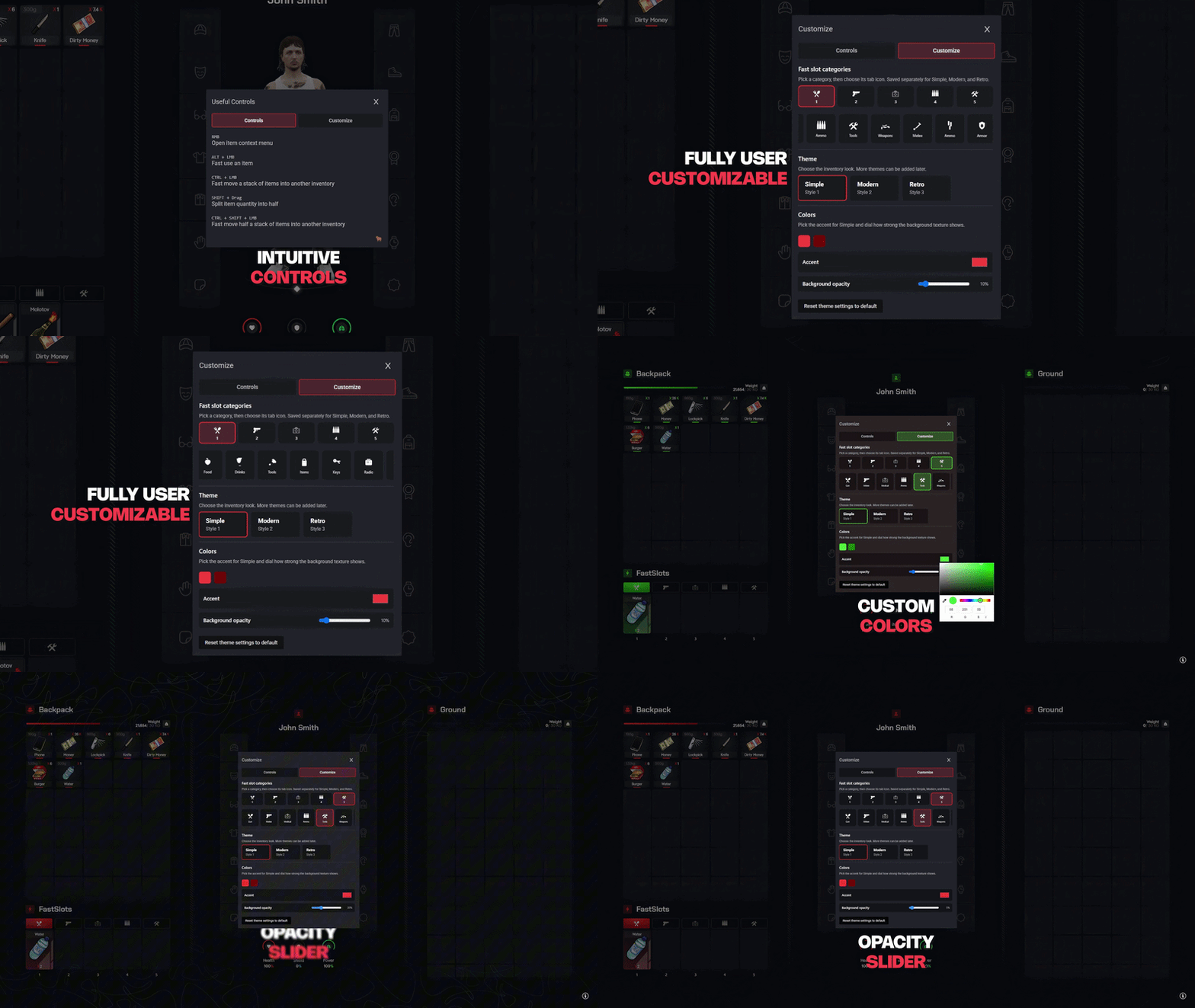
Customize the UI Exactly How You Want

Customize the UI Exactly How You Want

Make the inventory truly yours. Tweak colors, controls and layout to match your server brand — everything from a clean, easy config with no complicated setup.

  • Recolor and restyle the UI to match your server brand
  • Configure open keys and controls to your liking
  • Adjust slots, weight and equipment layout in config.lua
  • Simple config-based setup — no convar editing required
09/10

Chat

Channels, /me, 911

On its own 15.86€Included
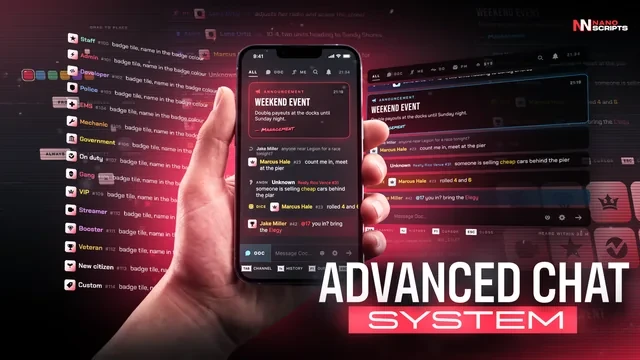
Chat for FiveM, in game

/me, /do and DMs right from the input, 9 gated channels, typing dots, 3D /me text above players and staff announcements.

  • Drop-In Replacement Every script that prints to the chat keeps working
  • 17 Channels OOC, /me, radio, dept, gang, PM, staff, 911 and more
  • Live Badges Staff, jobs, gangs and Discord roles, updated live
  • Smart Commands Suggestions with hints, and a real Up and Down history
  • Hide With L On activity, always shown or hidden in one key
  • Per-Player Looks Glass, bubbles or clear, any colour, size and place
  • Staff Tools Announcements, mute, clear all and timed messages
  • Nine Languages English, French, German, Arabic and five more
See all 6 Chat features Hide the Chat feature tour
Every Voice in the City - One Panel for Your Whole Server

Every Voice in the City - One Panel for Your Whole Server

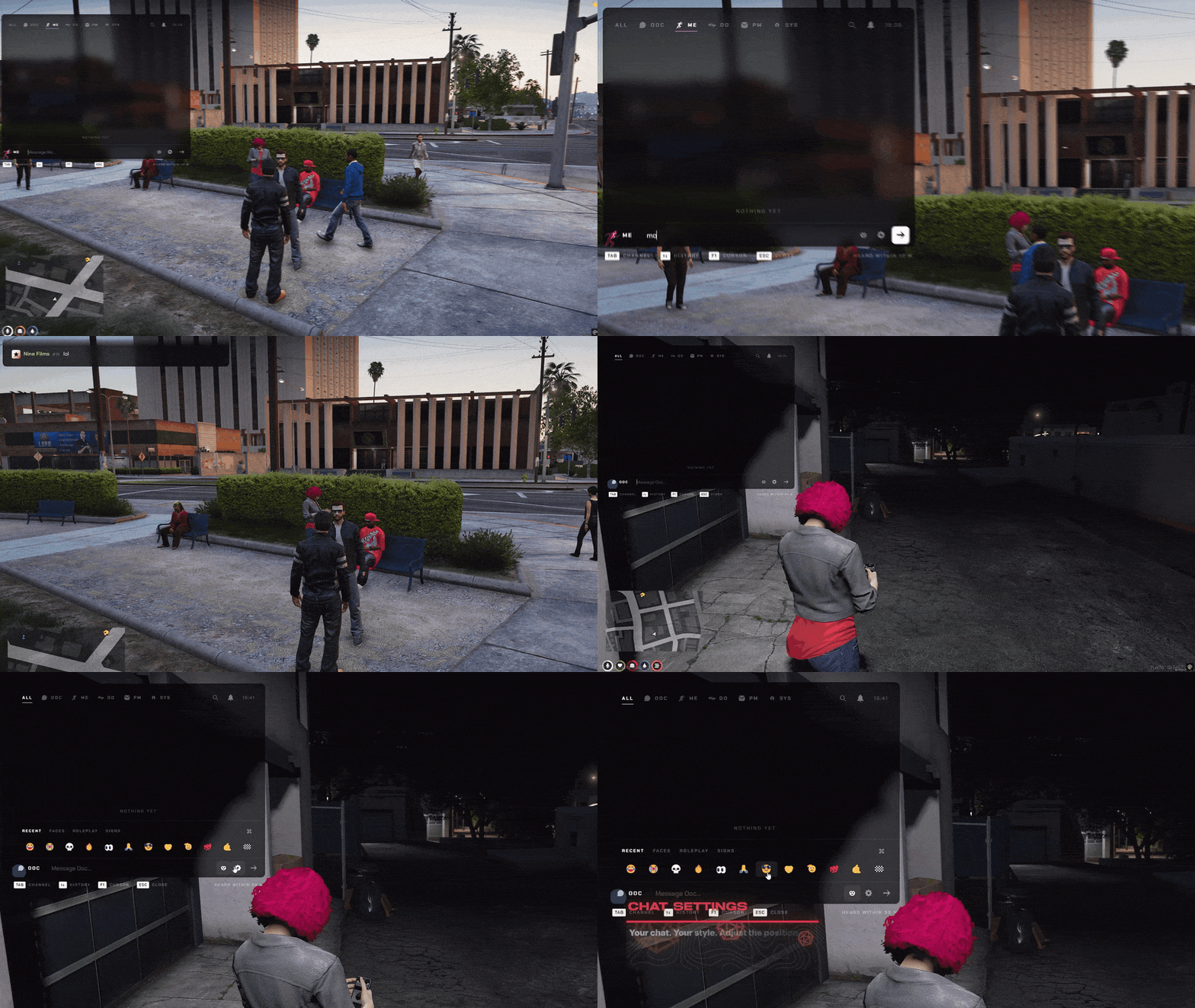
NANO Chat replaces the default FiveM chat with one frosted panel that sits over the game like glass. Out of character talk, roleplay, radio, departments, gangs and staff all land in the same place, each in its own colour, with the badge of who is talking.

  • A drop-in replacement for the default chat - every script that prints to the chat keeps working untouched.
  • 17 channels out of the box: OOC, /me, /do, radio, department, gang, PM, staff, whisper, shout, advert, 911, social, dice, /try and anonymous.
  • Proximity where it matters - /me within 10 m, a whisper within 3 m, a shout carries 60 m.
  • Live badges for staff, police, EMS, mechanics, government, gangs, VIPs, streamers and veterans.
  • Announcements arrive as a full card with a title and a signature nobody can miss.
One Field, Every Channel - Type It and You Are There

One Field, Every Channel - Type It and You Are There

Type /me, /r or /911 followed by a space and the field turns into that channel on the spot, colour and all. Players never send a radio call into OOC by mistake again.

  • Channel commands switch the field instantly - the mode tile flashes so you always know where you are talking.
  • Tab steps through your channels, Backspace on an empty field drops you back to OOC.
  • Every channel has its own access rules: jobs, job groups, on duty, gang, staff, Discord role or playtime.
  • The line under the field says who will hear you - heard within 10 m, only police, everyone.
  • A command another script already owns, like a police /911, stays with that script.
Type Less, Do More - Commands and History

Type Less, Do More - Commands and History

Start with a slash and every command on your server shows up with its parameters and the script it belongs to. Press Up and everything you sent comes back, messages and commands alike.

  • Command suggestions with parameter hints, help text and the resource that owns each one.
  • Exact and prefix matches come first, and Enter runs exactly what you typed - suggestions never overwrite you.
  • Tab completes the top suggestion; the arrows pick another.
  • Up and Down walk your history - messages and commands, with their channel kept.
  • History is remembered between sessions, so it is still there after a relog.
Never Miss a Word - Announcements, Mentions and Replies

Never Miss a Word - Announcements, Mentions and Replies

Staff announcements land as a card, a mention lights up the line it is in, and a reply carries a quote of the message it answers. With the chat closed, a mention still reaches you as a small toast.

  • /announce sends a full-width card with a title, a message and a signature.
  • Type @id to mention a player - the row lights up and a toast tells them while the chat is closed.
  • Click any message for Reply, PM, Copy, Mute and Report.
  • Replies carry a quote, so a busy channel still reads like a conversation.
  • Staff get /mute, /clearall and automatic messages on a timer.
Make It Yours - Every Player Picks Their Look

Make It Yours - Every Player Picks Their Look

Every player sets the chat up the way they like it, and it is saved on the server for them. Frosted glass, separate bubbles or no panel at all, any accent colour, any size, anywhere on the screen.

  • Three backgrounds: frosted glass over the game, one bubble per message, or clean text only.
  • Pick an accent colour - mentions, badges and announcements follow it.
  • Seven anchors or drag it anywhere, resize it, and pick one of four text sizes.
  • Timestamps, compact rows, coloured names, sounds and a streamer mode that masks names.
  • You decide what players may change - lock any setting or sell it as a perk.
Show It, Hide It - In Nine Languages

Show It, Hide It - In Nine Languages

Press L to switch the chat between shown on activity, always shown and hidden, with a short notice so players always know what changed. The whole interface speaks the language you set.

  • L or /toggleChat cycles the chat between on activity, always and hidden.
  • The chat steps aside by itself in the pause menu and on faded screens.
  • Players can rebind the key in their own key bindings.
  • Nine languages: English, French, German, Spanish, Portuguese, Polish, Russian, Turkish and Arabic.
  • Every text lives in one file per language, ready for your own wording.
10/10

Pause Menu

Map, garage, news

On its own 15.86€Included
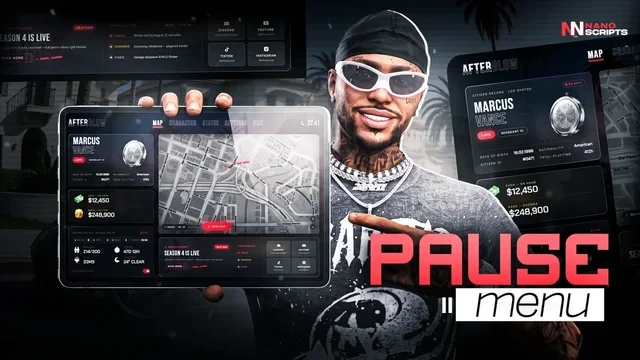
Pause Menu for FiveM, in game

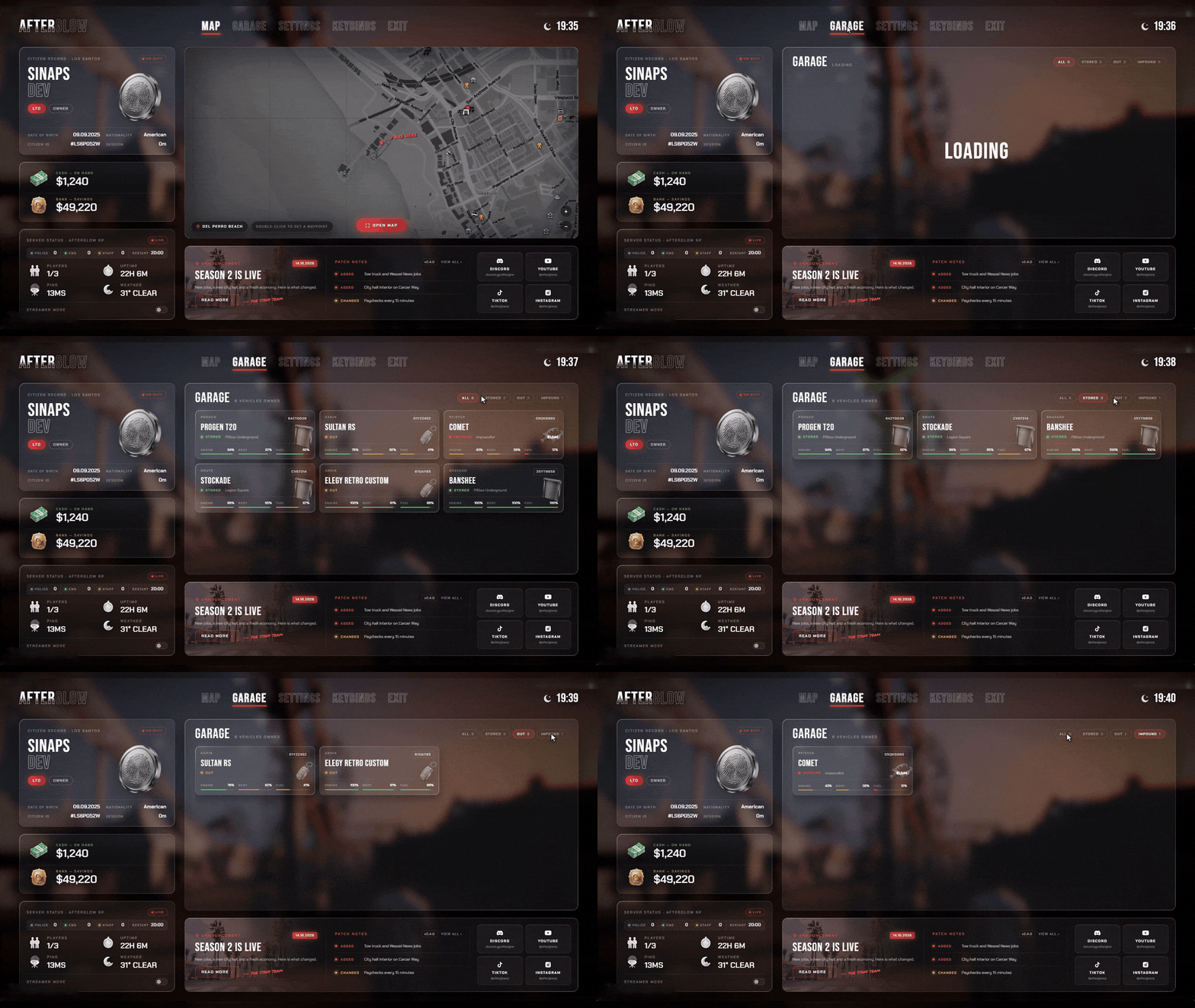
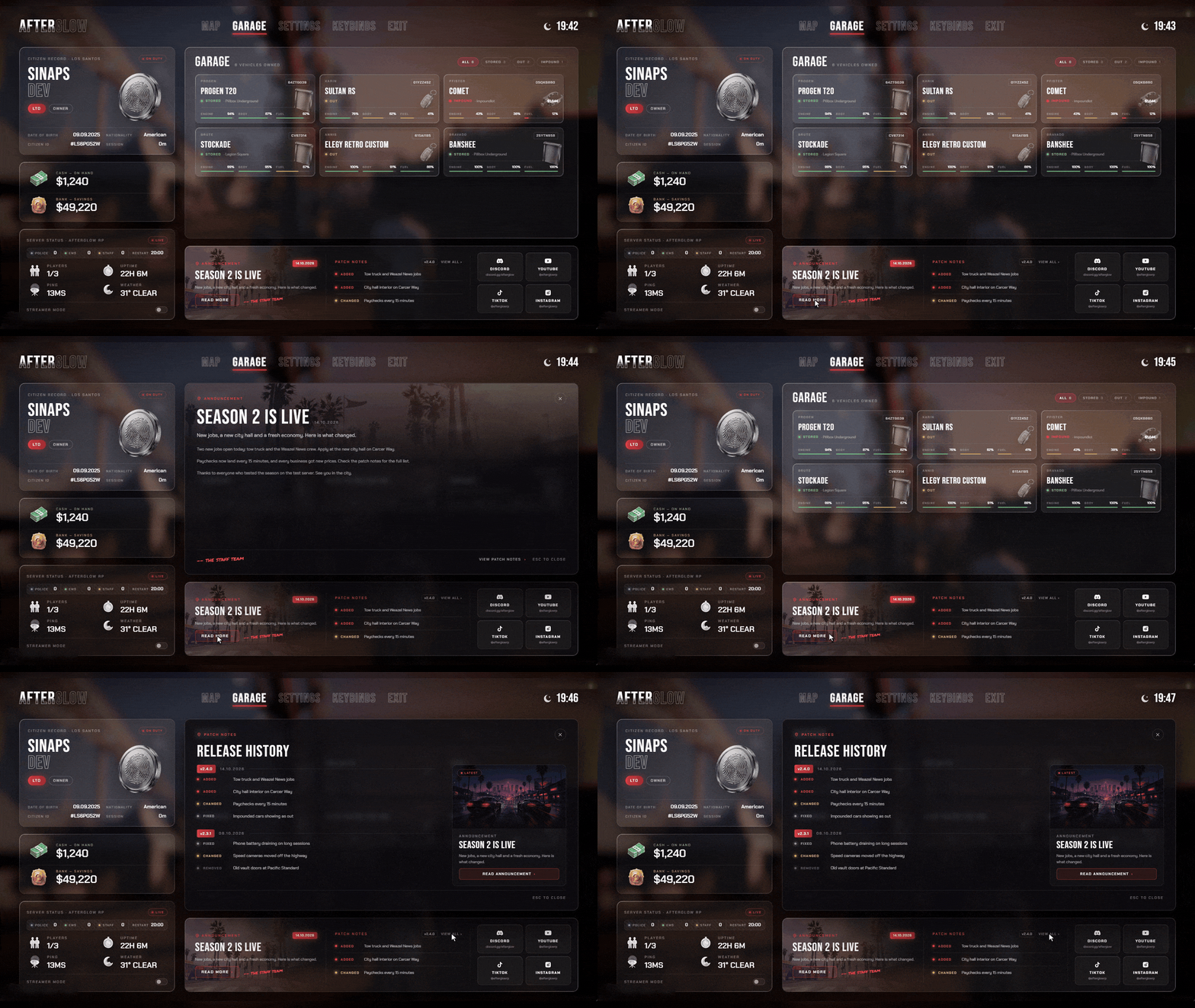
Esc opens your server: live map, garage, citizen card, on-duty roster, news and patch notes. Even the GTA settings screens are re-skinned.

  • Replaces ESC No flash, no pause sound
  • Live Map Waypoints, routes & every blip
  • GTA Settings Graphics, audio & key binds
  • Garage Fuel, engine, body & impound
  • Server Status Citizen card, on duty, restarts
  • News In Game Announcements & patch notes
  • Theme Colour One hex recolours it all, live
  • Any Framework QBox, QBCore & ESX
See all 8 Pause Menu features Hide the Pause Menu feature tour
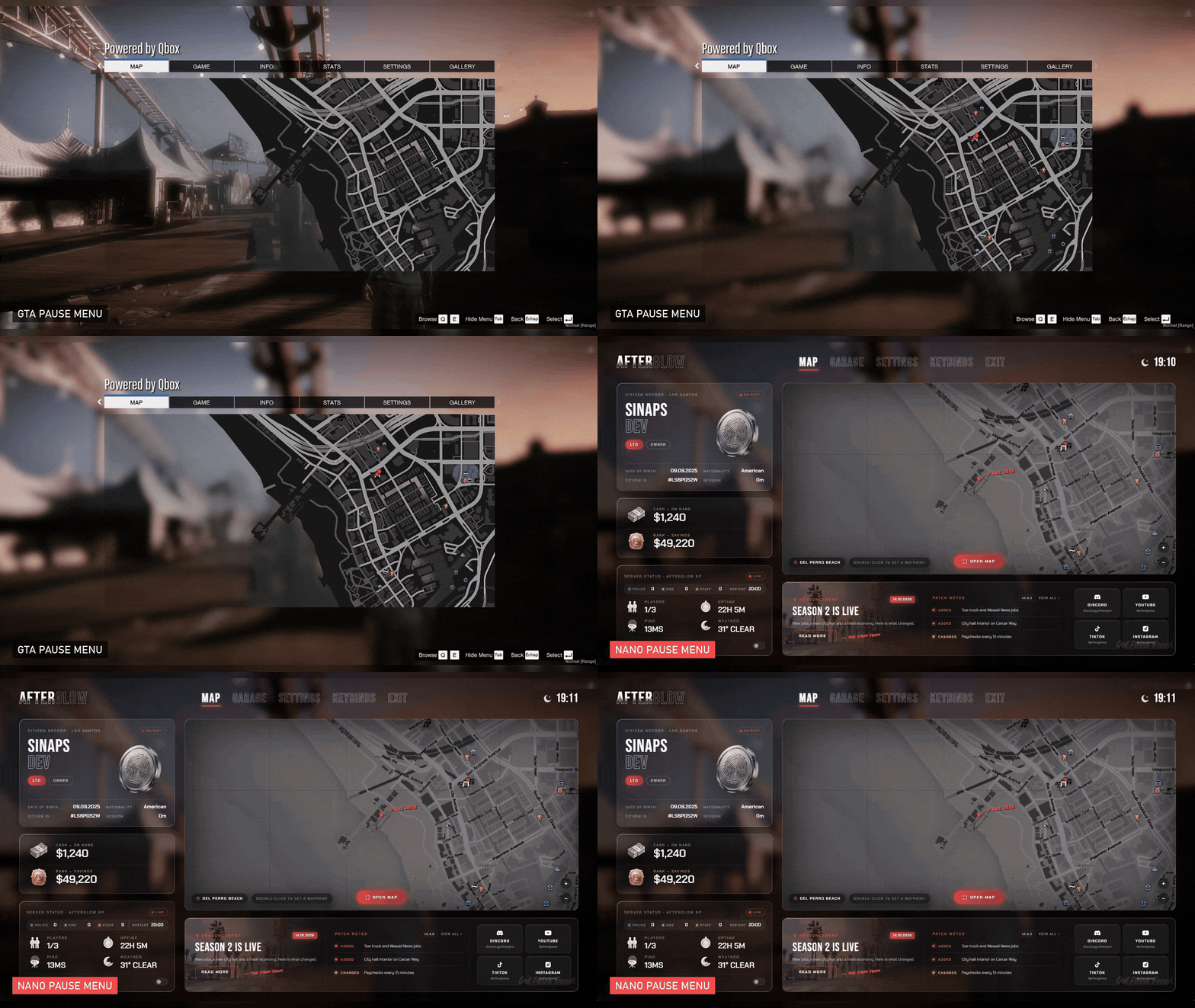
FiveM pause menu script replacing the grey GTA pause menu, before and after

Same Key. New Menu.

Same scene, same ESC. The grey GTA menu is gone, yours opens instead.

  • The native menu never opens
  • No flash, no pause sound
  • ESC stays rebindable
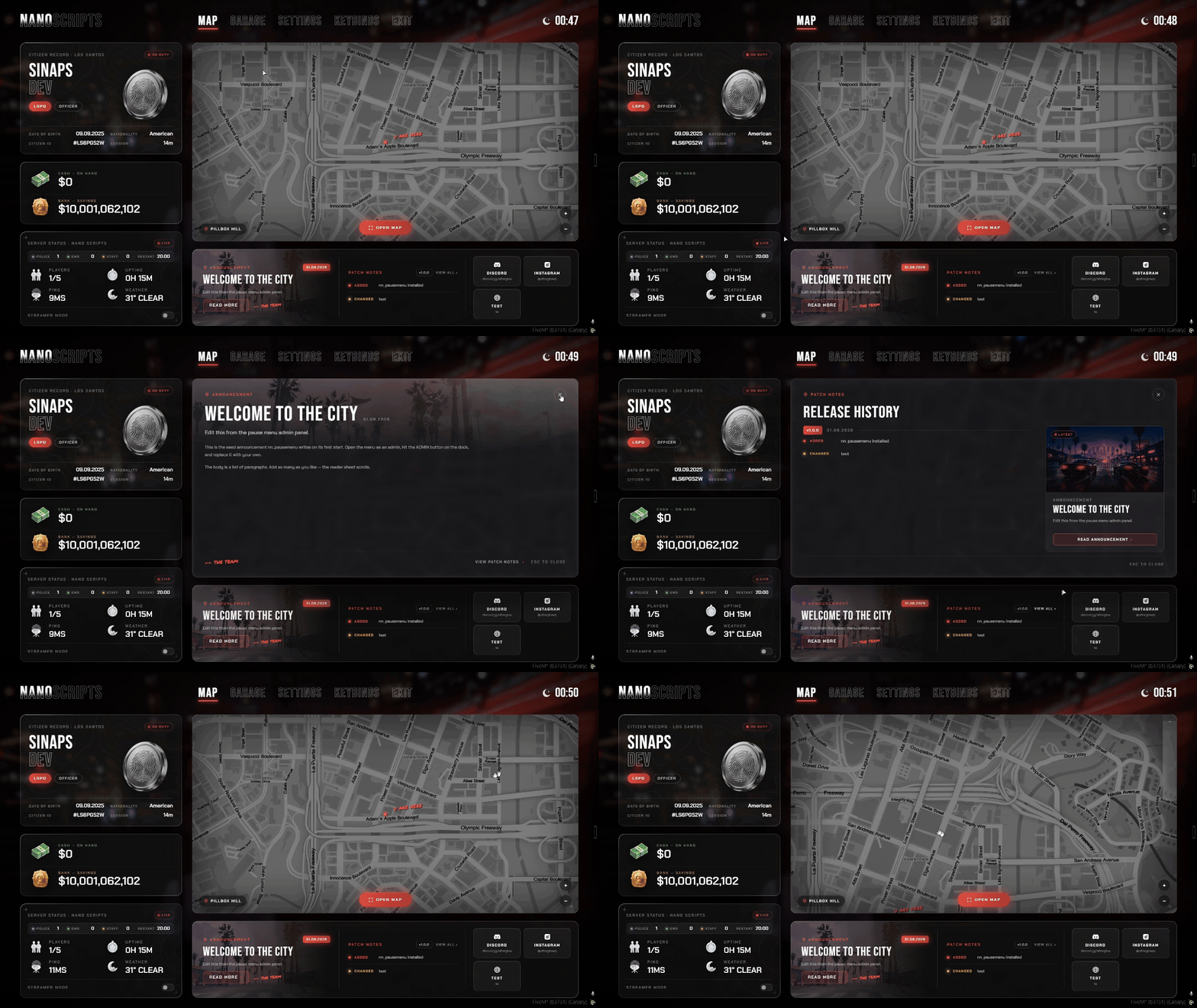
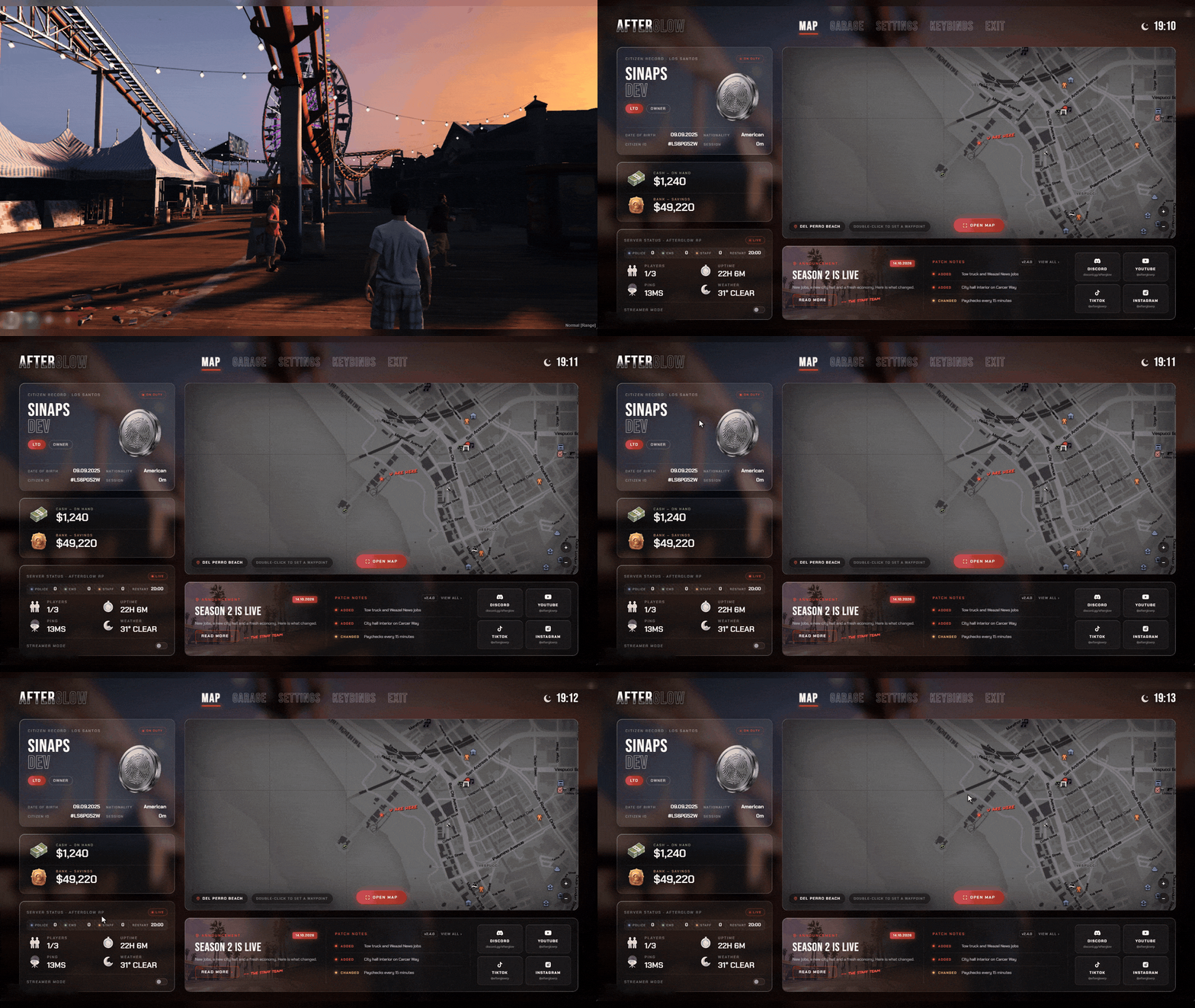
FiveM ESC menu with citizen card, wallet, server status, live map and news

One Press. Everything.

Citizen card, wallet, server status, live map and news, over the blurred live game.

  • Job, grade and playtime
  • Cash and bank read server-side
  • On duty: police, EMS and staff
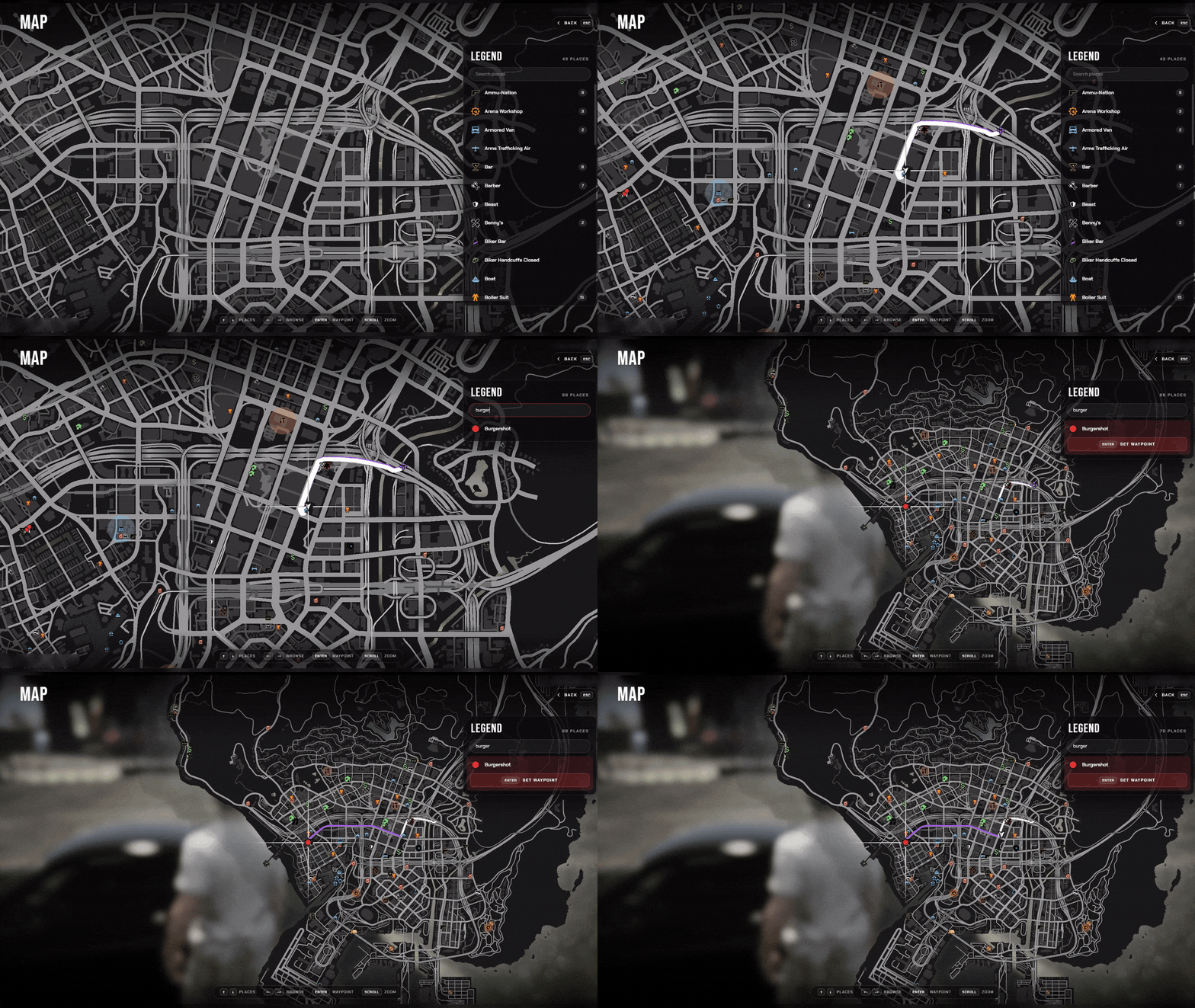
FiveM pause menu live map with a waypoint, GPS route and blip legend

Every Blip. One Legend.

Open Map shows GTA's own map with a legend of every blip. Search it, pick a place, set a waypoint.

  • GPS route along the roads
  • Search every place on the map
  • Enter sets the waypoint
FiveM pause menu garage tab with stored, out and impounded vehicles

Every Car They Own.

Read straight from your database on QBox, QBCore or ESX. Nothing to fill in.

  • Stored, out or impounded
  • Engine, body and fuel
  • Add-on cars by their real name
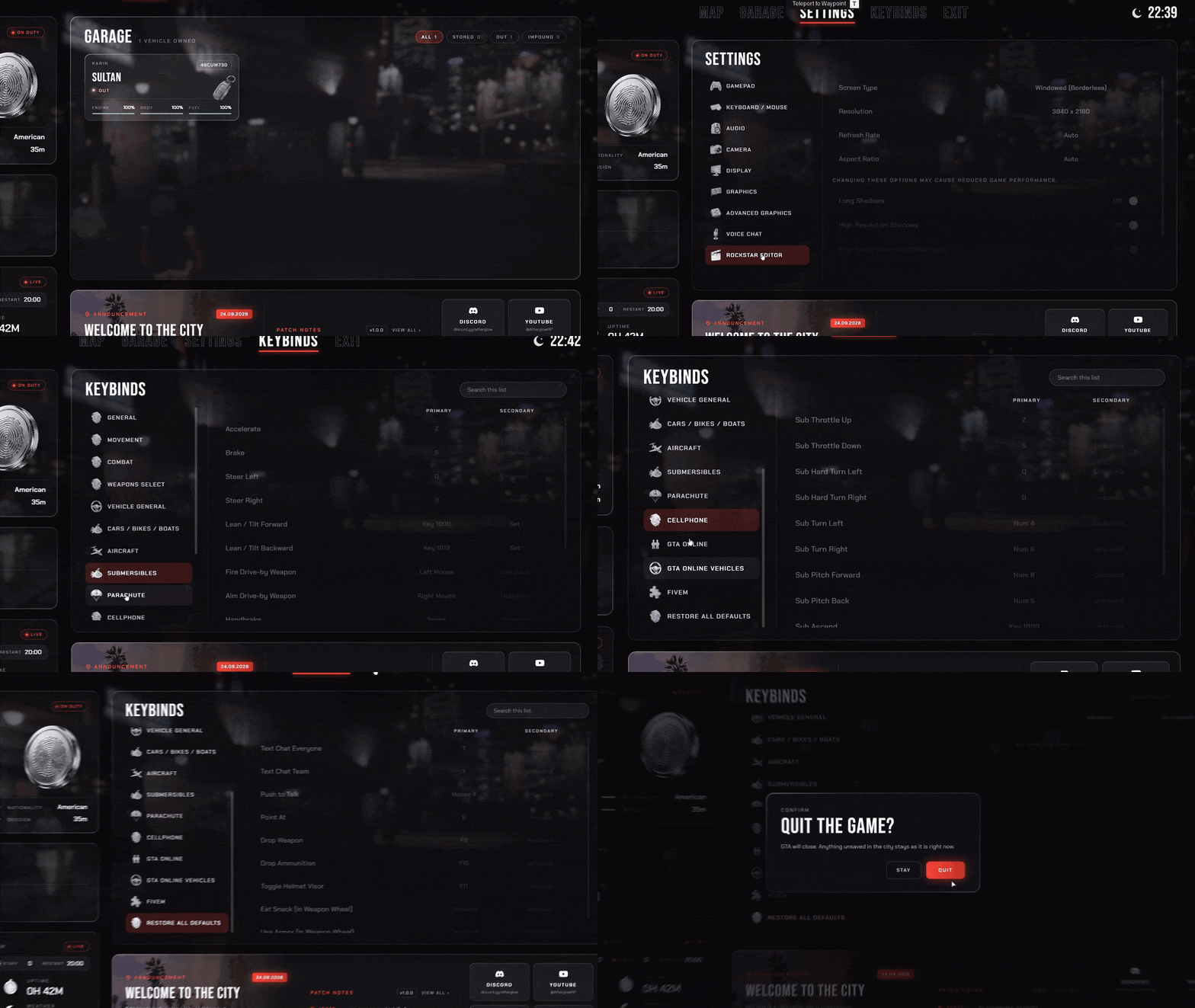
FiveM pause menu with the GTA settings and key bindings restyled

Real GTA Settings, Restyled.

Every setting and key bind comes from the game and is saved by it, in your menu's style.

  • Apply, Keep or Revert for graphics
  • FiveM key binds included
  • Asks before you quit
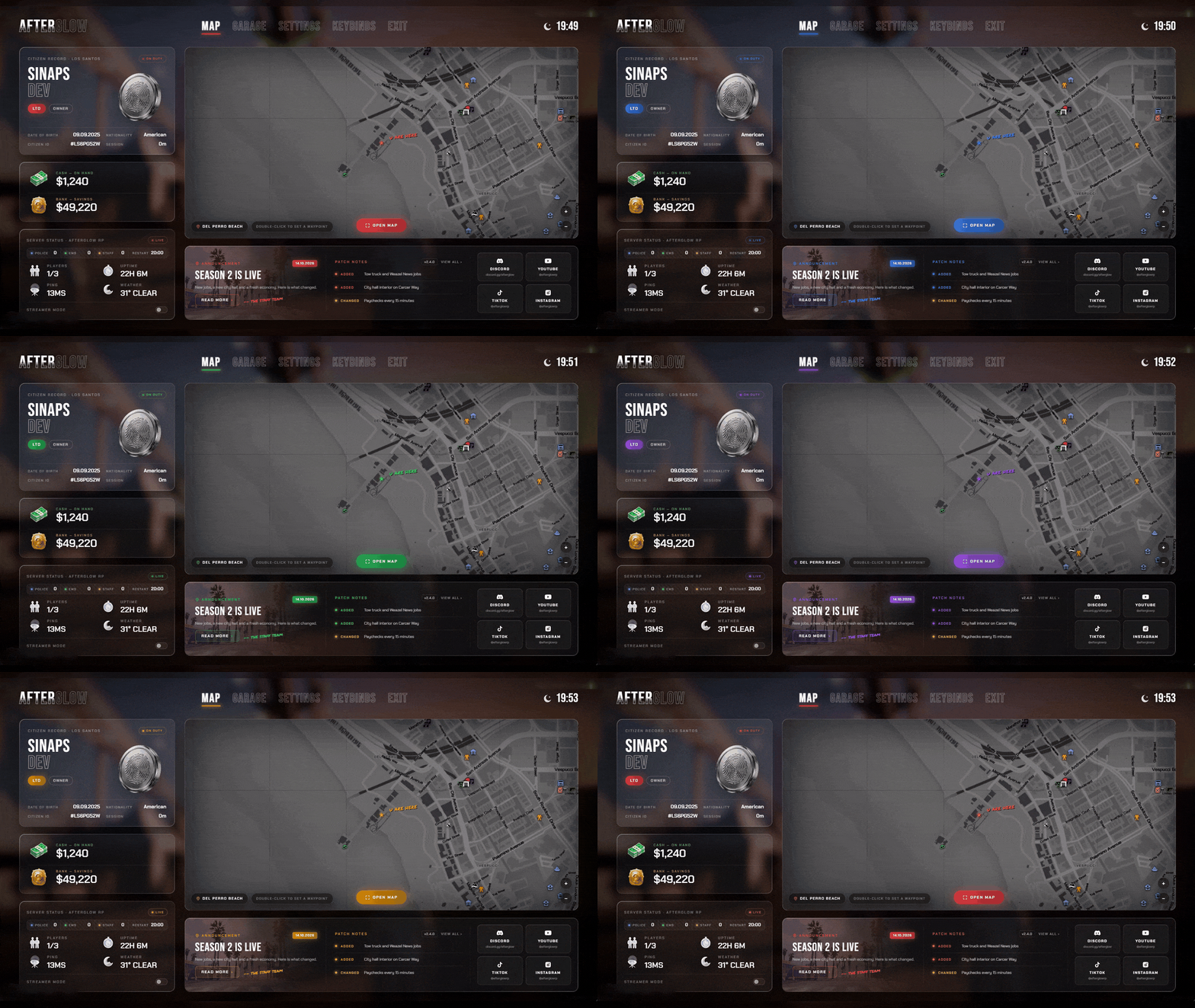
FiveM pause menu theme colour changing live from the admin panel

One Hex. Every Screen.

Pick an accent and the whole menu recolours, live, for every player.

  • Open menus change too
  • Tabs, buttons, meters, map marker
  • Saved across restarts
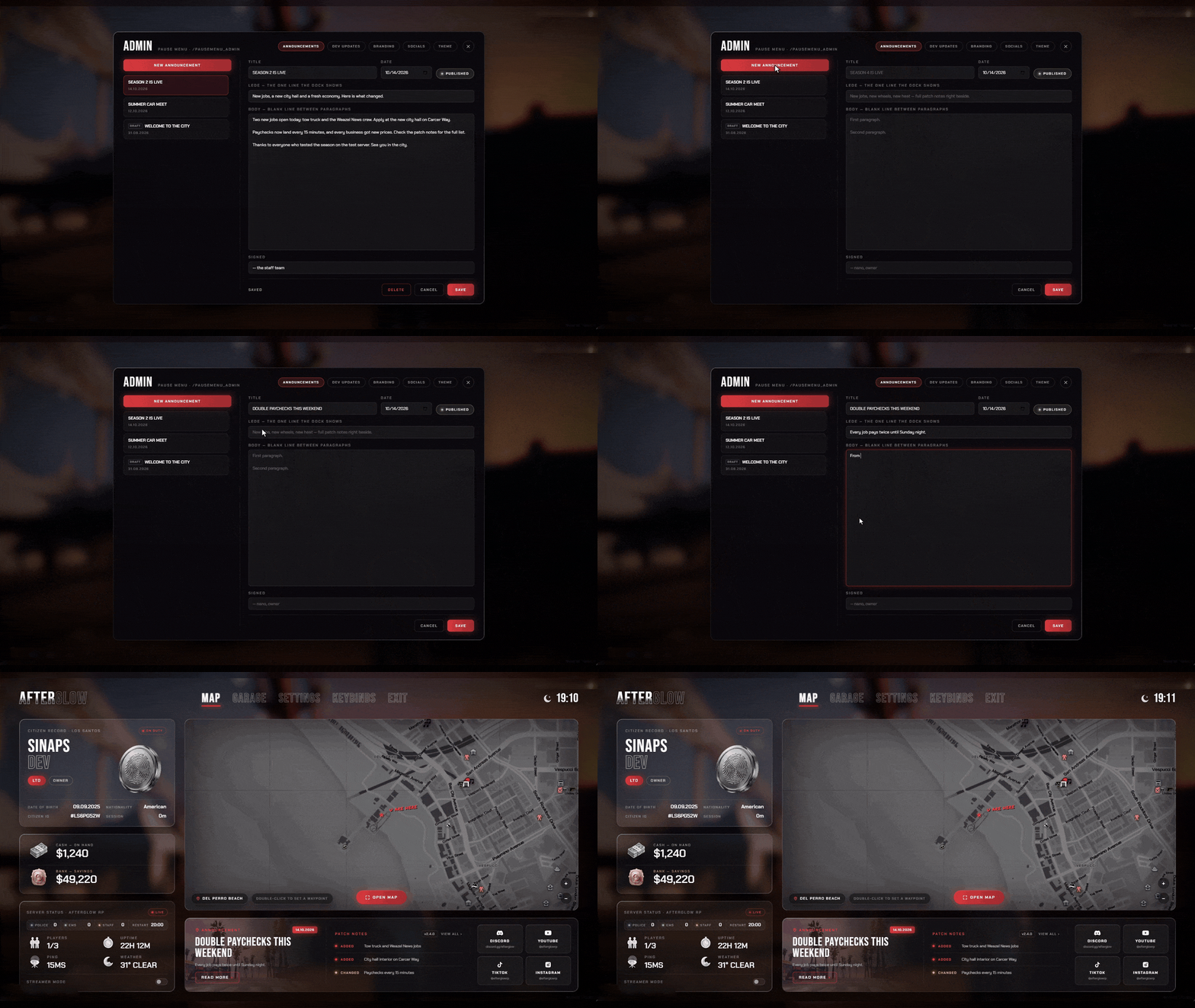
FiveM pause menu admin panel publishing an announcement in game

Write It. Publish. Live.

Post an announcement from /pausemenu_admin. Menus already open update on the spot.

  • Drafts stay hidden until published
  • Two-tone wordmark, server name, city
  • Social tiles: Discord, YouTube, TikTok and more
FiveM pause menu announcement reader and patch notes history

News on Every ESC.

The latest announcement waits in the dock. Read more opens it in full.

  • A reader for long posts
  • Patch notes, version by version
  • Added, changed, fixed, removed

Other tiers

Same look. More or fewer screens.

Reviews

Server owners say it best.

4.97/ 5 from verified customers

Even while busy they still got what I needed done without any hassle or fighting. Top tier as always Nano.
King KyBought Business Creator, Appearance Menu
Helped, added a custom thing to the script. Best.
KozlovoidBought Appearance Menu, Pet Shop
I was having issues with permissions within the script (my fault not theirs). They came in with an immediate fix and update to the script so it worked perfectly in my server. Their customer service and script is top notch! Thank you dev team!
M. FreemanBought Police Creator

Before you buy

Questions, answered.

Do I need all of them?

No. Every script works on its own, so start with a tier or pick single scripts. The Control Panel opens once two or more of the pack's UI scripts are installed (HUD Ultimate has its own HUD Studio).

Will it break my other scripts?

No. Each script answers to the name your other scripts already call: Inventory is ox_inventory, the ox_lib Redesign is ox_lib, Target answers ox_target and qb-target, Appearance answers illenium-appearance, Chat answers chat and Spawn Selector answers qbx_spawn.

Do I keep my items and outfits?

Inventory is built on ox_inventory and Appearance on illenium-appearance, so a server already running those keeps its items and saved outfits.

Which frameworks are supported?

ESX, QBCore and QBox. Loading Screen, Target and the ox_lib Redesign also run without a framework.

Escrow or Open Source: which one do I need?

Both give you identical features and updates. Escrow is protected by FiveM asset escrow: a clean drop-in install at the lower price. Open Source gives you the full source code to restyle and customise every screen.

Something else? Ask us on Discord

Every screen

One look. Every screen.

10 full scripts for 123.99€, and you keep 52.49€.

Add UI Pack Complete to basket
  • Instant delivery
  • Lifetime free updates
  • Discord support